

- Overview
- Transcript
4.4 Organizing Our Client-Side Queries
Project organization is very important. So in the spirit of keeping things organized, we'll move our client-side queries into their own file.
1.Introduction
1.1Introduction01:31
2.First Steps
2.1Setting Up the Project05:29
2.2Designing and Migrating the Database10:06
2.3Setting Up the Models10:48
3.Building and Querying a GraphQL API
3.1Understanding GraphQL09:42
3.2Creating and Querying Our API08:17
4.Building the Client Application
4.1Assembling the UI07:17
4.2Querying the API With JavaScript11:26
4.3Adding Arguments to Your Queries11:28
4.4Organizing Our Client-Side Queries07:53
4.5Defining Other GraphQL Types08:53
4.6Displaying Our New Data09:44
5.Incorporating Authentication
5.1Building the Login View09:42
5.2The Login Mutation11:37
5.3Authenticating the API09:17
5.4Incorporating Authentication on the Client Side09:04
5.5Displaying Auth-Appropriate Menus07:59
5.6User Registration09:33
6.Working With Complex Data
6.1Building the Project Creation UI08:31
6.2Getting a List of Users03:54
6.3Defining Input Types12:33
6.4Saving the Project09:52
7.Conclusion
7.1Conclusion01:00
4.4 Organizing Our Client-Side Queries
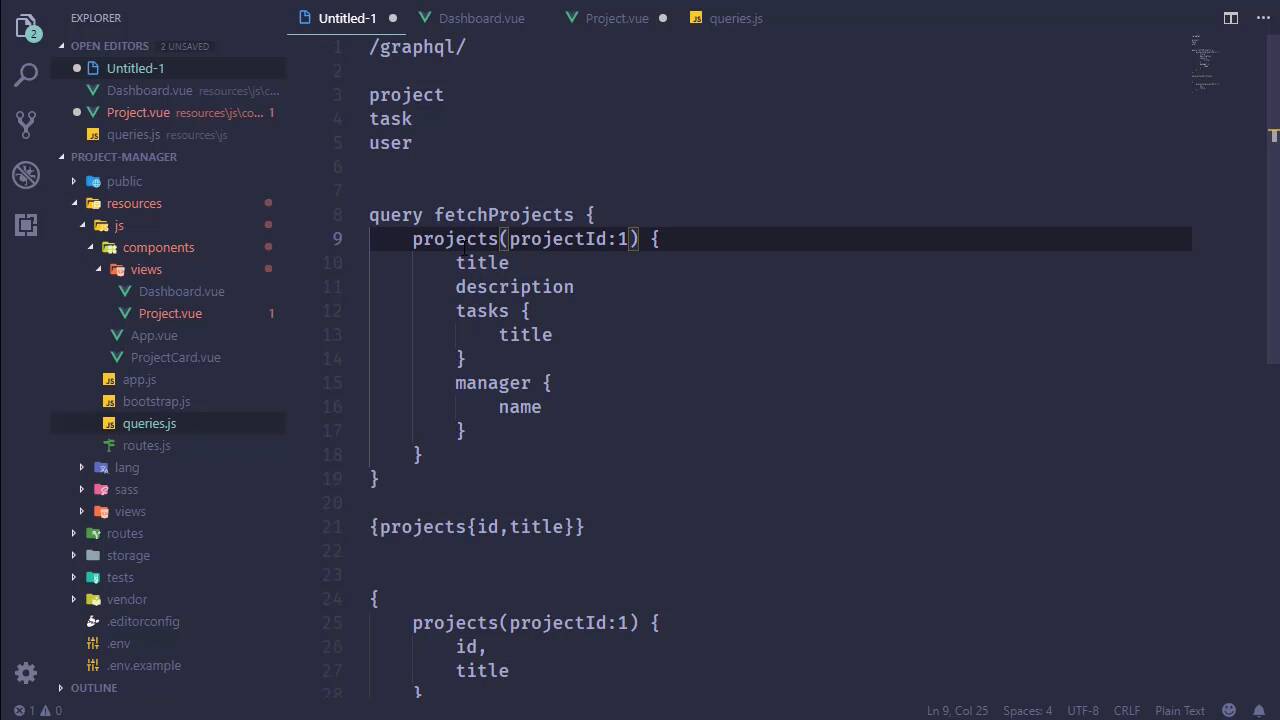
Our API now provides the ability to not only return all of our projects, but we can also filter that down and retrieve projects based upon their ID. And that is a wonderful thing. But as far as our client code is concerned, we are seeing a pattern here of where we are directly to finding the query inside of our Vue components, more specifically inside of the components that represents individual pages. Now, right now that's not that big of a deal, but I would like to extract these queries into a separate location so that they are all contained in one spot. And so if we need to make any modifications, we know exactly where to go. As opposed to okay, is that in the projects components or is that in the dashboard or what I'm getting at? So what we can do then is extract these into a different file. So let's start with that. And I'm going to put this directly inside of the js folder, and we're gonna call it queries.js. And basically all we are going to do is add to Vue's prototype. So we'll have API queries or something like that. And then we will just have a name for our query, like for our dashboard. Our dashboard has a query, and then we would have the value there. So let's go ahead and do that. Let's pick out this very simple query. And here we will say this.$apiQueries.dashboard, although it does help if you type queries correctly. But that is the general idea. I don't want something that we have to import all of the time because this is something that we are going to use repeatedly. So I want it always available for us, so that we can just quickly refer to it, and then get whatever query that we need. But of course, we need to do something other here. We need to pull in Vue, so that we can modify it. So we will import Vue from Vue, and then we will have our dashboard query. All right, so we are well on our way. What about the project? And really let's call this singleProject. So what about that? Because this is a little special. We are specifying a specific ID to retrieve a project. And if we take this and put this inside of another file, how are we really going to do that? I mean, yes, we could take this single project property and make a function to where we retrieve or receive the ID, and then we would concatenate that with our query string. And I mean, we've essentially done that already. Or we can use a feature of GraphQL called query variables, which is what we are going to do. And that's, as the name implies, it is a variable. It allows us to provide dynamic input. So before we actually implement that, let's go and look at our scratch page for our queries. So we started with a very simple query. Then we organized it a little bit differently by just adding some white space, and we also provided an argument to retrieve a single project. Well, if you'll remember, we also have a very formal query where we begin with the keyword query followed by a name for the query. And then inside we have the actual query. And in this particular case we provided a project id. So a query variable is a lot like the argument that we specified except that it is being done on a level above. So it's being done right up here where we have the query keyword followed by this query name. So really, all we are doing is providing a function inside of another function. And the variable is just like a parameter except that it begins with a dollar sign and then we give it a name, projectId, and then we specify the type of data. Now, the casing of the type of data is very important. It begins with an uppercase letter, so upper case I. Lowercase nt for INT. String would be uppercase S, and so on and so forth. But in this case we want an INT. So we have our projects function, if you will, inside of our fetchProjects function. And we have this projectId that we would then pass on to the query. So this is what that would look like exactly. So we can go ahead and implement that inside of our query. So that we would start with the query keyword, followed by whatever name you want to give it. I mean the name, as far as we are concerned, really doesn't matter. But we can think of it as we are writing a function, so let's just call this fetch single project. We will have a query variable called projectId, that is an integer. And then we're going to take that variable and pass that as an argument to our project's query. And that's it. There's nothing that we need to do on the server. The server is actually going to receive this query. It's going to recognize that there is a query variable. It's going to take the value that we supply for that variable, and then use that as the argument for our query. So let's go back to our project component. And here we are going to use the apiQueries, and what was that, singleProject. Just like that. However, we do need to provide a value for that variable. So all we do is just pass that right along with our query. So we will have another object called variables. And then we have the name, which was projectId. And its value, which is what we retrieved from the route params. So there we go. Now of course, this isn't going to work just yet because we haven't imported these queries yet. So inside of app, let's do just that. We will import our queries, and that is going to make all that work. So we should be able to go to the browser and let's refresh, and we should see our project page. We don't. All right, so let's look at the error. Cannot find margin queries. And that is why, okay, so that should fix that. Let's refresh the page. And there we go. We have our project page. If we go back to the dashboard, we should see the dashboard, and we do. So by extracting our queries, putting them inside of a separate file, we now have something a little easier to maintain. Anytime we need to make modifications to our queries, we can come here. So in the next lesson we are going to finish defining the types on our server. We have the project type, but we also need to define the task and the user.


