

- Overview
- Transcript
4.1 Assembling the UI
Our first order of business in getting our client ready to query and display data is to assemble the basic UI. We'll do that in this lesson.
1.Introduction
1.1Introduction01:31
2.First Steps
2.1Setting Up the Project05:29
2.2Designing and Migrating the Database10:06
2.3Setting Up the Models10:48
3.Building and Querying a GraphQL API
3.1Understanding GraphQL09:42
3.2Creating and Querying Our API08:17
4.Building the Client Application
4.1Assembling the UI07:17
4.2Querying the API With JavaScript11:26
4.3Adding Arguments to Your Queries11:28
4.4Organizing Our Client-Side Queries07:53
4.5Defining Other GraphQL Types08:53
4.6Displaying Our New Data09:44
5.Incorporating Authentication
5.1Building the Login View09:42
5.2The Login Mutation11:37
5.3Authenticating the API09:17
5.4Incorporating Authentication on the Client Side09:04
5.5Displaying Auth-Appropriate Menus07:59
5.6User Registration09:33
6.Working With Complex Data
6.1Building the Project Creation UI08:31
6.2Getting a List of Users03:54
6.3Defining Input Types12:33
6.4Saving the Project09:52
7.Conclusion
7.1Conclusion01:00
4.1 Assembling the UI
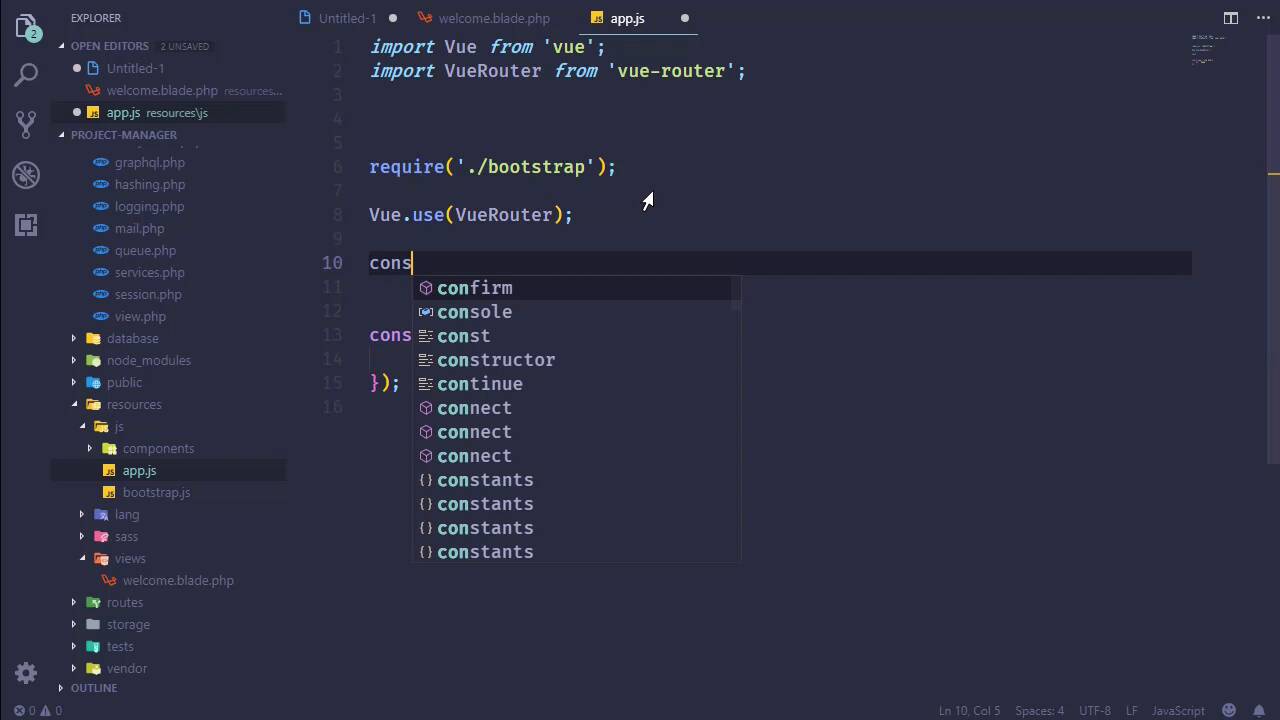
In the previous two lessons we created a GraphQL type, as well as a query that executes on the server so that we can call that query from the client. So now that we have a way of getting data from the server, it makes sense to start focusing on the client-side of things. And of course, we aren't done creating types and queries, but we can do those things as we need to. Because I'm actually anxious to get started actually having some functional things to work with in the browser. So that means we need to take a look at the tools that we have available to us. We have Axios for making HTTP requests, so that's good. Bootstrap, Lodash, Vue, that's kind of important. So we have just about everything that we need, except that we do need Vue Router, because this is essentially going to be a single-page application. So let's pull up the console. Let's install vue-router. And we're going to save that as a dev dependency, because everything else is saved as a dev dependency. And while that is installing, now let's take a look at the welcome page. Now, we aren't really gonna be using blade views for this application, we will use the welcome page. But everything else is going to be Vue components, because this is going to be a single-page application. So the vast majority of this stuff is going to be removed. In fact, yeah, let's just go ahead and do that. We'll get rid of this style element. We will get rid of this div element and everything, really, inside of the body. As far as the fonts, we can get rid of that. Let's change the title to Project Management. And then let's add the csrf-token, because we do need that. Now that is going to be in a meta tag. The name is going to be csrf-token, and the content is going to be provided by calling the csrf_token function. So that's going to give us our csrf-token. We do need to refer to the CSS that we're going to be building. So let's go ahead and do that. That is going to be inside of /css/app.css. And we will also need to do the same thing for JavaScript as well. So let's have our script element. The src will be kinda the same thing, except that it's going to be /js/app.js. And then, finally, we need someplace for our application to be loaded. So we're going to create a div element with an id of app. And that is essentially all that is going to be inside of this page. Everything else is going to be a Vue component. So with that done, let's go to our js folder inside of resources. And I want to make some modifications to app.js here. In fact, most everything is going to be gone, I'm going to get rid of all of the comments. We still need to require Bootstrap, but we are going to import everything else. So let's import Vue from 'Vue'. Let's also import VueRouter, because we will need to use that here. And then everything else we haven't created yet. But we can at least start setting this up so that we can use VueRouter for Vue, and then we will need to create that router. So we'll just call that router, and we will new up the VueRouter constructor. And of course, we need to pass in some routes for that in order to work. And we will pass the router to the Vue constructor there. We're also going to change how we call the Vue constructor. Instead of creating an app variable, we're going to call the constructor, we will pass in router. And then we're going to define the render method so that we pass in our app component. Which we do not have yet, but we will. And then we will mount that app component in the element that has an ID of #app. From here, let's go ahead and create this app component. That is going to be inside of components, let's just get rid of this example component, because we don't need that. And let's add a new file, we'll call it App.vue. And then I'm just gonna paste in the template here, because you don't wanna see me type all of this. And it's really simple, it's just straight up normal Bootstrap stuff. We have a navbar at the top, then we have a section that our content going to reside. And you can see that the router-view element is right here, so that all of our individual pages are going to be injected right there. So there's nothing spectacular here. Eventually, we will come back in, add in some v-ifs in order to show the appropriate menu links. But, for right now, this is going to be okay. And when it comes to organizing components, I always have a hard time, because, technically, everything is a component. But in our case, we're gonna have some things that are what you would normally think of as a component. Then we're going to have some that are going to be what you would think of as views. So what we will eventually do is probably have a views folder inside of here. But our app component, I guess you could technically say it's a view, it's a layout page, but we're just going to call it app. We're gonna put it in components, and that's all I'm going to say about that. So now, we can import App from the App component. And we will have that, and everything should work, I would think. I think we can call VueRouter without actually passing in routes. So let's call npm run watch. This is going to run our application, it's going to compile everything and watch the files as well. So that any other change that we make will automatically be updated. And we should hopefully see at least the bare bones of our application in the browser. We should see the navbar and, really, nothing else. But as long as the navbar's there, I'm going to be happy. So the build was completed. Let's go to the browser, refresh, and what do we have? We have nothing, that's never a good sign. Let's see what we have in the console. Failed to mount components: template or render function not defined. And that is inside of App. That's because we didn't save it, that's kind of important. So if we refresh the page now, there we have the navbar. So we have that working, and that's wonderful. So in the next lesson, we will actually create the dashboard so that we can display our list of projects.


