

- Overview
- Transcript
4.3 Adding Arguments to Your Queries
Queries are like functions—we can provide data to them, and they can work on that data. We'll add an argument to our API in this lesson to filter the project results.
1.Introduction
1.1Introduction01:31
2.First Steps
2.1Setting Up the Project05:29
2.2Designing and Migrating the Database10:06
2.3Setting Up the Models10:48
3.Building and Querying a GraphQL API
3.1Understanding GraphQL09:42
3.2Creating and Querying Our API08:17
4.Building the Client Application
4.1Assembling the UI07:17
4.2Querying the API With JavaScript11:26
4.3Adding Arguments to Your Queries11:28
4.4Organizing Our Client-Side Queries07:53
4.5Defining Other GraphQL Types08:53
4.6Displaying Our New Data09:44
5.Incorporating Authentication
5.1Building the Login View09:42
5.2The Login Mutation11:37
5.3Authenticating the API09:17
5.4Incorporating Authentication on the Client Side09:04
5.5Displaying Auth-Appropriate Menus07:59
5.6User Registration09:33
6.Working With Complex Data
6.1Building the Project Creation UI08:31
6.2Getting a List of Users03:54
6.3Defining Input Types12:33
6.4Saving the Project09:52
7.Conclusion
7.1Conclusion01:00
4.3 Adding Arguments to Your Queries
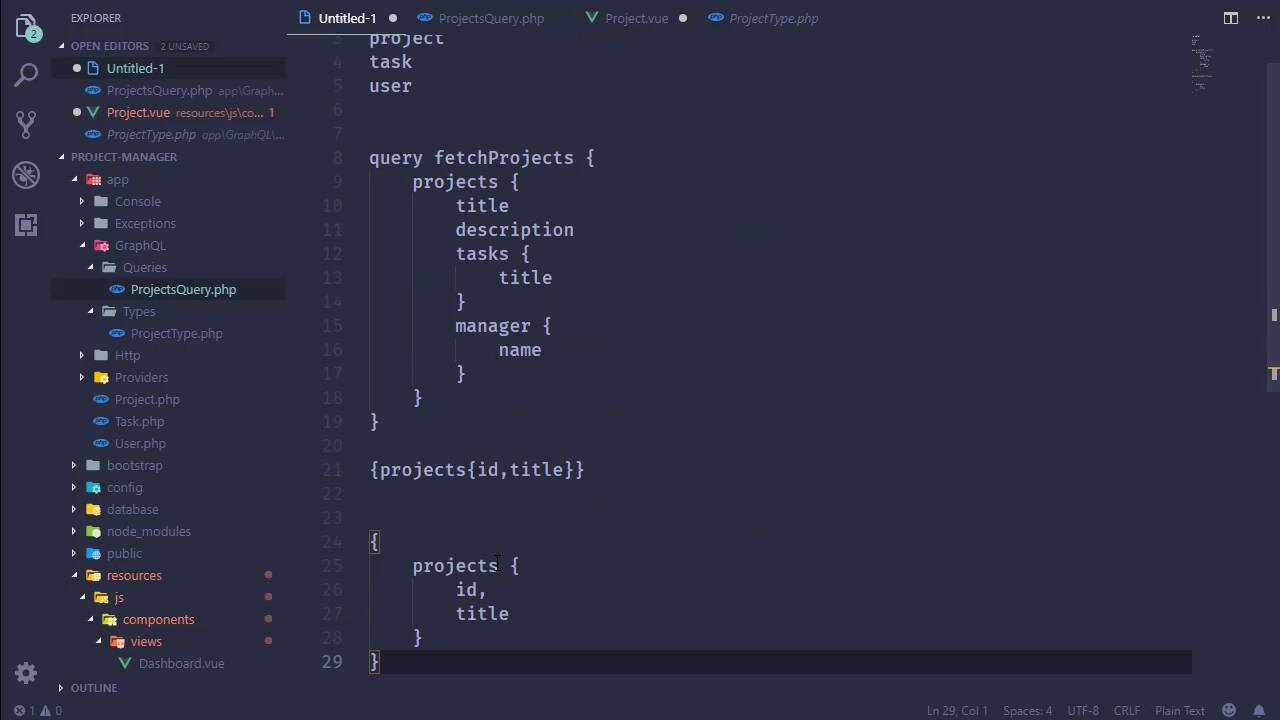
Our API currently only returns all of our projects, which admittedly does have it's uses like for our dashboard, we definitely want to see all of our projects. However, we also wants to be able to filter that list, like for example if we click on a single card we want to be able to just look at and get the information for whatever project that we clicked on. We might also want to be able to retrieve all of the projects that were assigned to a particular manager, or we also might want to retrieve all of the projects that a given user has access to. So, there's a lot of different scenarios that we really need to account for, we just don't want to return all of our projects all of the time. So what we want to do then is accept user input and do something with that input, filter our projects based upon that input. And so, one thing I like to do then is think of a GraphQL query like a function. So for example, our query is called ProjectsQuery, so we can say that we have a function called projectsQuery. That currently doesnt accept any arguments, and it returns a list always, and never changes we always get all of our stuff. So what we want to do then is have arguments that we can pass to this function. So we might have the projectId, we might have the email address of a user or we might have the manager. There's a lot of different things that we would want surpass to this function. Well, that's basically what we're going to be doing, we're going to define arguments that our query is going to accept. And then we're going to change what we return based upon the data that is supplied to us. So, this is going to be a lot like the fields method inside of our project type we have a method that defines our fields. We're going to add a method to our query that defines all of the arguments. And right now we're just going to work with one argument, then that is going to be the ID of our project. So in this case we are still going to return an array, because all this is is really describing our arguments. And the keys of this array are going to be the argument names, so ID. Although we should probably do something a little more descriptive like projectId, and then we will have an array that describes that. Now there are many keys that we could define if we wanted to use a name or something like that, we could. But really, the most important is the type, and the projectId is an integer. So we will say that it is an integer, and then inside of the resolve method, we need to take that argument into account, and return the data that we want based upon that argument. So the args parameter for the resolve method are the arguments being passed to our query. So, we can use isset to see if we have an id argument and if we do, well then pretty easy, we can Project :: find($args['id']), and there we go. Actually, this isn't going to work, and we will see why here in a few moments, but now that we have this in place let's go to our client. And let's add a view for the individual project, so let's add a new file we'll call it Project.vue, and let's start with a template. We'll have a div that's going to contain everything, and let's just do this we'll have an H3 that will have the project title. And then, let's have just a paragraph that is going to have the description. And then later on whenever we have the tasks and stuff we can include the tasks here. Now, we could get this data in a couple different ways, since we have already loaded all of our projects for the dashboard, we could pass the project information to our Projectvue. However, since we are essentially navigating to another page, we want fresh data from the database. So, we're gonna do kinda the same thing that we did with a dashboard. For the created hook, we are gonna make our request, so we first of all need axios, so let's import that. And then we will issue our request so, we will make a post request to graphql. And then we need to specify our query so, what is that going to be, then? Well, we do have this very simple query here and we can use that, but let's do this. Let's make this a little bit prettier so that we have some indentation here, so we have our projects. That's the name of the query, we have the Id and title that we are going to retrieve and that's it. Now remember that I said that our query is a lot like a function, and did I delete that function? Yes, I did, and so, [LAUGH] like a function, in that we are accepting user input. So, if we use just normal function syntax that's going to work, and that's exactly what we do. That's why I used that comparison earlier, because this looks exactly like a function. So, we are going to essentially issue the same request, but we are going to say that we want the given projectId. So, let's paste that in we do want the description here as well, but now we need the projectId well, we will have that from the router. So let's just include that here, we'll get that from the route-params, it's gonna be called id. And that is going to issue that request, so let's have the then handler, and we will essentially do the same thing. Except in this case, we'll have just a single project which we will get from res.data.data.projects at the index of zero. And the reason why we're seeing this, well that might spoil why we we're gonna get an error. So let's just leave this as it is right now, we do need to be able to travel here, so let's open up our routes. And we want to import the project, and that is from project.vue, we will add that route to it. So this going to be project and id, and then component is going to be Project. Now we do need to add a link to this, so let's go to our dashboard, or not the Dashboard, we need to go to the ProjectCard. And for the h5 element, we are going to add a link with the router link. So let's go ahead and do that, we want to go to and we will say, project and then project.id, we will then have the title and there we go. Inside of our Project component, we need to add that project data property, so let's very quickly do that. And let's initialize it as just an empty object, and then we will go to the browser. So let's see what we get, and that is not what I expected, I expected to see really nothing at all here. And let's see we have no error, so there's something wrong because we should be seeing an error. So let's look at the query and there's a problem right there, I used id whenever we were trying to resolve the query. So with that done, let's refresh and then we will see an error so, we have an uncut error that's not very helpful, but that's also because of the real issue being with the API, but we can see that we cannot read the property 0 of null. So, we aren't getting anything back from the API and if we go and look at what we did get. We can see that our data has a projects object but it is null, but then we have the message for the error here. User error, expected iterable, but did not find one for the field of Query-projects. So here is the thing, our query returns a list of projects, it doesn't return a single project, it returns a list of projects. And if we try to return anything other than a list of projects, well then we are going to get an error because the types don't match up. So, we can't really just use find here even though that that is nice and easy to do. Instead we are going to use where, and then we will check to see where the ID is the provided projectId, and then we will get that. That is not just going to give us just, well, it is going to give us what we want, which is a single record, but it's going to be within the context of an array. So by making this change here, we will then get something in the browser, so let's refresh. Now we get Project Manager Development, and we can look at the results of the query. We can see that we are getting an array back for our projects, and of course, we coded for that inside of our project component. Now, one thing that we are going to have to deal with, is using the queries inside of our components. And we can take this approach, all right, we've written two queries here and it's not that big of an issue. However, I would like to take the queries outside of our vue components so that they reside within one or two files, and then we would refer to those queries kind of like this. And in this case we are retrieving a project so, we would have something like queries.project or something along those lines. But that causes an issue in this particular case because, we need to specify what's project that we want to retrieve. Well, that is where we can use something called variables, and we will talk about that in the next lesson.


