
 Lessons: 18Length: 1.7 hours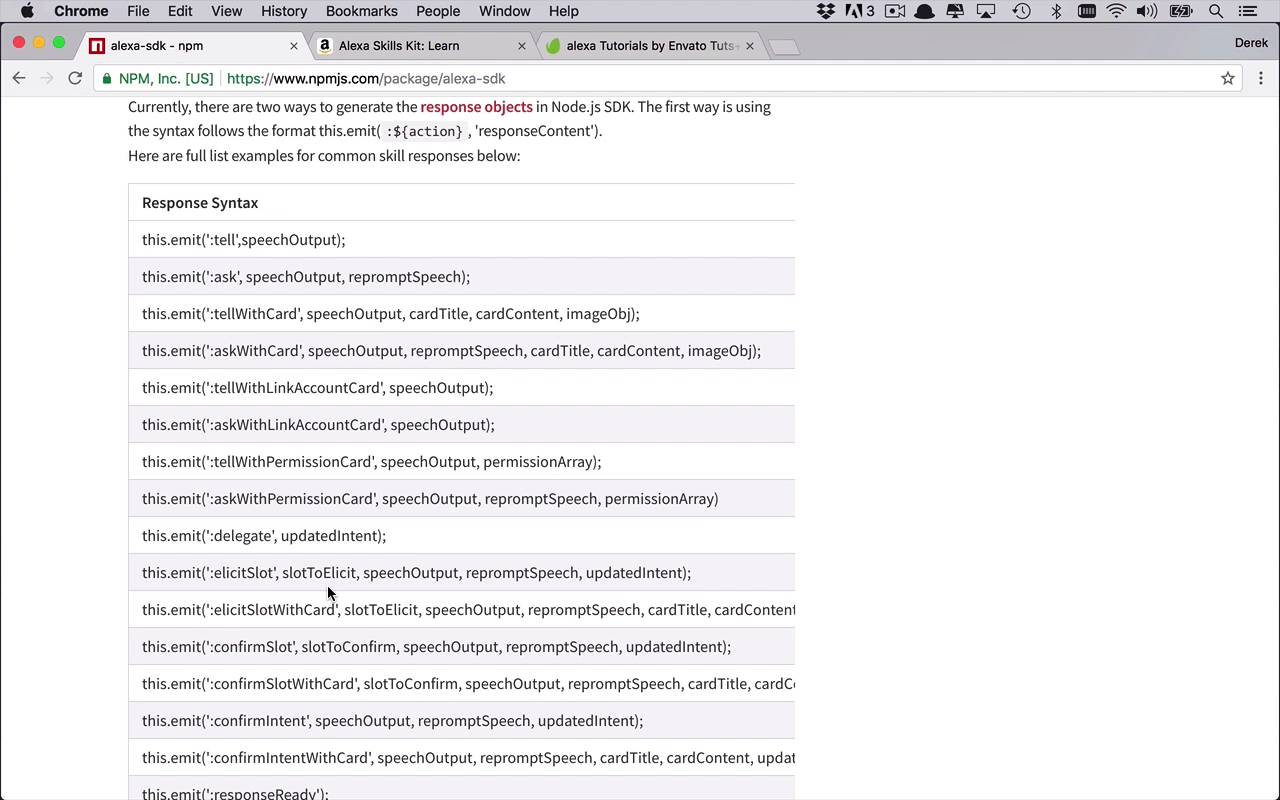
- Overview
- Transcript
4.1 Conclusion
I hope you've enjoyed spending this time learning more about Amazon Alexa. My name's Derek Jensen, and from all of us here at Envato Tuts+, thanks for watching.
1.Introduction
1.1Introduction01:03
1.2Prerequisites06:17
2.Alexa Skill Basics
2.1Alexa Skill Kit Walkthrough08:25
2.2AWS Lambda Walkthrough10:14
2.3Creating the Hello World Skill08:00
2.4Creating the Hello World Lambda Function10:14
2.5Handling Multiple Intents and Slots07:03
3.Building a Real-World Skill
3.1Creating the Skill06:37
3.2Creating the Lambda Function03:48
3.3Creating a Node.js App for Your Lambda Function07:11
3.4Creating Your First Handler04:38
3.5Creating the Setup Data for Your Skill03:00
3.6Finishing the Get New Courses Handler03:49
3.7Create the `GetCourseTeaser` Handler07:08
3.8Create the `AddToWatchList` Handler06:30
3.9Create the `GetWatchList` Handler03:43
3.10End-to-End Testing03:37
4.Conclusion
4.1Conclusion02:33
4.1 Conclusion
I'd like to take this opportunity to thank you for joining me in this journey into the world of creating Alexa skills. Now I know it can be quite intimidating sometimes to see a lot of these at Alexa enabled devices all around from your laptops to computers, to watches to Echoes and all sorts of other devices. But the one thing you really need to understand is the basic concept behind what's going on there as far as what you can do to enhance that functionality is really quite simple. So before I let you go, I want to leave you with a little bit of information. Some other places where you can do some more research to continue to enhance not only the application you created in this course but also other applications that you still have yet to dream up. So one of the things that I really want to point you to and we worked with it a little bit in this course is the Alexa-sdk documentation. At least what is found here on the npmjs, is a lot of really good information in here about different things that you can do with this Alexa-sdk. We did a lot of things with the emit function and we mostly just used the tell parameter in the beginning but there's so many different things you can do. You can ask questions you can ask for additional information, and there's so many more things. It's a very rich ecosystem of ways to communicate with Alexa that you really are only scratching the surface here. So there's a lot more things that you can really play around with and learn more about. I would also highly recommend you spending a lot more time over on the Amazon Alexa site, under the developer.amazon.com. You can head over to this site. We talked about this a little bit briefly in the beginning of the course but if you already go to the learn section here at the top, there's lot of really great information to learn more about how to use the Alexa skills kit. From webinars to training courses and guides and events and tutorials, there's really a lot of information in here. I would highly recommend you spending some time here and learning more about the ins and outs of the interaction that you and your users can take with Alexa. Because there are so many opportunities out there and so many options for you to really make an engaging application with your Alexa skill. And then obviously, finally, you can head over to Tuts+ at anytime and take a look at all the Amazon Alexa tutorials that we currently have. And if you do come up with some other ideas and want to learn more, please feel free to let us know and we would be happy to help you in any way that we can. So once again, my name is Derek Jensen and I can't wait to see you next time.


