
 Lessons: 19Length: 2.4 hours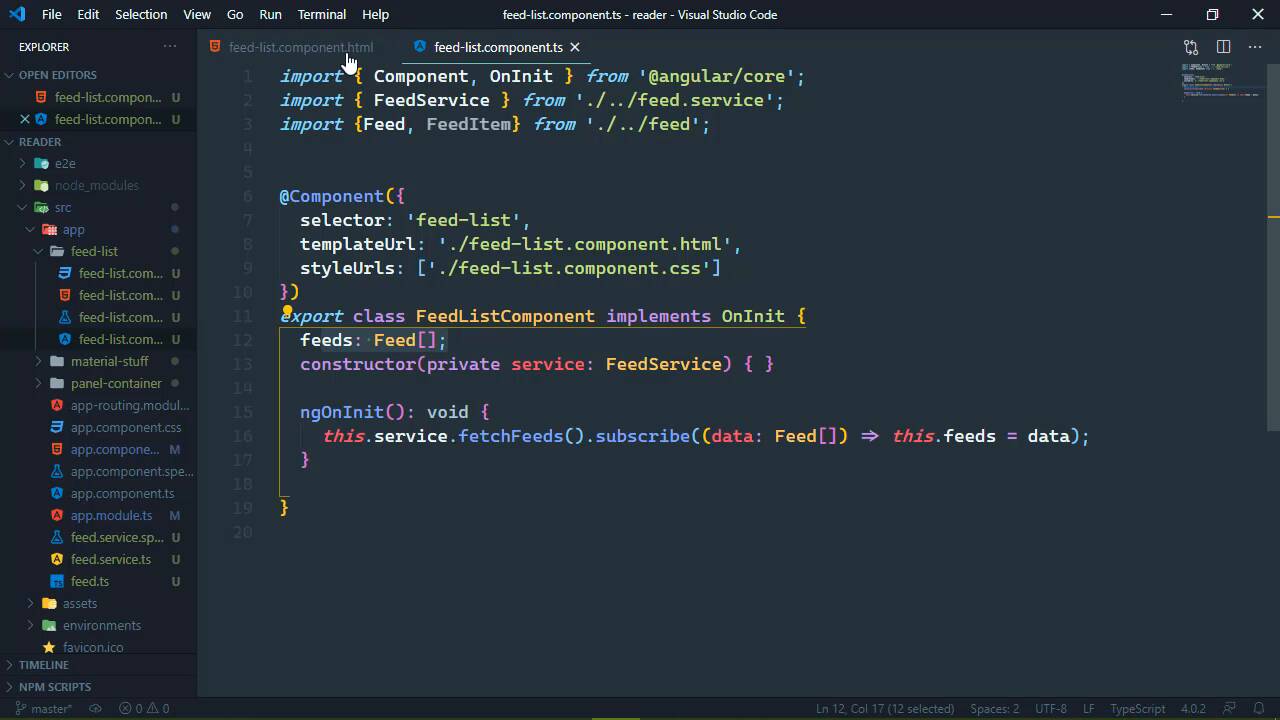
- Overview
- Transcript
3.2 Displaying the Feed List
Now that we have our feed list, we need to display them. We'll use selection components from the Material library to do that. We'll also talk about some common issues with Observables and loops.
1.Introduction
1.1Introduction01:23
1.2What You Need06:14
2.Getting Started
2.1Creating the Project08:21
2.2Designing the Basic Layout08:50
3.Writing the Basic Functionality
3.1Fetching the Feed List08:48
3.2Displaying the Feed List07:06
3.3Toggling the Feed List Drawer05:53
3.4Using Named Router Outlets09:22
3.5Displaying Feed Items09:11
3.6Displaying the Content12:16
4.Adding Settings
4.1Designing the Settings Panel10:03
4.2Using Services to Manage State07:13
4.3Finishing the Settings11:02
5.Managing Screen Sizes
5.1Using the `BreakpointObserver`08:03
6.Authentication and Authorization
6.1Refactoring08:24
6.2Authenticating With the Server07:58
6.3Sending the Token04:19
6.4Authorizing Routes07:05
7.Conclusion
7.1Conclusion01:06
3.2 Displaying the Feed List
Now that we have a list of feeds, we want to display that in the browser. And of course, since it is a list of feeds, well, we are going to be using ng4 because that's how we display a list of things. And we can actually use NgFor in a couple of different ways and we will look at both of those in this lesson. So let's start with the easy way, we have our feeds array which is a property and all we need to do is just iterate over that. Now, we do need to take out private because this cannot be private in order to access it from our markup. But we're going to do this we will have a div element and we're going to use the mat sub header attribute here. That's going to apply the mat sub header class to that, so this is going to be the sub header for this panel. So it's just going to be called feeds and then we are going to use the mat selection list. This is a lot like the HTML select element, because we supply options to it and of course those options have text, they also have values. So if we have option one, and let's go ahead and have an option two, so that we can see what that renders in the browser. We are going to have two options however, there is going to be a check box for these and that was very wrong. And that's because its option that's one of the hard things about typing and talking at the same time. So, there we go, we have two options but they can both be selected because by default, this selection list allows you to select multiple items. That's not going to help us in our case, so what we will do is set the multiple property to false. And that will change the behavior so that we can only select one item at a time. And this is really nice because it tracks the active option, so whenever we click on one, it remains highlighted. And that functionality is built in so we don't have to write that and I love that, so with that in place, let's go ahead and let's iterate over our list of feeds. So we will use the NgFor and our expression will be let feed of feeds. And let's go ahead and set the value property to the feed that we're going to be working with and then we will have the text as the feeds name. So whenever we view this in the browser, this should change and we have our feeds, so there we go, we have that working. Now, a lot of times we would want to supply subcomponents with an ID so that we can access them and do things with them. Like, for example for our mat selection list, we might want to give this an ID of feeds. And we can do that, there's nothing wrong with that except that we broke it, it doesn't work anymore. And if we look at the console, we're going to see an error that basically says that NgFor only supports binding to iterables such as arrays. Now, at first glance of course it does we supplied an array I mean, we were very explicit about that not just by defining fetch feeds but also our feeds property. But that is not working, obviously and we can try to check this like for example, if we wanted to see what feeds was. We could pipe that to Json so that we could see the Json in the browser, and of course it's going to be an array. Well, here's the thing all of this stuff is part of the same component, we have a property called feeds. And we just defined an ID of feeds which automatically makes this selection list component available to us programmatically. So inside of this selection list component feeds is this component itself, it's not the array that we want to work with. So of course the fix is rather easy, we can give this a different name like feeds list. And if we did that, then everything would work again, but I don't wanna do that. I want to use feeds as the ID for the selection list, so then that means that we need to change the name of our property. So, we can do feed the list like that as well or we could do this, we could change how we are going to use NgFor in that instead of using just an array. We could use an observable, so that feeds would then be of course renamed to feeds followed by a dollar sign. Which indicates, by convention that this is an observable, we of course need to change the type to an observable of a feed array. And then we could do something like this, so that's inside of our Init whenever we call fetch feeds we don't subscribe here. We just call fetch feeds and we actually assign that to our new feeds property. Now remember, feeds has a dollar sign at the end, we do need to import observable and that is from the rxjs. So here's what we're doing, we are not going ahead and actually executing that request. We are storing the observable in a property and inside of our markup we need to change this. Not only do we need to add a dollar sign at the end of feeds because that's not going to work. If we look at the browser nothing works, if we look at the console, we're going to see that same error. NgFor only supports binding to iterables such as arrays, which makes sense because right now feeds is an observable. It is not an array, but we can use in NgFor with an observable by using the async pipe. So instead of actually making the request and processing that information inside of our TypeScript code, we are doing that here inside of our HTML. Which this is actually how I prefer it because it simplifies our TypeScript. And we don't have to manually call the subscribe method on our observable that's automatically done for us with the async pipe. So when it comes to displaying a list of things coming from an asynchronous resource. You have a couple of different options, you can go ahead and subscribe to that observable inside of your TypeScript code. Or you can use the async pipe in your markup. Either way, you get the same results, but I tend to think of the async pipe being a cleaner approach.


