
 Lessons: 16Length: 2 hours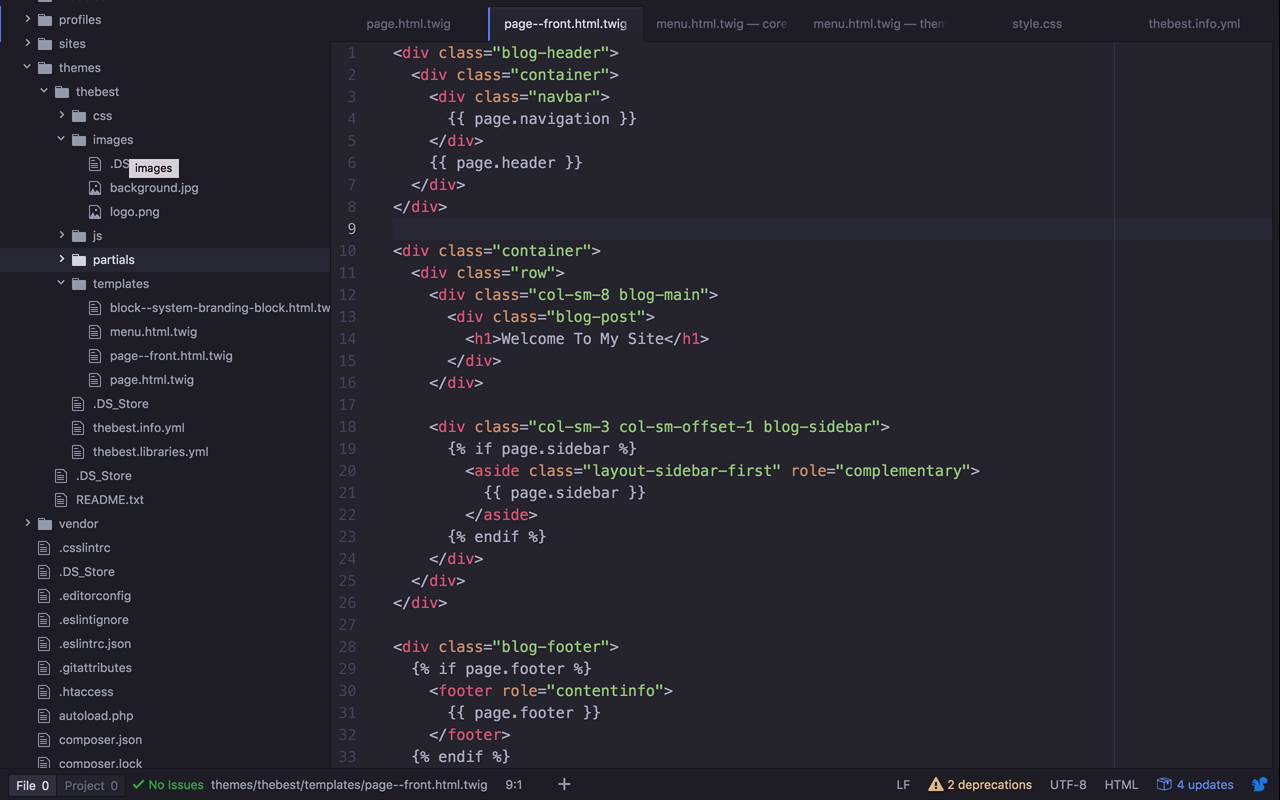
- Overview
- Transcript
2.11 Using Partials
Our theme is coming along nicely. But we've introduced a serious problem to our codebase: duplication. We have some of the same markup copied to multiple templates. In this lesson, I'll show you how to use partials to extract this duplicate markup into its own file and reference it anywhere we need it throughout our theme.
1.Introduction
1.1Introduction01:07
1.2Prerequisites07:24
2.Building a Custom Theme
2.1What Are Themes?07:29
2.2Create Your First Theme06:55
2.3Regions, Blocks, and Debugging10:59
2.4Introduction to TWIG14:00
2.5Add Custom CSS05:47
2.6Add External Libraries07:35
2.7Add Basic Styles08:16
2.8Create a Main Page05:57
2.9Style the Header14:13
2.10Style the Navigation06:46
2.11Using Partials05:02
2.12More Partials and Content07:23
2.13Adding Styles to Views07:25
3.Conclusion
3.1Goodbye01:12
2.11 Using Partials
In the previous lesson, we began to introduce a bit of a problem, that we now want to take care of. That problem is, that most of the work that we've done to this point has been on the page--front.html.twig template. Which means, that all of that header work that we've been doing has been only applied to our front page. But if we were to create content pages, whether they are articles, or basic pages. Or any other sort of content that takes up an entire page. We're gonna be left with something that is not quite the same. And here is an example of that. So here, I've created another basic page, and a couple of problems here, we've lost our formatting. Our header image here doesn't stretch all the way, we've lost our navigation, and we need to fix that. So, there's a couple of different ways that we could fix that. There is the good way and the not so good way. The not so good way, and this is typically the obvious is, I could come to my front page, here, and I could grab this block. I could copy it, I could come over to page.html.twig, and then I could come in here, and I could just paste it at the top. And then maybe get rid of this old Legacy header here, and just save that. And if I were to come back in here and refresh, sure, this could work, we could get everything in here. But this inherently has a problem. The problem is, that if I needed to change a link on the header, if I wanted to change stylings, if I needed to do something like that. Then I would have to go into multiple files, and change it. I'd have to change it here, I'd have to change it on my front page, and this is just prone to errors. I could forget to do it in one place, I could mistype something, it's just ready for mistakes to happen. And so, what we would like to do, is continue to have this header live in one place, be able to reference it from anywhere. So that if we ever had to make changes to it, we would only have to make changes in one place. And that's definitely the route that we want to go. So the way that we do that is by creating a partial. And the way that we do that is actually quite simple. We are going to go into our root directory here. Let's create a new folder, and let's create ourselves a partials folder. So the idea behind a partial is just that, I wanna create a small snippet of markup. That I can reference from anywhere within my application, from any template file within my application. And then it will just be injected in there, whenever I wanna use it. So what I'd like create a partial of, is this header block right here. So let's go ahead and cut this. Let's go into our partial directory, let's create a new file. And let's call this header.html html.twig, just like that. And what I'd like to do now is, let's go ahead and paste this in, let's save it. And let's remove this, from both of these files now. So both of these, now, are missing a header. So obviously, if I were to come back in here and refresh, I've now lost a header. So what I wanna do now is, I wanna take this partial that I've created right here. And reference it from other places within my templates. And the way that I do that, if you recall. Previously, we talked about the different things that you could do, structurally. And to be able to inject both logic and content into your template, would be to come in here. And use either the double curly brackets or the curly bracket percent sign, here. And this is what we wanna do this time. We want to use a little bit of logic, so that we can inject our partial, and we want to include it right here. So the way that we're gonna do that is, by using the curly brackets and the percent sign. And then within here, I'm gonna say, I want to include, I want to include directory, tilde. And then l will specify the path of the partial file that l wanna include. So I'm gonna say, partials/header.twig, or .html.twig, just like that. So let's go ahead and save that. Now if I were to come over here, and I were to refresh this subpage here, nothing's going to change. Because the modification that I was making was on front. So if I have done it correctly, and I come over here to my front page? I should now see everything show up like it did before. So I have my nice background, I have everything structured and laid out, the way that I want it. So now I can grab this little snippet of code here. I can copy this, and I can put it on my page.html.twig template as well, I can save that. Let's go ahead and refresh, now this is my main page. And I can go to node/2 here, and we're gonna get it here as well. So now we're starting to get that same header, that same-looking field across different template files. Without having to inject any sort of duplication, that is definitely error-prone, along the way.


