
 Lessons: 16Length: 2 hours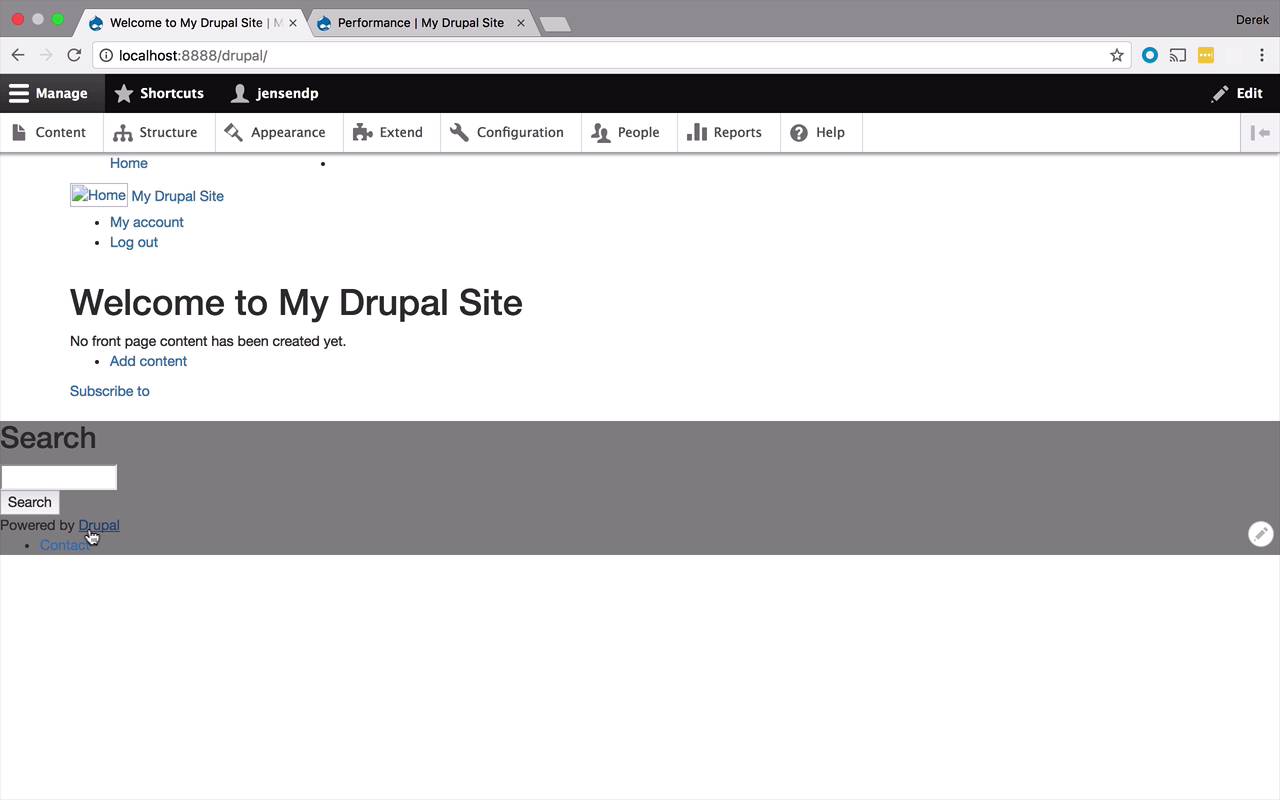
- Overview
- Transcript
2.7 Add Basic Styles
Now it's time to learn how to find the appropriate templates and style them to create your own custom page template. In this lesson, you will learn the basic process of customizing Drupal 8 themes—you'll use this knowledge over and over again in this course.
1.Introduction
1.1Introduction01:07
1.2Prerequisites07:24
2.Building a Custom Theme
2.1What Are Themes?07:29
2.2Create Your First Theme06:55
2.3Regions, Blocks, and Debugging10:59
2.4Introduction to TWIG14:00
2.5Add Custom CSS05:47
2.6Add External Libraries07:35
2.7Add Basic Styles08:16
2.8Create a Main Page05:57
2.9Style the Header14:13
2.10Style the Navigation06:46
2.11Using Partials05:02
2.12More Partials and Content07:23
2.13Adding Styles to Views07:25
3.Conclusion
3.1Goodbye01:12
2.7 Add Basic Styles
Let's begin by giving our page a minor facelift. So we wanna add some styles to this. But before we do that, I did make a couple modifications to our site. So let's go ahead and take a look at what those modifications are. So what I did was I came into this structure, I came into block layout, and I kind of reorganized a little bit. I added main navigation to my header, and I also enabled it because that was one of the things that got disabled when we started playing around with the regions In a previous lesson, so I added that to my header. You don't have to do that right now. You can do that later if you want. But I just like to add some additional information in there. I also added the user account menu that's going to allow for the log in and log out stuff, so that's gonna be on the page as well. And I also added the page title and main content and made sure that stuff was in main content. I have Search and Powered by Drupal and I have the footer menu. So if you see things down here that look a little different than yours, you can just kind of match what I have. One thing I did have to do with these because I'd already moved these into these particular regions, these blocks. They were disabled, so I just enabled them. So that's why, if for some reason, you're looking at my site and it looks a little different from yours, that would be why. So what I wanna do now I want to scrap this horrible styling here. And just add in some very basic bootstrap styles. Maybe similar to, if we were creating maybe a blog site or something like that. So, I wanna add a little bit of structure, a little bit of utilizing the page, a little bit better. I wanna maybe stick my sidebar out on actually on the side, over here on the right. And just do some tweaks like that. So if you want to follow along and do the same thing as me that's absolutely fine. If you wanna do your own styling, please feel free to experiment as much as possible. So let's come over here and take a look at our page.html.twig, and let's go ahead and give this a little bit of a facelift. So I'm gonna leave this here for now because I'm gonna be copying and pasting and doing some cutting. But what I wanna do is I wanna create a very basic Bootstrap layout. And if you've ever done any Bootstrap layouts, you're gonna know that a lot of things typically start with a container. That kind of wraps everything together, so let's do that. And then let's go ahead and create a header. So we're gonna create a blog header. And within here I want to use my header. So let's just go ahead and cut and paste this in here like that, save that and you can kinda go periodically back and forth if you want. And actually you know while you're in here let's go ahead and dump this style here so we don't have that really ugly gray. So let's go ahead and refresh and so you can see I have a header, so I have a nice little header going on here. So I can start to style that a little bit later. But I've at least kind of created that structure, that difference between the two. So that's kind of a nice effect. So now let's go ahead and start to add in some more. So I have my header here. Let's go ahead and start to treat the content here as a post, maybe a blog post. So let's go ahead and add some styling in for that. To do that we're going to start by creating a row, that's pretty basic stuff within Bootstrap. Now let's create another div, and in here I'm gonna create this idea of, I want the contents on the left, so maybe the first three quarters of the size of the page is gonna be for the content. And then the other quarter-ish or so on the right is gonna be for the sidebar. So to do that, I'm gonna create a column and I'm gonna have that be size 8. This is gonna be my blog main. And then within here I'm going to create another div, that's gonna represent my blog post. Now once again you can use different styles any sort of structure you want, this is just something to get started with rather quickly. So I'm gonna stick my content in here, so let's go ahead and do that. We'll paste that in, we'll save that. Let's come back and refresh and see how we're doing. Okay, so now we've got our blog content, our blog post kind of. Set off in the middle here, and now what I wanna do is I wanna take this side bar information, the search and the powered by and I wanna stick it over here on the right. So that we can see it kind of sitting next to my content. So to do that I will come within my row but outside of this div here. Now remember, this is taking up 8. So maybe I will create another one here. We'll make another div. And I'm gonna give this a class of col-sm and let's say 3 this time. And I'm gonna give this a little bit of an offset just so that it kinda sticks out. Away from my content a little bit, so when my content goes all the way to the right there's still gonna be nice little separation there for my side bar. And this is gonna be my blog side bar. And then within here I'm just gonna grab this side bar code, you can keep the if statement that's fine. Just leave that, that's not a big deal let's go ahead and dump that in there. So let's save that, let's come back over here and refresh. Okay, so that popped up over here. That's pretty nice, you can add some spacing in here, you know? That's fine, or whatever you want. You can add some background colors or what, but we'll get into some of that stuff in a little bit. And now we have this footer here, that's still leftovers, so let's go ahead and add our footer in. And to do that, we're actually gonna come completely outside. So we have our container. We have our header. We have our row that has our blog content. So I could create a bunch of these if I wanted to. And then I have the end of my container, and then I wanna put my footer outside here. So I'm gonna say div, this is gonna be my blog footer like that. And then I'm just gonna grab my footer code just like this. Let's go ahead and cut that out and paste it in like this. And then I'm going to get rid of this old styling. Cuz I don't really need it anymore, so let's go ahead and save that. Come back over and refresh. Okay, so now we have kind of given some structure. We can obviously tweak this and add some different stylings and maybe add some paddings and all that sort of good stuff. And we'll get there, but this has kind of started to give us a little bit of structure. Looks a little bit better, it's not all jammed together. There's still some spacing issues and we'll work through that. And we wanna do something with this header. But one thing now to keep in mind is this right here is the root of our site. Which might not seem like a bid deal or a problem, but if you start to think about websites. When you come to a website, you're typically given your first page, your main page that kind of introduces your content. Maybe gives a roll up of the latest posts, or a main navigation menu. And then you can click on different blog posts, or different articles, or different pages. And it takes you to a separate sub-page that has maybe slightly different formatting. So maybe on my main page, I don't wanna show my content. And when this comes to be a problem is, if I go to Content right now, and I go ahead and add some content. So let's say I add a basic page here. And I just say my first page. And I just add in some content here, nothing all that important. But I save and publish this. If I go to my main page, I get my Drupal site, which is fine. And then I also come over to My First Page here, and I kind of have the same structure here. And while that's maybe not a bad thing, I might want to introduce the idea of having different structures for the different pages so I may not necessarily want my main page to look exactly like all the other pages. I might wanna separate that a little bit so right now this is going to say Welcome to My Drupal Site. No front page content has been created yet. Well how do I get content on my front page, maybe I want it to be different. In the next lesson I'm going to show how we can use a customized version of our page.html.twg file to only represent the main page and start to separate the child nodes, or pages, from that main page.


