
 Lessons: 16Length: 2 hours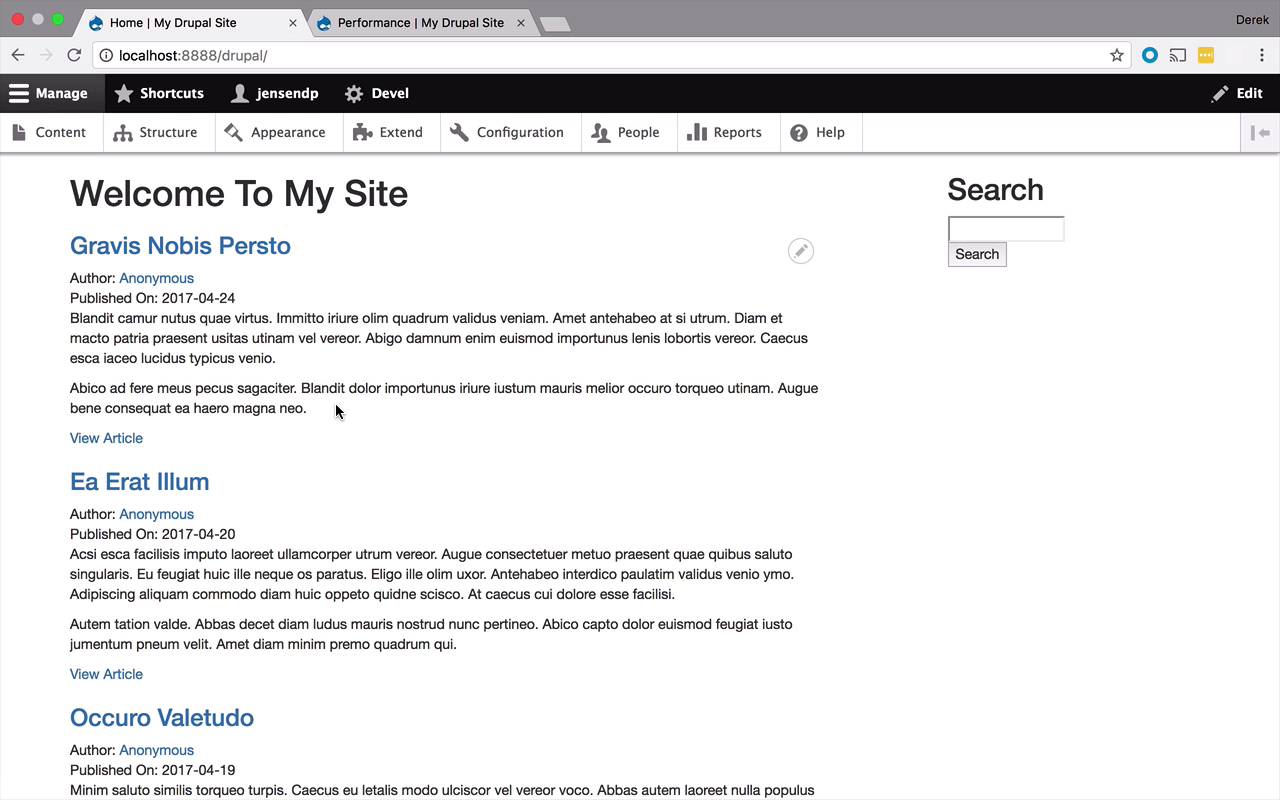
- Overview
- Transcript
2.13 Adding Styles to Views
Views are generic collections of content that are popular for blogs and other similar sites. Site users can easily customize views to change the way content and structures are displayed on their site. This might cause difficulty when trying to apply styles, but luckily for us, Drupal 8 has a clean markup for views that makes it easy to style them. Let's check it out.
1.Introduction
1.1Introduction01:07
1.2Prerequisites07:24
2.Building a Custom Theme
2.1What Are Themes?07:29
2.2Create Your First Theme06:55
2.3Regions, Blocks, and Debugging10:59
2.4Introduction to TWIG14:00
2.5Add Custom CSS05:47
2.6Add External Libraries07:35
2.7Add Basic Styles08:16
2.8Create a Main Page05:57
2.9Style the Header14:13
2.10Style the Navigation06:46
2.11Using Partials05:02
2.12More Partials and Content07:23
2.13Adding Styles to Views07:25
3.Conclusion
3.1Goodbye01:12
2.13 Adding Styles to Views
The final thing that I wanna show you before leaving you to go out into the world and create your own themes, is one that's fairly important that you're gonna see quite a bit out there, and that's the idea of views. Now views, or if you've never heard of them before, is just a simple way to logically group together like content. And if you need to learn a little bit more about views, you can go back to my previous course on Drupal and get some more information about it. So what I've done so far is I've actually used a model called Duvell, which I also talked about in my previous course, to be able to generate a bunch of articles in terms of what the Drupal itself would refer to these as. But in the context of my site, which is more of maybe a blog-ish site, I would call them maybe blogs or blog posts or something like that, but you can call them articles as well. So if you wanted to see that or if you wanted to generate some on your own, you could go into Content, and you could just hit Add content, and you could click Article and then create it on your own. But you'll notice, in here right, now I have a bunch of them in here, I actually generated like ten of them using Duvell. It's a very nice tool. I would definitely look into it a little bit more if you are interested in doing any sort of long-term Drupal development or theme development or theme generation or anything like that. Because it's very nice to be able to quickly creates large amounts of content with a lot of things in it so that you can start to play around with these things. So I've created a bunch of them in here, as you can see. And now what I want to do is I want to show you what that looks like on the home page, to have a list of these and then being able to style them a little bit, if you so choose. So, one thing to note, if I go back to my site here on my main page, you'll remember way back at the beginning of the course when we started to talk about the differentiation between the front page template and just the regular page template. Well, now this is kinda coming back into play because we tweaked that front page template just a little bit and we removed the content from it to only say, welcome to my site. So what we wanna do now is we wanna put that content back on the page and that way we can have a little bit of a better chance to style. So now, I wanna come back in to my main page right here. And you can leave this welcome to my site if you want, or you could get rid of it, doesn't really matter that much. And what I wanna do here is I want to add back in my page.content. Go ahead and save that, come back and refresh. Now this is going to be a little bit more common to see when you are creating blog sites or anything like that to have a bunch of posts or articles or what have you. So this is a fairly common thing to run into. That being the case, when you're creating a theme, you're gonna want to take those types of things into consideration. So here, maybe the colors don't jive with your theme. Maybe you want to make sure that any article that's put on the site has a proper header, size and font and color. Maybe the view article, you want it to be a certain color. Maybe you want it to be on the left or on the right, or what have you. So basically, you need to understand these views and their data within them so that you can style them appropriately. So basically the process here is pretty simple, and it's nothing that you haven't done before. But its just within a slightly different context. So what I wanna do now is I want to maybe make some modifications to my posts here. So let's go ahead and right-click on maybe the title of one here, and let's go ahead and inspect it. So we're gonna see in here right now that everything is contained within a row. So every article or post on here is considered a views row, which is kinda nice. And then we can come deeper in here and I'm gonna see here that my title is actually an h3 tag with an anchor tag within it that has the title. So I'm nested in an H3 and an anchor tag for all of these. So what I'd like to do now is maybe style that a little bit. I wanna style the content here. I wanna style the title and maybe change the view article link or something like that. So let's go into our code here and I want to go back into my style. And actually, before I do that, one of the easiest thing for me to do to kind of get a hold of all these things is to create a wrapping div around all of them. And we're just going to call this recent posts, maybe that's what this particular list is. So I'm simply going to cut this out, it'll paste it in here, and we'll save. And if I were to refresh, nothing should change cuz we haven't actually changed any of the stylings, just a little bit of the HTML structure. So now that I have recent posts, I should be able to come in here and easily get ahold of all of these things in here and start to style them a little bit. So maybe let's change the color of the title, maybe make it a little bit darker, maybe like a darker gray, or something like that or red, or whatever you really want, it doesn't make too much of a difference. So we'll do something like this, we'll do recent posts. And we're gonna say, for all of the h3s within there, inside an anchor tag, let's give this a color and let's just give it some random color. How about, I think this is one is somewhere in between a dark grey and a black. So let's go ahead and clear our cache, come back to our site and refresh. And now we should have, it's a lightish grey, maybe. So now we have kind of this grey color of the title of our posts. And then we could come and start to play around with all of these things. Maybe we will just grab the article down here, the links, so let's inspect this. And this is going to be a little bit more challenging. So we have a div, a span, and an anchor tag. But since these are all pretty much the same, we could get down in here. Views field isn't fine grained enough because that's gonna be all of them. But all we want is this one here. So anything that has a class of views, field view node within our recent posts is probably going to be a little bit better. So let's go ahead and drop down in here. Let's say recent posts. Let's say views-field-view-node. And then within there we have, we'll go with that anchor tag maybe. And then we can go ahead and say color and change it to something a little obnoxious, maybe like red, something like that, just to make it pop a little bit more. So we can come in here and clear our cache again, and we will go ahead and refresh our page. And now we have the article being read. So obviously these things are not necessarily making the most sense stylistically. But now you can at least see how I can get in there when it comes to articles or posts or whatever you wanna call them, and be able to style them. And you can do the same thing with the body, with any of the fields that you add to your article list. This is how you would get in there and start to style them. And then obviously you can click on these links and see the full posts, and go on and on and continue to do the same type of styling changes until your heart's content at all the different levels.


