
 Lessons: 16Length: 2 hours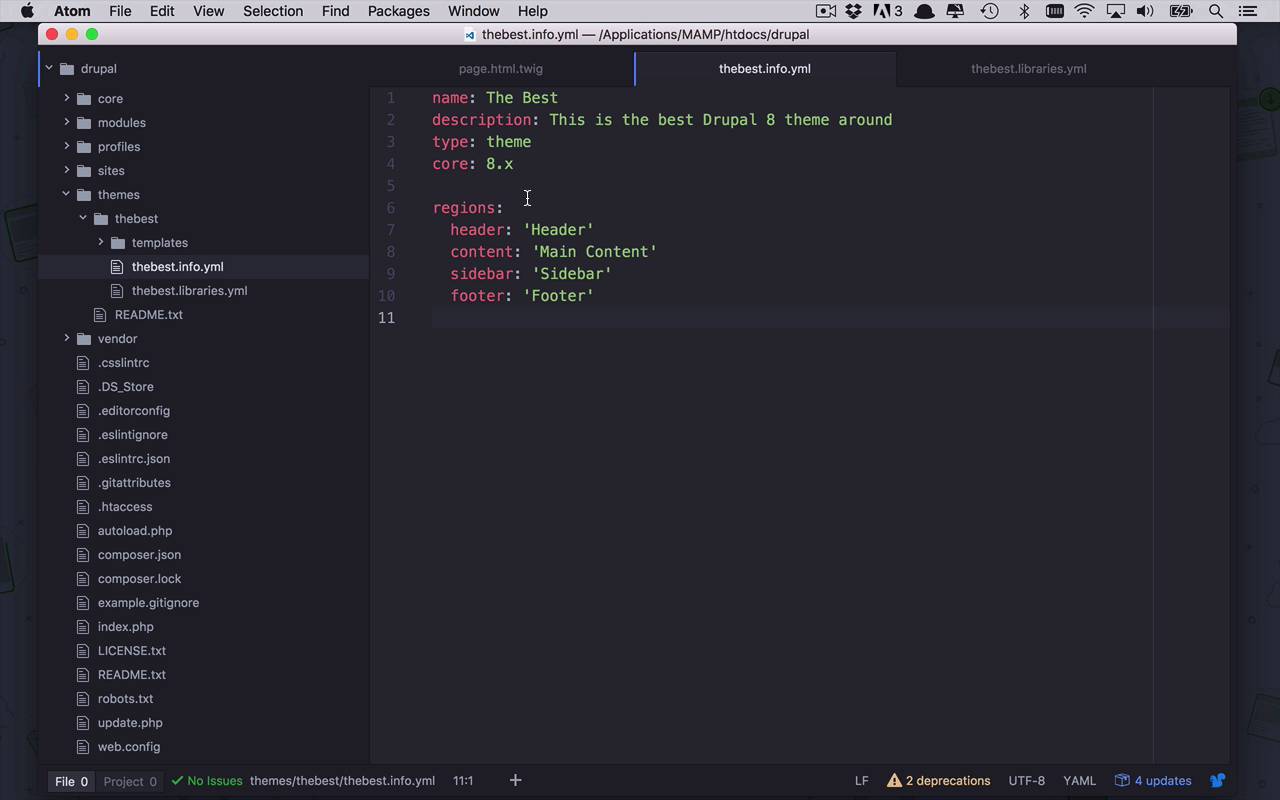
- Overview
- Transcript
2.5 Add Custom CSS
Drupal 8 themes can specify libraries—external resources that you can use in your theme. Typically, these libraries consist of custom CSS and JavaScript. In this lesson, you will learn how to create and include all of your own CSS and JavaScript files in your theme as a library.
1.Introduction
1.1Introduction01:07
1.2Prerequisites07:24
2.Building a Custom Theme
2.1What Are Themes?07:29
2.2Create Your First Theme06:55
2.3Regions, Blocks, and Debugging10:59
2.4Introduction to TWIG14:00
2.5Add Custom CSS05:47
2.6Add External Libraries07:35
2.7Add Basic Styles08:16
2.8Create a Main Page05:57
2.9Style the Header14:13
2.10Style the Navigation06:46
2.11Using Partials05:02
2.12More Partials and Content07:23
2.13Adding Styles to Views07:25
3.Conclusion
3.1Goodbye01:12
2.5 Add Custom CSS
So here we are back in our site, in our template. And now it's time to make some modifications. This is where we can really start to customize the look and feel of our theme. Now, there's a couple different directions we can go right now and I'm gonna start with the most basic and then I'm going to show you how you can take advantage of some other libraries as they're referred to within Drupal themes. So what I want to do right now, is I want to start to be able to add some styles. I wanna add some CSS to my template here. So let's head back over to our code, and here's what we have so far. We have a page.html.twig and we also have the bestinfo.yml. Now what we have to do in order to start to use styles is we need to add a library. And a library is nothing more than a reference to some external files within our theme, meaning in this case, a cascading style sheet, or CSS. So what I wanna do right now is I need to introduce a new file. So I'm gonna go up to The Best, up to the root folder of my theme, and I'm gonna add a new file. In this case, I'm gonna call it The Best, which is the name of my theme. And then I'm gonna call it .libraries.yml, just like that. Okay, so now I've created this libraries file and this libraries file is what we're going to use to reference these external library files. Now, the first thing that I have to do Is I have to specify a name by which I want to reference this external library. So we're gonna call this global-css. Now you can call this anything you want. It's not really that big of a deal. But what is important is that you remember what this name is cuz you're gonna use it in another place. So now once we've come in here, we're gonna say I want to define CSS. I want to define CSS for my theme. And now I have to specify what it is exactly a reference to, that I want to have within my theme. And in this case, I want to maybe just add some custom CSS. So I'm going to say within a folder called CSS. I want to have a file called style.css. And then I'm gonna do a colon and then open and closed curly brackets. Now, don't really worry about that right now. It's not really that important. Just know that it needs to be there. So now we have defined this kind of structure here that I'm gonna have global.css. That's going to be a CSS library, that's gonna be from my theme, and it's going to be living in this location right here. So let's go ahead and save that. So that's the beginning of our libraries file. Now that I've defined this library within my library's file, I have to make reference to it within my theme. And the way that I do that is I come into my info.yml and I create another section here. And I call that section libraries. Now within here, now I have to specify a hyphen at this point and then a space, and now in here, I'm going to say, I want to reference within my project that is called The Best. I wanna reference the library called global-css, just like that. So now I'm referencing that library from within my templates. Let's go ahead and save that. So now I want to see if this is just, to this point working. So what I can do now is I'm gonna head back over to my site. I'm once again going to go into my performance section. I'm gonna clear all caches, and then once that's done, I'm gonna come back to my Drupal site, and I'm gonna refresh. Now, I don't have any styles in there yet. And actually, that file doesn't even exist. But what I wanna do is I wanna view page source, and if we come in here and take a look, we should see our Drupal themes, The Best CSS style.css. So now we are referencing that library from within our Drupal site. So that's how we get access to external libraries. Now, the same is gonna hold true for JavaScript libraries. And I'm gonna show you how to do that. It's slightly different, but I'm gonna show you how to do that in an upcoming lesson. So let' just play with this just a little bit. So what I can do now, is I can start to use this library file called style.css, but it doesn't exist yet. So let's go ahead and create that. As you can see here, I'm specifying some structure here. I want this to live within a CSS folder. So let's create a new folder. And we're gonna call this CSS. And within here, I wanna create a new file and I want this be called style.css, just like that. So now we can start to use this like we would use any other style sheet. So let's just come in here and create an example. So we have a class in here called layout container. So let's go ahead and copy that just as an example. And we're gonna say we have layout container and we can start to style this and we could say, maybe background is going to be, we'll just give it some random color. And let's go ahead and save that. So, if I were to come back over here, and refresh my page, you're gonna see now that I have introduced some style to my page, albeit it's not a very good style, but a style nonetheless. So this is how we're going to start to use cascading style sheets, use those CSS and web design skills that you've been learning over time from Touch Plus and start to interject them into our Drupal theme. Now, I am no web designer and I would be very amiss to sit here and take you through and fumble through some very rudimentary CSS to style this. So in the next lesson, I'm gonna show you how you can take advantage of some other, more popular CSS and styling frameworks and use that within our theme.


