
 Lessons: 16Length: 1.1 hours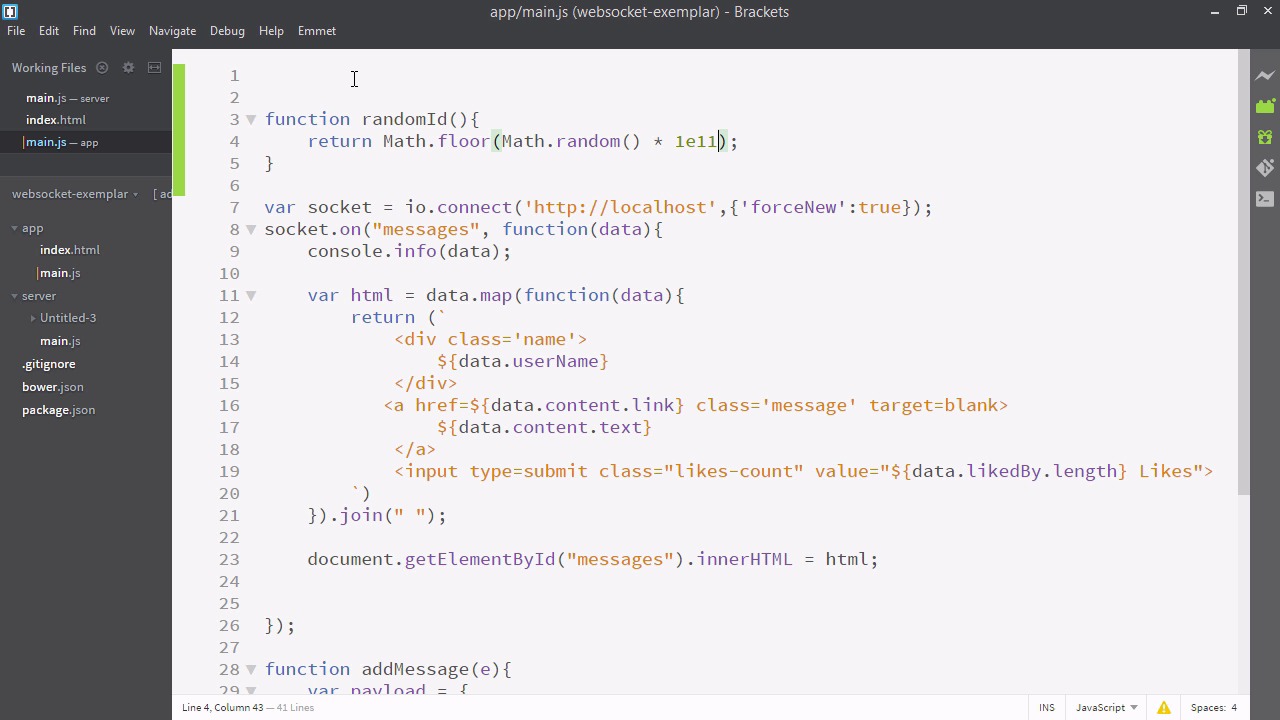
- Overview
- Transcript
3.5 Providing Users With Unique Ids
In this short lesson, we’ll write a function to provide users with random IDs, assigning a unique ID to each temporary session.
Related Links
1.Introducing WebSockets and Socket.IO
1.1Introduction01:23
1.2What Are WebSockets?04:43
2.Scaffolding a Socket.IO Application
2.1Installing Node.js and App Dependencies02:59
2.2Creating an Express Server04:35
2.3Adding WebSockets to the Back-End03:00
2.4Connecting the Front-End Application to Socket.IO04:47
3.Building the Front-End Application
3.1Receiving Socket.IO Events03:20
3.2Displaying Messages06:22
3.3Creating Messages and Updating Collections07:50
3.4Displaying Likes02:31
3.5Providing Users With Unique Ids03:41
3.6Updating Like Counts05:03
3.7Propagating Like Counts to Connected Users04:12
4.Completing the Application
4.1Adding Moment.js04:13
4.2Adding Styles03:09
5.Conclusion
5.1Conclusion05:52
3.5 Providing Users With Unique Ids
So now that we're displaying our likes, we, of course, want our users to be able to indicate whether they like a message or not by clicking it, and have the item change correspondingly on every user screen. So let's go over to our app/main.js file. As I mentioned earlier, we are going to make this app such that users can't like something twice. In order to do that, the system needs a way of persistently identifying a user session. You can do this a number of ways, even a very sophisticated way like passport, that uses a variety of different authentication methods but in this case we're just going to assign each user an ID and keep that in local storage. it should definitely work. Since we're using sockets in this application we're going to assume whatever browser the user uses this application in is going to support sockets, so a modern browser. In other words, we can also enjoy stuff like es6 template strings or local storage for this reason. So I'll write up a function. I'll just call it random id. So we want to return an item that's essentially random but also can be a valid string. So we'll return math.floor. And we'll path math.floor, math.random. Times, we'll just use a really big number. I'll use exponent notation. So I'll say 1E11, which means 1 times 10 to the power of 11. So now at the top we'll have the user initialize with their ID, either make a new one or get it from local storage. So we'll say var user id. And we'll make that equal to localStorage.getItem. So we need to pass the string, the name of a variable we've previously saved. We're going to save this as a string user ID. Now if local storage can't get what we're looking for, it will return null. So, we'll say or. As in if local storage returns null, then run this code, and we'll just say random ID. So now the user has a fairly random ID. Maybe there might be some overlap. We can always just increase the randomness of the function. Lastly, we'll say local storage set item, and we'll set the user id string again. And we'll make that equal to yes, user id. And lastly let's put a console info here. So, here I am back in my application. You can see in the terminal window, the user I am has a random id. If I refresh, the id persists. And you can see if I have my Firefox browser open the two sessions have different ids. Now that the users have different ids the back end can distinguish between them and help determine who likes what.


