
 Lessons: 16Length: 1.1 hours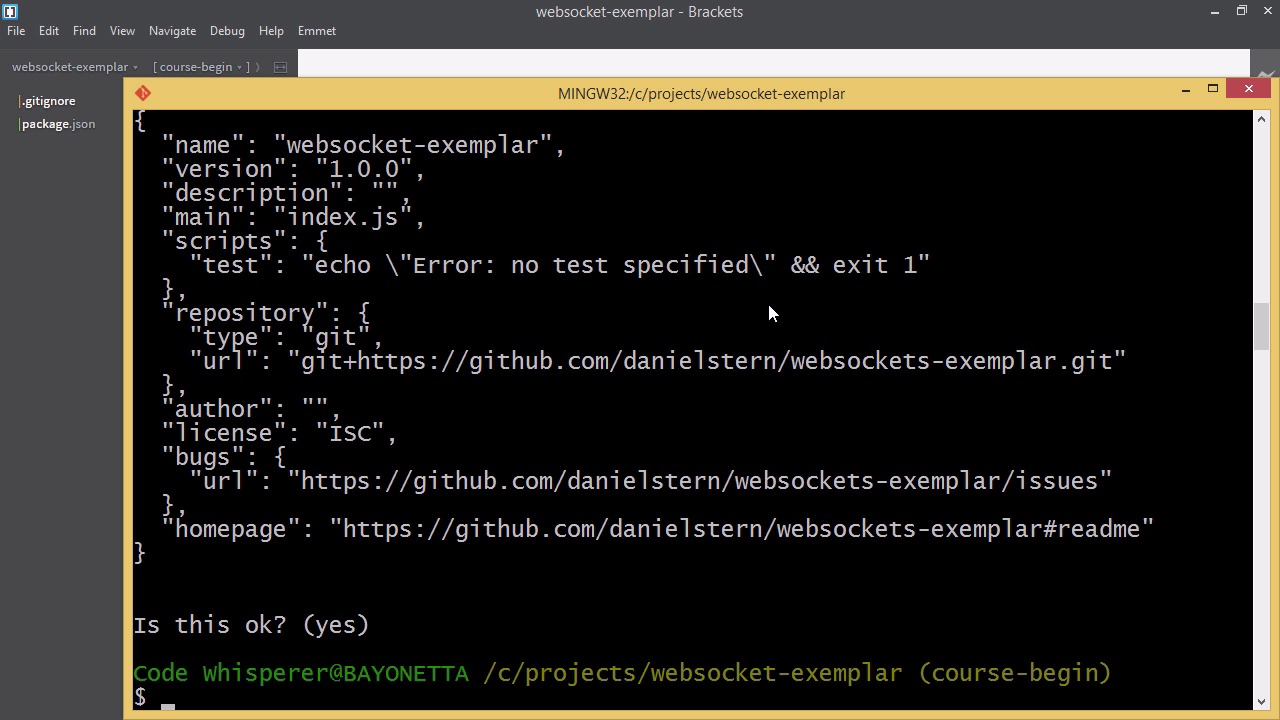

- Overview
- Transcript
2.1 Installing Node.js and App Dependencies
In this lesson, we’ll install Node.js, along with our NPM modules: Express and Socket.IO.
Related Links
1.Introducing WebSockets and Socket.IO
1.1Introduction01:23
1.2What Are WebSockets?04:43
2.Scaffolding a Socket.IO Application
2.1Installing Node.js and App Dependencies02:59
2.2Creating an Express Server04:35
2.3Adding WebSockets to the Back-End03:00
2.4Connecting the Front-End Application to Socket.IO04:47
3.Building the Front-End Application
3.1Receiving Socket.IO Events03:20
3.2Displaying Messages06:22
3.3Creating Messages and Updating Collections07:50
3.4Displaying Likes02:31
3.5Providing Users With Unique Ids03:41
3.6Updating Like Counts05:03
3.7Propagating Like Counts to Connected Users04:12
4.Completing the Application
4.1Adding Moment.js04:13
4.2Adding Styles03:09
5.Conclusion
5.1Conclusion05:52
2.1 Installing Node.js and App Dependencies
So, before we begin the live coding portion of this course, you need to have Node JS installed on your computer if you want to participate. So here I am at the website for NodeJS.org. As you can see there's a prominent link here to download Node for Windows. In order to get Node installed on your computer, just click the link. And as you can see an installer will start downloading. Run the installer, follow the instructions and Node will be installed on your computer. All right. We're now ready to get started with our app. So, the first thing we're going to do is install our dependencies. Here I am in my text editor, Brackets. But you can use whichever text editor you wish for completing this course. You can use Atom or Sublime but I'm just going to use Brackets. So we have a folder here, and I'm just going to open a terminal in my folder. First, I'm going to install Bower Globally. And Bower's a tool we'll use to install our front end dependencies. Alright next, we have to init our package.JSON and bower.JSON files. So, let's do that in order. We'll do npm init. And this just gives us a list of options, so I'll just select default for all of those And you can see, it's created a package JSON there. And now let's do bower init. Remember, you have to have Bower installed to bower init. And a bunch of options. We'll just choose the default. All right. The last thing we have to do in this video is install our two main back in-dependencies. There's no big surprise about what they are, it's socket.io and express. We'll be using them both a lot, so let's install them. We'll do mpm install, save. Without the g flag, that means we want to install it locally. And we'll say express and socket.io. All right. So if we have a look at our package.json, here's express and socket have been added. One last thing, you can see here, I have my GitIgnore file. This just ignores the folders for node modules and bower components. It's not necessary for the app to function. But it will help keep your repository clean. In between videos, I'll be committing my Git repository so I don't lose progress. I recommend you do the same thing.


