

- Overview
- Transcript
4.6 Using Mass Assignment
We can use mass assignment to easily create and update records in the database. It is dangerous, however, so in this lesson I'll teach you how to use mass assignment safely.
1.Introduction
1.1Introduction01:53
1.2Set Up Your Environment05:37
2.Basic Routing
2.1Routing Requests07:07
2.2Working With Query Data09:37
2.3Route URL Parameters07:24
2.4Routing to Controllers08:22
2.5Creating a View08:10
3.The Blade Templating Engine
3.1Introducing Layouts08:15
3.2Working With Static Resources05:03
3.3Generating URLs for Routes03:26
3.4Organizing Views09:41
3.5Using Blade Directives07:37
3.6Showing and Linking Data07:31
3.7Setting Up the Database03:57
4.Working With Data
4.1Creating Migrations and Models10:08
4.2Saving Database Records08:57
4.3Validating User Input07:38
4.4Updating Data07:04
4.5Using Type Hints and Request Classes08:50
4.6Using Mass Assignment06:08
5.Conclusion
5.1Conclusion01:03
4.6 Using Mass Assignment
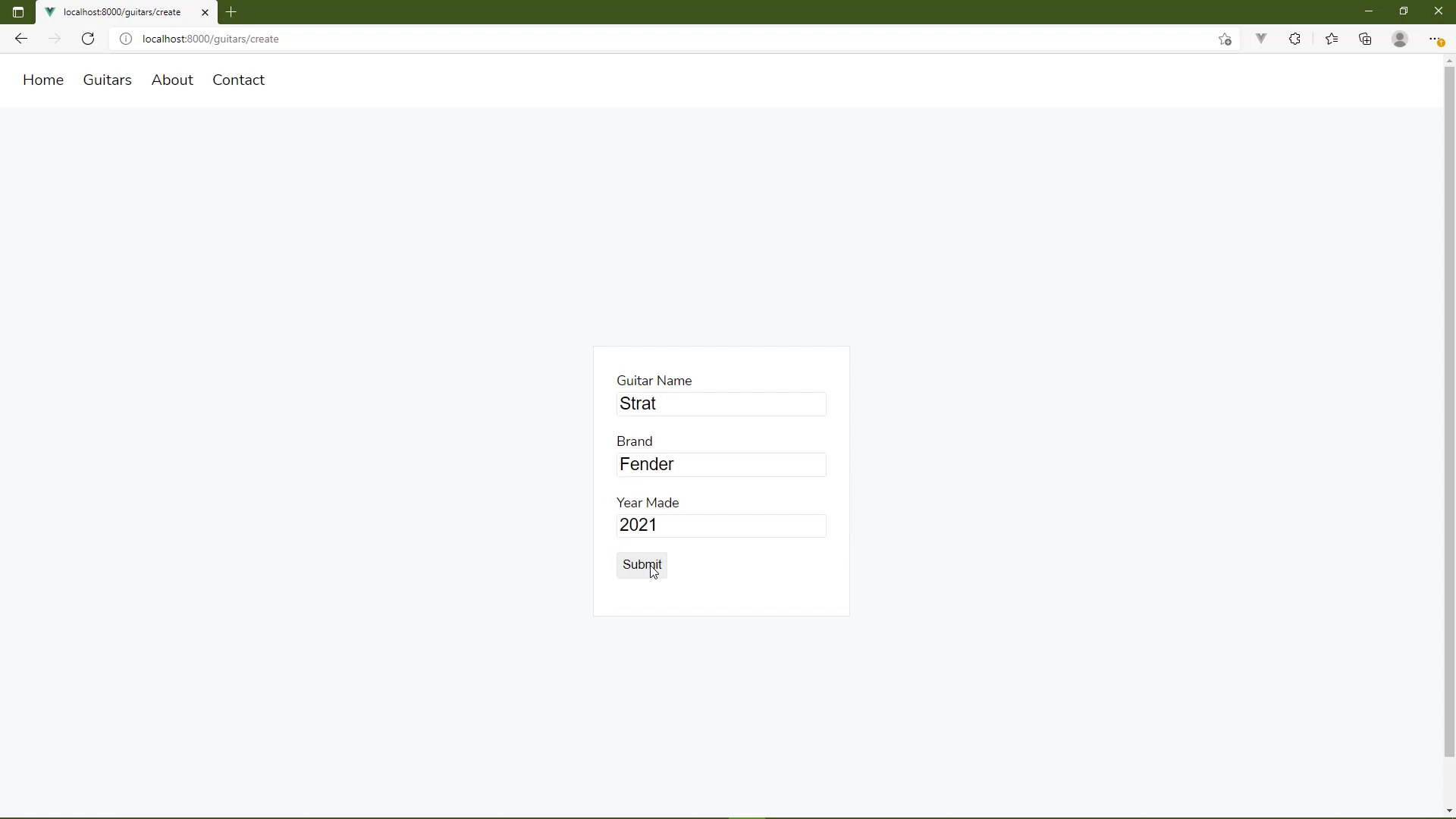
We can also use mass assignment to clean up and simplify our code. There are, however, some issues that we will need to discuss. But, first, what is mass assignment? Well, whenever we have created or updated a record in the database, we have done so by assigning the columns individually. We are being very explicit as to what we are setting and then we are saving that record, that is individual assignment. Mass assignment is doing all those things, all at once. So, the code to do so would look like this. In order to create a record, we would use our modal class. It has a method called Create, and then we would just pass in the data that we needed to create that record. And that's it, we no longer have to set name, brand, year made, or saved, or anything like that. This one line of code will do all that for us. And the same is true for update. So if we look at the update method, we still need to use our record object that we have in this guitar variable, but we would call an update method. We would, once again, pass in the data that we wanted to update, and that's it. Everything else is done for us. That is mass assignment. So, the first thing about mass assignment is that the data that we are passing to either the update method or the create method needs to have keys that are the same names as the columns in the database. Like, for example, we have name in the database, but our form has guitar-name. The database has year_made and the form has just year. So, in order to use mass assignment, we need to change the field names in our forms so that they match the column names. That's not that big of a deal, so, we can go ahead and do that. Now, as you're doing this, don't forget to change the values of the four attributes for the appropriate labels. That was for the year made. Well, it's now year made, and for the name. Let's do the same thing inside of the edit view. And we also need to change the guitar form request class because we used these form field names there. And we did so, really, in two places. If we look at the rules, we need to modify those field names so that we have name and then year made. But when it comes to prepare for validation, we need to do the same thing. Now, since we just have a name property, now we can use the property syntax and then we will change year made. We also need to change the keys here to match, but that's going to make everything work. So with these changes in place, we should be able to create and update these records. So let's go ahead and let's try that. Let's go to the Create form. And let's add a Strat, because we don't have one, yet. The brand is Fender, and the year made, let's just do 2021. And whenever we submit this, we are going to get an error. And it says, add a name to fillable property to allow mass assignment. So, here's the thing about mass assignment, it's very dangerous. You are taking the request data. And even though we are validating it, which is very good, but we are just kind of blindly passing that onto the update and the create methods. Saying, here database, take this information and create or update a record. And that's really not a big deal for the data that we are working with, but imagine that you are building a system that is working with some sensitive information like user accounts. And while you are validating that information, you aren't really checking everything. Maybe the users supplied some extra fields in the request that would then be populated in the database, if there was a matching column name. There's a lot of things that can go wrong with mass mssignment. So it is something that we have to opt into. And if we look at this message, again, it says add name to fillable property. So what this means is, we go to our guitar model and we are going to add a property, it's a protected property called fillable. And this is, simply, an array that contains the columns that are okay to mass assign. In our case, that's just about every one of them. So that means name, brand, and year made. But if we left any one of these off, then eloquent will not allow that column to be assigned to value using mass assignment. We would have to do so explicitly, like we did before, by assigning a value to that column. But, as I said, the data that we are working with is okay to mass assign. There's nothing sensitive, nothing that's going to break or cause some kind of vulnerability within our application. So, now, we can go back. Let's refresh and we'll just hit Continue here, so that it will resubmit that form. And then everything should work. We should see our list of guitars, and here we can see the Strat that we added. And, of course, if we wanted to test the editing of that, all we have to do is go to the edit form for that guitar, let's add edited to the name and then we will submit. And, once again, we're going to see that that works. Because now that we sent that fillable property in our guitar model, this works for creating and updating. It's a one-time set thing. So there's nothing wrong with using Mass Assignment, just be very careful when you do so. If there are columns in your database that control how the application behaves or controls a user's access to certain parts of your application, don't make those columns fillable. It adds a little extra work on your part, but it makes your code much safer.


