

- Overview
- Transcript
2.1 Routing Requests
Our Laravel applications serve the result of executing code, and we route incoming HTTP requests to the pieces of code we want to execute. You'll learn basic routing in this lesson.
1.Introduction
1.1Introduction01:53
1.2Set Up Your Environment05:37
2.Basic Routing
2.1Routing Requests07:07
2.2Working With Query Data09:37
2.3Route URL Parameters07:24
2.4Routing to Controllers08:22
2.5Creating a View08:10
3.The Blade Templating Engine
3.1Introducing Layouts08:15
3.2Working With Static Resources05:03
3.3Generating URLs for Routes03:26
3.4Organizing Views09:41
3.5Using Blade Directives07:37
3.6Showing and Linking Data07:31
3.7Setting Up the Database03:57
4.Working With Data
4.1Creating Migrations and Models10:08
4.2Saving Database Records08:57
4.3Validating User Input07:38
4.4Updating Data07:04
4.5Using Type Hints and Request Classes08:50
4.6Using Mass Assignment06:08
5.Conclusion
5.1Conclusion01:03
2.1 Routing Requests
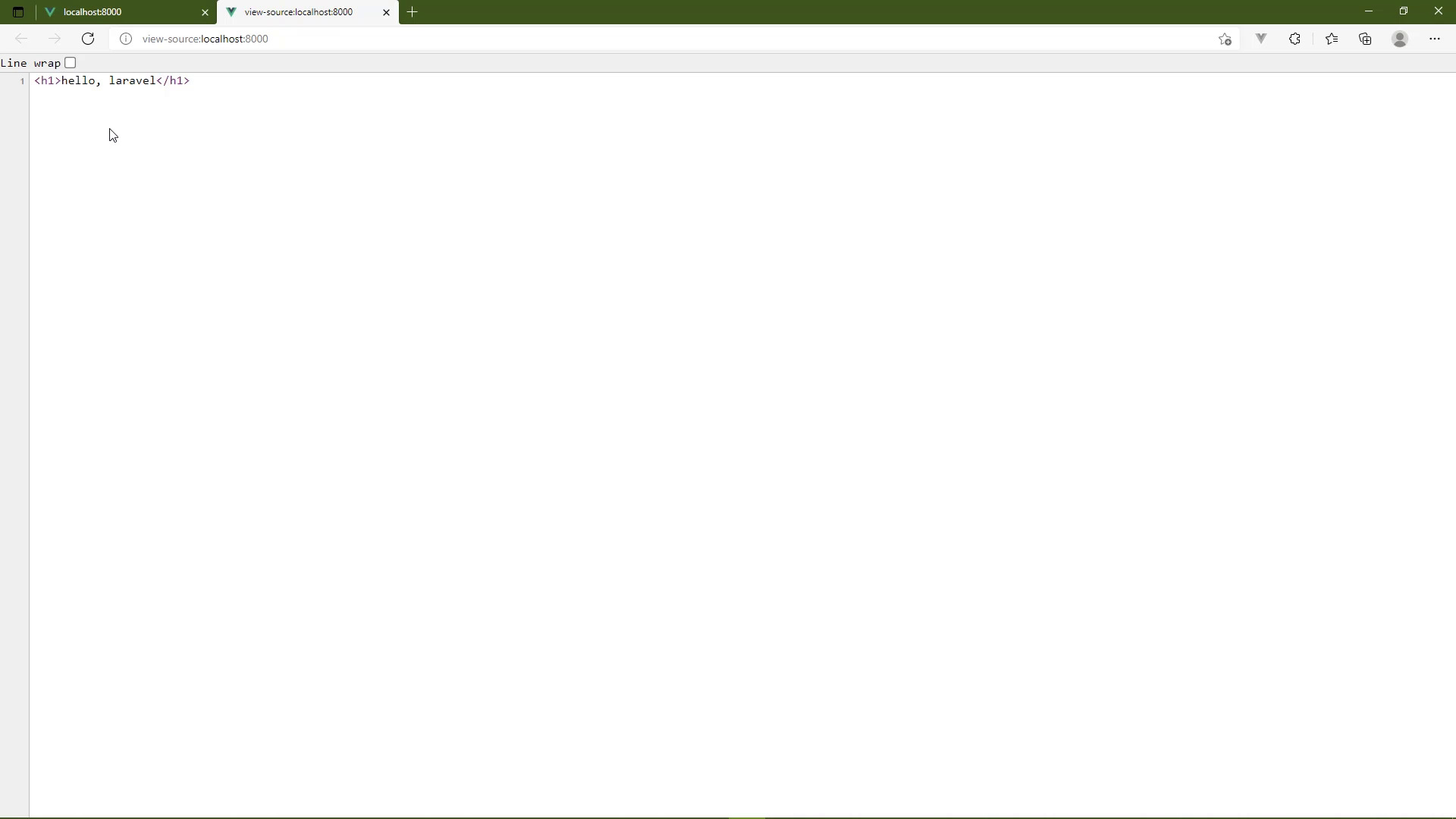
Laravel is a framework for building dynamic websites. I know that that sounds painfully obvious, but it's a distinction that I want to make because we almost have to get into a completely different mindset when it comes to building dynamic websites. Because what we see in the browser is not the result of just reading a file on the file system. That's what a static website does. So if this were a static website, and if we tried to go to about.html, well, the web server on that static website would try to find that file called about.html. If it found it, it would read that file and then return the contents back to the browser. There's no logic, there's no processing, there's nothing, it's just simply reading the file and then returning it. Now, of course, if it couldn't find that file, then it would return a 404, because that file didn't exist. But that's a static website. In a Laravel application what we see is the result of executing a function or a method on the class. So if we try to go to slash about within our application, it's not that our application couldn't find a file called about. It's that we haven't written the code that's going to execute whenever we make a request for that URL. But that's very easy to do. All we have to do is create a route for that URL. And we do that by opening up our routes file. If you go to the routes folder, open up web.php, and we're going to see a very simple file. There's just really four lines of useful code. There's also some comments if you wanna read that that's fine. But let's first of all, look at what we have on line 16. So there's already one route defined it's for a get request for the URL of just a slash that is essentially our homepage you can also call it the route of our application. So whenever our application receives a request for our homepage, it's going to execute the function that is specified here. And all it does is call another function called view. So what we see in the browser for our homepage is nothing more than the result of calling that view function, and then passing in the string of welcome. We'll talk about that later. But let's do this, let's change the output here. So let's just say hello Laravel. And whenever we view this in the browser, let's just refresh. That's all we see, there's nothing else. And we can even view the page source. And once again, that's all we see. It's not adding anything extra and it's only returning the content, that we have specified. So we have complete and total control over what we return for whatever URL. And this is very powerful because we can return anything. It doesn't have to be just text or HTML or CSS or JavaScript. It can be binary data like a PDF or an image or anything. We just have to write the code that's going to do it. And that sounds like a lot of work, and in some cases it is. But for the most part, it's not. So let's change this though. Let's add some HTML. Let's make it not just plain text, but big and bold, plain text. So once again, we refresh, we can obviously see that the styling there changed. If we look at the source of the page, we can see that that was also updated as well. So once again, whatever we are returning from our routing functions is going to be what is sent back to the browser. Well let's do this we talked about in about page. So we need to write the code that's going to handle that request. So we want to start with the route façade. Then we need to decide what kind of request we want to handle here. Well, we only really want to handle a get request in this case, and we want the URL to be about. So we will then specify our function that is going to return the content for this URL. We could just let's use an h4 in this case and we can say about page. Let's close the h4 and there we go. So now our application has two routes. We have one for the homepage, one for the about page. So if we go back to the browser, the homepage is now showing us what we did before because I changed that back to using the view function. But if we go to about, then we see the about page. Okay, so that's great. Let's talk a little bit about this view function. So Laravel is what we call an MVC framework. M stands for model, that's essentially the data of our application. V stands for view, which is the user interface of our application. And then C is controller and the controller is, well it's kind of the glue between the data and the user interface. So we could see here is that for our homepage, we are returning the user interface called welcome. And we can see that inside of the resources folder, and then there's the views folder. Then there's a file called welcome.blade.php. So let's open that up. And we are going to see some HTML. In fact, there's more than HTML. If you look a little closer, you're going to see some stuff that kind of looks like php. Laravel has a templating engine called blade. You could also call it a view engine, and that's the term that I will use a view engine called blade. So the name welcome is the name of the view that's what we are looking at. Blade is the name of the view engine. And then of course it's a php file. So there's a lot of stuff going on. Whenever this view function is being called, that's executing the view engine to load the welcome view and then to process that view, and make the decisions that it needs to make based upon some of these logic decisions, and so on and so forth. The end result is, of course, what we would then see inside of the browser. So there's two very important things I want you to take away from this lesson. First of all, our application is only going to handle the URLs that we specify. And we set up those URLs by creating a route so that our application can route a request to the code for that URL. The second thing that I want you to remember is that these routes can do anything. They can return any kind of content, it can be text, it can be binary, it can be anything because we are the ones that have to write the code for those routes. And in the next lesson we're going to take things a little bit further, you're going to learn how we can extract data from the URL.


