


- Overview
- Transcript
4.6 Linking Tickets With Users
The last thing we need is to link a user to their tickets. We'll reset our database and make a few modifications to our tickets table. We'll also enforce that ticket editing can only be performed by the authoring user.
1.Introduction
1.1Introduction02:09
1.2What You Need07:42
2.The Static Site Project
2.1View and Routing Basics10:22
2.2Layouts and Sub-Views07:58
3.The Shoutboard Project
3.1Database Configuration and Migrations14:23
3.2Creating the Model09:38
3.3Creating Messages14:20
3.4Viewing Messages07:41
3.5Adding a Message Title With Migrations07:07
4.A Ticket System
4.1Introduction to Controllers09:02
4.2Setting Up Our Database16:09
4.3Viewing a List of Tickets08:51
4.4Viewing and Editing Individual Tickets13:08
4.5Adding Authentication10:01
4.6Linking Tickets With Users14:58
5.Conclusion
5.1Conclusion01:22
4.6 Linking Tickets With Users
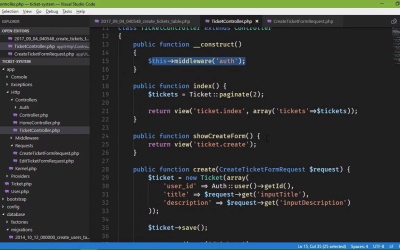
So we finally have user authentication within our ticket system, so that only logged in users can create tickets. And that's really what we wanted, but now we need to link a user with their given tickets. And we could do that with the data that we have by performing a migration, and then modifying our data in the database, so that we link up the user with their tickets. But in order to do that we really need to run a couple of migrations, one so that we could add in what we need to track users, and then removing the email field. Because if we're going to link our users table with our tickets, then we don't need that email field, because the email is part of the users. So we are going to do what's called a reset, we're going to start completely over from scratch. That means it's going to take away all of our data within our tickets database, and, well, we just start completely over. So this is something that you definitely don't want to do [LAUGH] in production, otherwise you will lose all of your production data. But when it comes to development, this is something that is, I'm not going to say very common, but it's going to be common, at least. So we want to start off with the command line, we're going to run artisan migrate, and then reset. This is going to roll back everything, so this means that it's going to go through our migrations and it's going to run the down method. Now it just wiped out everything within our database, except for the migrations table. So if we look at this table again, all we have now is migrations, and the migration files are still here. So this means that we can go back into our files and make the necessary changes so that we can correctly link our users with our tickets. So the first thing we're going to do is get rid of our email field, we don't need it, it's part of the user. So we'll get rid of that. And then we're going to add what's called a foreign key, we're going to link up the users table with our tickets. And this is going to be a integer, and we'll call it user_id. And this is all that we really need to do for this migration, so we can go back and we can run the same command without specifying reset. That will run our migrations again, and if we look at the database then we're going to have our tables. But of course the data that was in there are now gone. But this isn't the only thing that we need to change, it would also be nice if we set up some type of relationship with our model. So if we go to our Ticket class, we can add a method that will, then, allow us to say that, hey, this ticket belongs to a given user. So let's say public function user, and we are going to return this. There's a method called belongsTo, and then we specify the model that this would belong to, and in this case that's going to be App\User. Now this isn't something that we are going to be using, but whenever you have a ticket object, you could call this user method and that would give you the user that it belongs to. But one of the things we do want to do is display all of the tickets for whatever user is logged in, and only those tickets. Because we don't want just anybody looking at our tickets. So we will get to that here in a few moments, but first of all we need to address our fillable array. Because we no longer have this email field, so let's get rid of that. But we do have a new field called user_id, so let's go ahead and add that as well. And that's really all that we need to do here with our model. But let's open up our User model as well because, we need to do something in here. Now this was generated by Laravel, and we can come in here and we can make any changes that we need to. But the only thing that we need is to be able to access the id property, because there is one but it's protected. So we need something that gives us access to that. So let's write a public function, something called getId, and now we'll return this id. So that any time that, whenever we create a ticket, or whenever we need the user_id, we can get it this way. So now that we have that let's go to our form requests, because we need to modify these as well, because we no longer have the email address. So we need to get rid of that as far as what is required. And the edit is going to be the same thing, so let's get rid of that there. Now we don't need the user_id, because we already have that, as a user is logged in. So we are just removing all of the references to the email field, so that we, well, won't run into any issues there. So now let's go to our TicketController, because we need to make some modifications here. Because we are attempting to retrieve the email, which we no longer have, instead we have the user_id. And that is not part of the request, so we want to get that using our Auth facade. We call user, and then we call the getId method that we wrote a few seconds ago. But we also need a use statement here, so we want to use Illuminate\Support\Facades\Auth; so we have access to that. And when it comes to creating a ticket, that's really all that we need to do there. For editing, we need to just get rid of the email. We don't need to do anything with the user_id, because well, we aren't going to change who created it. So we will leave that as is, and that's really what we should have done to begin with, the email address should just be static there. But in this case, this is going to work fine. So we have removed the email field from our requests, we are also taking that into account in our controller. We need to go to our view now, and get rid of that, that was inside of both the create and the edit. So we will modify both of these, we'll just take out that field all together so that we no longer have it. So that was the edit, let's go to the create, we will get rid of that. And that's also one less thing that users will have to fill out. Now one thing that I've talked about is, inside of our request classes, the authorize method, that we could use this to return true or false based upon if the user is logged in. Well in this particular case, we don't need to do that here because our ticket controller is protected. We're using the auth middleware for this entire controller, so the user has to be logged in in order to submit the forms for the create and edit resources. So we don't have to worry about that inside of our requests. And so now I think we have everything ready to go, let's hop on over to the command line, php artisan serve. And we will see what we have. So let's go to the browser, and let's go to our main page, that is great. Now we do need to create a new user here, so let's go to the Register resource. And my Name, and E-Mail Address is foo@foo.com, Password is my password, and that will take us there. Now we should have some links for not just viewing our tickets, but also a link for creating our tickets. And I have that markup, so I'm just going to go back to our layout page and add that in. Now as with all of the markup I'm not going to type this out, I'm just going to paste it in, because it's rather straightforward. It's a collapsible li element that has some subitems. So that whenever we click on Tickets, we now reveal the Create New Ticket, and the View Your Tickets. So if we click on View Your Tickets, we don't see anything, but we do need to get rid of the Email there, but we can do that here in a moment. But let's go to Create New Ticket, the Email is gone, so This is a test. And then the description, This is a test description. So let's create the ticket, if everything goes to plan, there we go. Now we do need to only show the tickets that belong to the logged in user. So let's first of all do this, let's go to another browser, and let's add another user. Just so that we have two different sessions going on, so that we can actually see what they are seeing. And ooh, it's a great way to test. So we are going to go to the Register once again, and this is going to be User 2, user2@foo.com, Password is going to be password, and there we go. So if we go to tickets, currently we see all of our tickets. So let's go our controller, because that is where we are going to retrieve our tickets for the given user. It's what we're doing there anyway, except that we need to add the exception for the logged in user. So let's go to the index method, and instead of just calling the paginate, let's do this. Let's create a variable called userId, and we will set that to Auth::user, and then getId. And then we will say where, we're going to pass in the user_id field, and we want to say that that is equal to userId. And then we will call the paginate method there. So now whenever we view our tickets inside of our first browser, we still see our results. However if we go to the other session, refresh, we no longer see that ticket there. And of course if we come in here and create a new ticket, This is user 2. And whenever we create this ticket, we will see that ticket for user 2, but user 1 is not going to see that. So we now have the ability to see only the tickets that we are supposed to see. But that's just the index method, we also need to address the ShowEditForm and the edit methods for the same reasons. Now when it comes to the edit method, we could do so in a couple of different ways. The first would be to do the check inside of the edit method, and that's actually going to be the best way. But the other is to use the EditTicketFormRequest class. And inside of the authorize method, we could essentially do the same thing here that we did with the id of the ticket. We could send the userId with the form, the user submits the form, and then we compare what came from the form with the logged in user's id. The problem there is that we are relying upon the user to submit that data back. And you never want to trust the data coming from the user, because it's not coming from you. So while this would be an option, the better option is to just do it inside of the edit method. Because we have all of the information that we need, and we don't have to rely upon the user to give us any information. So let's do the edit method first, since we were talking about that. Let's retrieve the userId, just like we did before, so we're going to use Auth::user, and then getId. And then we are going to build a query, because we have really two things that we need to check, we need to check the ticketId as well as the userId. So we're going to build an array that has these two pieces of information. So the first is going to be the id and that is going to be the ticketId. The second is going to be the user_id, and that is, of course, going to be our userId. And then we are going to pass this array to the where method. So we're going to say Ticket, then we're going to pass in where. But we're not going to use the find or fail method, instead we're going to use firstOrFail. That's essentially going to give us the same thing, and we don't need to pass anything to firstOrFail. And so if one exists, we update it, if not then a 404 is issued. So we are going to do essentially the same thing inside of the showEditForm as well. So let's just copy and paste some of that code, and well really, we need to copy and paste pretty much all of that, but it's easy enough to type. So we're going to use the where method once again, instead of findOrFail, we will say firstOrFail, and then we will not pass anything to that method. So now, when we show the edit form, we are verifying that the ticket belongs to the user. And whenever the user submits the edit form, we are once again verifying that the ticket belongs to the user. So let's edit our ticket here. So if we say that This is edited, let's also add something to the title just so that we can just instantly see it, we'll say Edited. And if we click on the Edit Ticket, then we can see that that was indeed edited. And of course if we hop on over to the other browser, let's edit that as well. We will say Edited, and we'll just leave the Description alone. Click on the Edit Ticket button, sure enough we edited the ticket. So we now have a working ticket system. It has user authentication, so users have to register and login to submit a ticket. They can only see and edit their own tickets, and that's really exactly what we want.


