


- Overview
- Transcript
4.5 Adding Authentication
We need to protect our ticket system by only allowing registered users to post and edit tickets. In this lesson, I'll show you how to use Artisan to help us with adding authentication to our project.
1.Introduction
1.1Introduction02:09
1.2What You Need07:42
2.The Static Site Project
2.1View and Routing Basics10:22
2.2Layouts and Sub-Views07:58
3.The Shoutboard Project
3.1Database Configuration and Migrations14:23
3.2Creating the Model09:38
3.3Creating Messages14:20
3.4Viewing Messages07:41
3.5Adding a Message Title With Migrations07:07
4.A Ticket System
4.1Introduction to Controllers09:02
4.2Setting Up Our Database16:09
4.3Viewing a List of Tickets08:51
4.4Viewing and Editing Individual Tickets13:08
4.5Adding Authentication10:01
4.6Linking Tickets With Users14:58
5.Conclusion
5.1Conclusion01:22
4.5 Adding Authentication
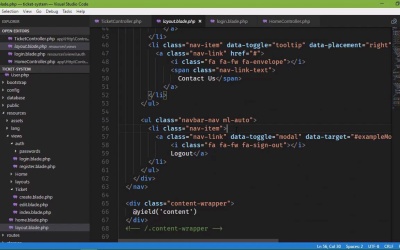
So we have a working application. We are able to submit tickets, view them, edit them, and all of that stuff. But now we need to incorporate user authentication, because we only want logged in users to be able to submit tickets. And we're going to start with something that we should have started with at the very beginning of this project, and that is to use artisan to generate all of the extra things that we need for user authentication. Now, the reason why we needed to run this to begin with is because some of the files it generates are files that we already have, like a home controller. So whenever we run php artisan make:auth, this is going to create a home controller among other things, and it's going to overwrite our home controller. Now in our particular project, that's not that big of a deal because our home controller is very straightforward. So if you plan on using authentication in an application, this is the very first thing that you should do whenever you create your project. So just keep that in mind. So php artisan make:auth, this will take a few seconds to generate all of those files. It's going to generate the home controller. It's also going to generate some views that we can use for logging in and things like that. So if we go to our project, let's start with the controllers folder and our home controller. Now, our first home controller was very straight forward. We just had an index method and it simply returned a view. But now we can see that this is using this middleware. So, inside of the constructor, it is incorporating the authentication middleware. And whenever you do this inside the constructor, you are essentially protecting everything within this controller so that the user has to be authenticated in order to access these things. So just to show you that let's go ahead and run our application php artisan serve. And we will head over to the browser. We will make a request for a localhost 8000, and we can see that that automatically takes us to the login page. That is from our auth middleware. So if we comment this out and go back, and if we try to go back to the index of our application, then, well, we don't go to the login page, but we go to a different view. The reason why is because we have a different view here, so I'm going to say home, index, and that will change back to our index page. So If you want to protect everything within a controller you simply use the off middleware inside of the _constructor. So this would be a good thing to do inside of our ticket controller because really it doesn't matter what we're doing. If we are creating, editing and even really viewing tickets we need to be authenticated. So we could take this, and we could go ahead and paste that inside of TicketController. And we might come back and comment that out later on, but for now That will at least protect our ticket controller. So let's look at some of the views, because this is the main thing that you get from running the make:auth command, because it will give you the login and registration views. If you go to the. Well, it's not listed here. There should be a folder. So let's refresh. And there we go. So inside of views there's off, there's a log in, there's a register, there's password-related views, and it also created a layout page at .blade.php that is inside of layouts. So this is another layout page that we could use. However, let's not. We have our own. So we are going to simply do this. For the login view, we are going to use our layout page. So if we go back to our home controller, let's make sure that we have this call to user authentication middleware. Whenever we refresh this page, it's going to take us to the login view, but it's going to use our layout, and that is something that we definitely, definitely want. So let's make a few edits to our layout page. Now, this is our layout page, not the one that was created whenever we ran the make off command. So, layout.play.php, and we are going to change that log out. So that it will display login if we are not logged in. Otherwise, it will be logged out. And we can go ahead and add links for those as well. So we will use an if statement and we'll say auth and then we'll call a method called check. This will return true if we are logged in. It will return false if not of course. So if we are logged in, we want to log out. Otherwise, we want to log in. And we'll just copy what we have for our log out and make a few changes. The text is going to be log in. I'm not aware of anything off the top of my head as far as log in icons for font awesome, so I'm just going to take out that icon there. We also need to get rid of the modal information because we don't want to display that module in this case. But for the URL, let's add an href, and we are going to use The URL function, that we have used before. And this is going to be for login. And we will do the same thing for logging out, except that it will be for log out. Now, by default, our login requests need to be posted Requests. But we will handle that in a moment. So let's make this logout. And so now in the browser, we can see that we have a login link and it points to the login view. If we were logged in, then the link would point to log off. Now while we're editing our layout page, let's also modify our menu over here, because it would be nice to have a menu for our tickets. So here we have our menu. We are going to take one of these, it doesn't matter which one, and we are going to essentially do the same thing. We're going to use the check method. If we are logged in then we want to display that menu. So, we will have our tickets. And, let´s just get rid of the icon. We will leave the fa, and faw, the fixed-width. So that the ticket text will be in line with everything else. So there will be tickets, the href is going to, once again be generated by the URL function. And we will say /tickets. So that should be enough. If we go back and refresh the page, we should not see our tickets and that is what we want. But we do need to log in so that we can test the other things. So we're going to go to /register. And let's modify the view so that it uses out layout page as opposed to layouts.app. So let's refresh, there we go. We will use my name or you can use whatever name that you want. My pass, well not my password, my email is going to be foo@bar.com. My password is simply going to be password. And that should make it work. There we go. So now we have our Logout link. Now we have our Tickets link. And of course if we click on Tickets then that takes us to our Tickets. Now as I mentioned, the Logout route is setup for a post request. So if we click on the Logout link even though it's going to the correct resource It says, MethodNotAllowedHitException, because it is expecting a log out or a post request for the log out resource. So we will need to address that at some point and that is simple enough, we just put in a form and we'll be good to go. Now very briefly, I want to look at our database. If you'll remember, whenever we ran our migration, it not only created our tickets table but it also created the users, the password resets and the migrations table as well. Well the users table is where all of our user information is going to be stored. So if I now refresh this, we can see that there is a record. The name for the user is Jeremy, the email is foo@bar.com. There is the encrypted password and then there is the created at and updated at fields. So that is what that table is for. It's simply there for our users. So now we have a head start. Using authentication within our application. Now we just need to tie the tickets to the users. And to do that, we are going to essentially reset all of our migrations so that we can rebuild our model and rebuild our tables so that there can be a relationship between our tickets and our users.


