

- Overview
- Transcript
4.2 Rendering HTML
To this point, you've learned how to create app routes and views that return text. Now it's time to step up your game with your views and start to render some HTML on the page. You will learn to do that with Django templates.
1.Introduction
1.1Introduction00:53
1.2What You Need05:26
2.Django App Basics
2.1Install Django and Create a Project05:49
2.2Create an App and Run the Web Server05:15
2.3Responding to Requests06:29
2.4Creating Models07:21
3.Using a Database With Django
3.1Adding Models to the Database05:28
3.2Working With the Database06:29
3.3The Admin Portal04:59
4.Building Out the Lawn Care App
4.1Defining the App Routes07:08
4.2Rendering HTML07:27
4.3Rendering Data in an HTML Template05:08
4.4Displaying Available Fertilizers06:15
4.5Saving Time With the Render Function02:25
4.6Handling “Not Found” Exceptions06:26
4.7Using Forms and Saving to the Database09:05
4.8Adding Some Business Logic08:54
4.9Adding Some Style06:31
5.Conclusion
5.1Conclusion01:06
4.2 Rendering HTML
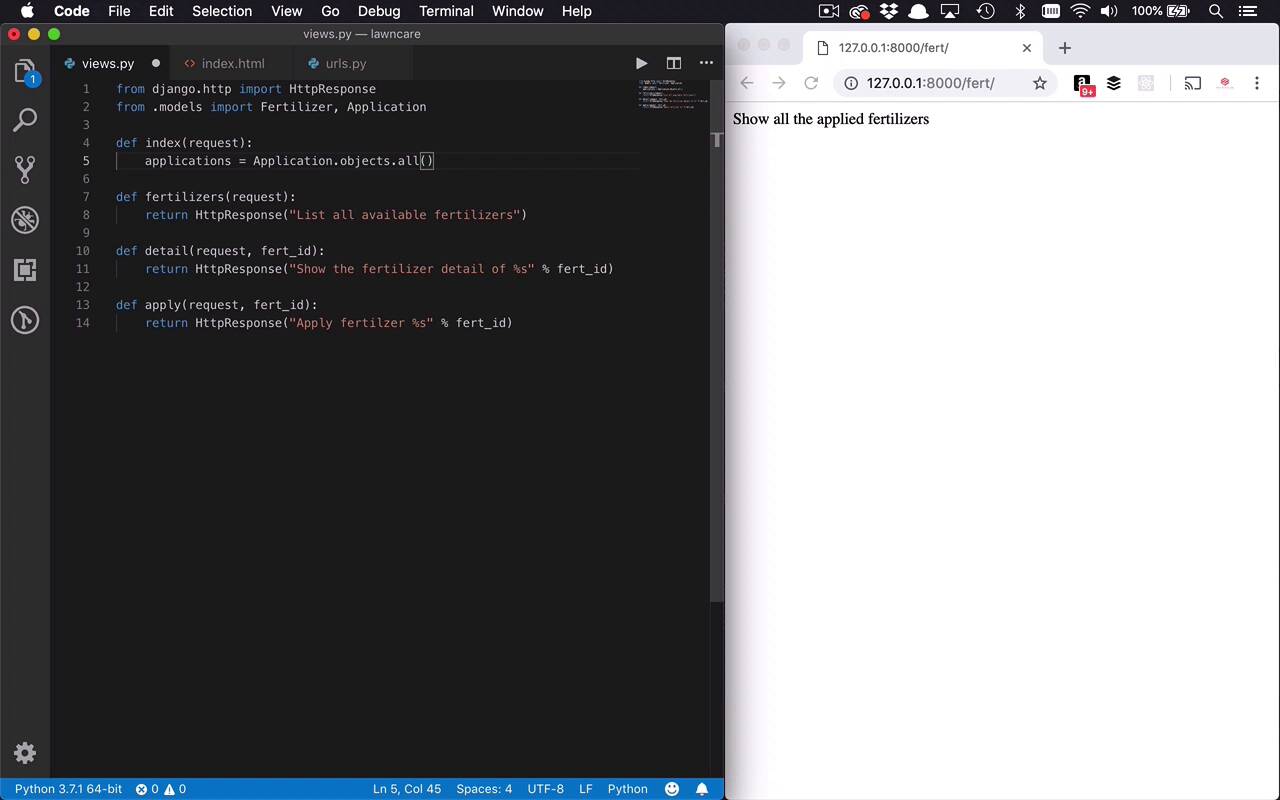
While it's nice for us to be able to get some content on the screen, as you can see here, it's not very interesting. So what I wanna try to do now is show you how we can actually start to return some HTML, some markup to the web browser so we can actually start to display some information. So this is done in two parts. The first part is we need a template. We need some actual HTML that we can then give to the browser so it can start to render it. So let's build that out first. So the first thing that we're gonna need to do is go into our fertilizer folder, and we are going to create another folder. And we're gonna call this templates. And this is going to be the folder where we're gonna put all of our HTML templates. And the reason I say template is because what we're able to do in Django is to take kind of the skeleton of some HTML. And then we're able combine it with some actual data and merge those things together to make things a little bit more dynamic and reusable, which is pretty nice. So the one thing that we're gonna have to do in addition to creating this templates folder is we're gonna create another nested folder. And the reason that we do this, is simply because of the way that Django is going to look for your templates. It's gonna look for a templates folder, then it's gonna look for a folder with the name of your app in it and then it's gonna try to find matches of these templates. So what we're gonna do is we'll go in here and we will create a new folder and we're gonna call this fertilizer. So this is gonna be our fertilizer templates. And then we're gonna create a new file in here. We're simply gonna make this index.html because what I wanna do is I want to map these templates to the views that they correspond with. Now once again, that's not required. But for me, I feel like it's just easier for me to find my templates and find my views and how they're gonna get stitched together just makes sense for me anyway, to name them consistently. So let's just go ahead and drop some markup in here. Nothing too crazy, as you can see here. We are gonna have a fertilizer applications header at the top of the screen. Then we're gonna have a table that's gonna have a header which is gonna have basically everything that we had in our applications table. We're gonna have the products, we're gonna have how many bags were applied, when it was applied. And then we're gonna have the amount of the nitrogen, phosphorus, and potassium. So I wanna be able to display all of that information. So this is the first thing that I wanna be able to render out onto the screen. So let's go ahead and save that. Now, in order for us to get this out onto the screen we have to inject some code so that we can actually display it. So let's go into our views and we're gonna focus now on the index function right here. So for now, we were simply returning an HttpResponse which once again works, but it's not really what we want to do. So what I wanna do now is I wanna be able to get the data that I actually want to display on the screen. And I want to send it over to the actual template and show that template, so let's do that. So I'm gonna get rid of this line, right here. And the first thing I wanna do is I wanna get the applications that I've put onto my lawn first. So we're gonna do this very similarly to how we did when we were playing around with the SQLite database from the command line. I'm gonna create a variable called applications. And I'm gonna set that equal to application. Now, I need to bring that in so I'm going to come up here to the top and I'm gonna say from .models. I want to import, I'm gonna bring in both fertilizer and application, just because it will make things easier for later. So I can say I want to go into application objects and I wanna get all, just like we did before with the fertilizer. So I wanna get all instances of applications that I've put on my lawn. So now I have the data that I wanna put into my template, now I need to get that template. So the way that we do that is with something that's known as a loader. So we're gonna have to bring in something else from Django, so I'll say from django.template and I want to import the loader. So now that I have this loader I can use that to go and get one of those templates that I've created. And I've only created one so far, but I can use this to go get that. So I can say loader.get_ template and then I can say which one I wanna get. I wanna get my fertilizer/index.html, this is where that naming convention comes into play, so that Django can actually go find that template. So now I have these two things, I have my data, and I have my loader, I have my template. Now, I wanna stitch those things together. And the way that we do that is by creating a context, if you wanna think of it that way and pass it along with that template and I wanna render that onto the screen. So the way that we're gonna do that is we're simply going to create a context, which is just another variable. This is gonna be an object and then we're gonna give it a key. We're gonna call it applications. And then I'm gonna pass into that my applications object or collection of application objects. Now there's nothing in there yet because we haven't put anything in there yet, but that's okay, I'm not too concerned about it. So now I have created this context which is basically just an object. And now I want to return HttpResponse just like I did before, but this time I'm going to return a rendered template. So before you once again, you can pass strings in here, but I can also pass different types of content in here. So what I wanna do is I wanna use my loader, actually, excuse me, I want to use my template that I retrieved. So I need to grab it from my loader here. So I'm gonna grab that template. Then I'm gonna say template.render. And I can render this by passing in my context, which is the data that's gonna be associated with my template. And then I'm gonna pass into that as well the request that I sent or that I retrieved from this actual view. So let's kinda walk through that one more time. I'm going to retrieve my application objects that I wanna display. I'm gonna grab my template using the loader that I've created my index template. I'm gonna create a context which is really just an object full of any type of data that I could possibly want. In this case, all I really have here is a collection of applications and that's fine. And then I'm going to return an HttpResponse that's gonna contain the contents of the template rendered with the context object. And then you can also pass to it the request. So once I've done that I can go ahead and hit save. And once I've done that, I can come back over here to my browser and I can refresh the page and you can see now that i have my template being rendered. I have fertilizer applications as the header and I have the kind of table here. Now, it's a little scrunch together. We're not too concerned about formatting in this course. But a little bit later, I'll show you how to inject things like Bootstrap or whatever and bring some styles into your application. But for now, this will do. But as you can see, there's really no data in here and that's okay because there's nothing in my applications just yet. But we're gonna get to that in just a few moments. So now, what I wanna be able to do is I wanna learn how to I can actually start to use this context within my template here. Cuz as you can see, I'm not really rendering anything, so what I wanna do is take that context data and render it into my template.


