

- Overview
- Transcript
4.4 Displaying Available Fertilizers
In this lesson, you will create the page that is going to display all the available fertilizers. The process will retrieve data from the database, create a context, merge the data with the template, and render the HTML on the screen.
1.Introduction
1.1Introduction00:53
1.2What You Need05:26
2.Django App Basics
2.1Install Django and Create a Project05:49
2.2Create an App and Run the Web Server05:15
2.3Responding to Requests06:29
2.4Creating Models07:21
3.Using a Database With Django
3.1Adding Models to the Database05:28
3.2Working With the Database06:29
3.3The Admin Portal04:59
4.Building Out the Lawn Care App
4.1Defining the App Routes07:08
4.2Rendering HTML07:27
4.3Rendering Data in an HTML Template05:08
4.4Displaying Available Fertilizers06:15
4.5Saving Time With the Render Function02:25
4.6Handling “Not Found” Exceptions06:26
4.7Using Forms and Saving to the Database09:05
4.8Adding Some Business Logic08:54
4.9Adding Some Style06:31
5.Conclusion
5.1Conclusion01:06
4.4 Displaying Available Fertilizers
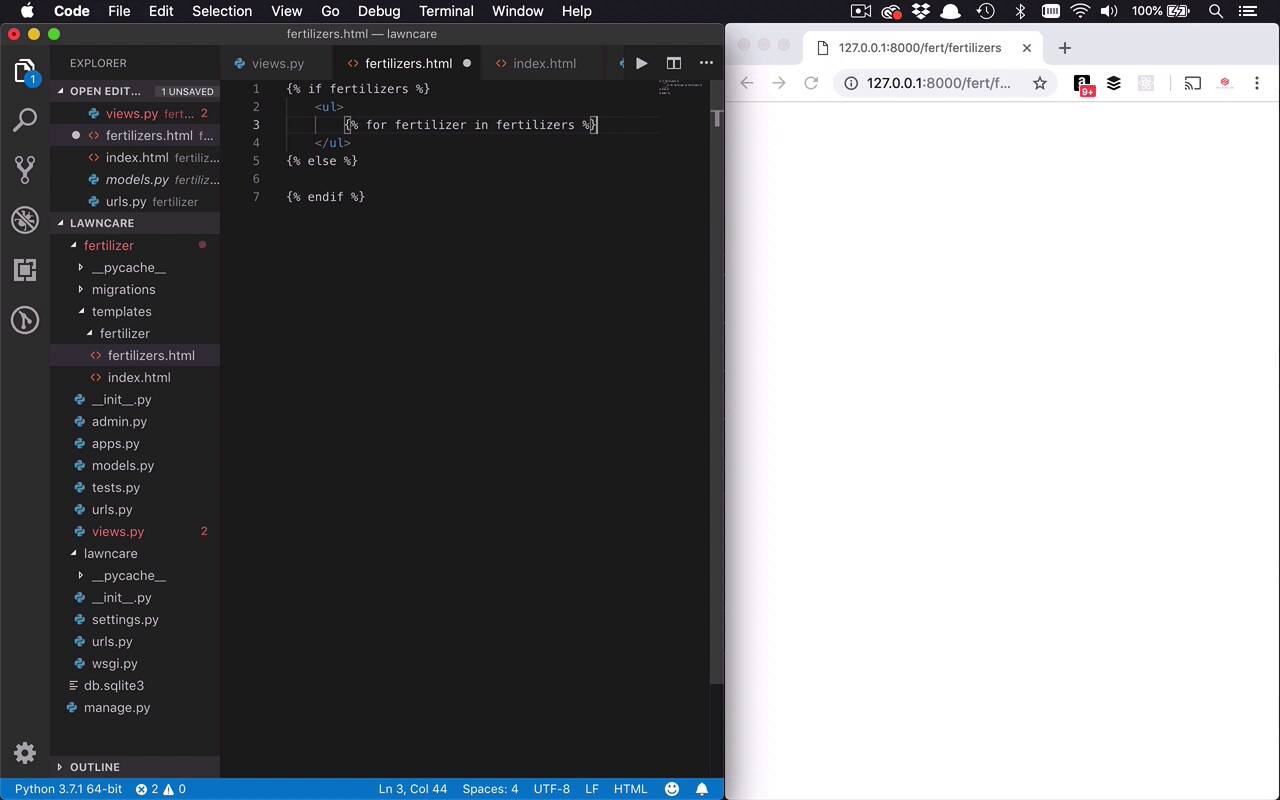
Okay, so this is interesting, but we're not really able to display any data. So now we're gonna shift our focus over to a different template and a different view where we already have some data. And that's gonna be for our fertilizers view. So now I'm gonna display the fertilizers that we have in the database. We know right now we already have two, because I was playing around with those in the admin portal of our site. So once again, I'm gonna come in here to my templates fertilizer folder. I'm gonna create a new file, and this is gonna be fertilizers.html. And we are going to come into our views, and we will start to work with this a little bit. So we're gonna do something basically pretty similar. We're not gonna do a lot of calculating here. We're basically gonna follow the same process. So what I wanna do is, I wanna get all of my available fertilizers. So I'll say fertilizers = fertilizer.objects.all, so that's gonna retrieve all the fertilizers I have in my database. Then I want to get my template again, so I'll say template.loader.get_template, and I'm gonna say fertilizer/fertilizers.html. Now I have my template, now once again remember, I need a context. So I'll set that context equal to an object, and I'll create a property in here called fertilizer. And then I will set that equal to my fertilizers collection, actually, we'll call that fertilizers. So now we have our context, and once again, I will go ahead and do the same thing here. We'll say template.render(context, request), just like we've done before. So let's go ahead and save that, so now if we were to try and go to that fertilizers URL, so let's say fertilizers, we're gonna see that nothing shows up. Because we don't have a template that matches this yet, and we can't really display anything. So we are going to actually start to create the content that's gonna get displayed here. So it's gonna be somewhat similar to what we had before. I'm gonna create my curly brackets cuz I'm gonna want to do a couple of things. I want to check to see if I have some fertilizers. So I can say if fertilizers, and then we'll display something. If I don't have any fertilizers, cuz we wanna take care of that case too, I'll say else, and then we'll also have an endif right here. Okay, so if I do have fertilizers, I just basically wanna list them, we'll put them in an unordered list. And then for each of the fertilizers, I wanna create a list item that has a link to the detail page for that particular fertilizer. Cuz remember, that's kind of the path we're looking to go down. I wanna have a list of fertilizers, I wanna click on one, I wanna go to another page that has the detail for that fertilizer, and then I wanna be able to apply that fertilizer. So let's just go ahead and once again loop through these. So we'll say for fertilizer in fertilizers, like that, and then we'll go ahead and make sure that we end our for loop. All right, and then remember, each one of these, I wanna create a list item. And then for that list item, I want to create an anchor tag, cuz I wanna create a link. Now, I wanna link to what, well, we've already kind of discussed how we're gonna create these URLs. So I have here that if I wanna get the detail, I can go to fertilizers/, and then the integer value of that fertilizer ID. So we'll come in here and we'll simply say, I wanna go to /fertilizers/, let's go ahead and give a little bit more room here. Now I need to display some data, so within here, I can use that double curly bracket concept again. And I can go in here and I say fertilizer.id, that's gonna be automatically generated for me. And then as the contents of this anchor tag, the actual data that you're gonna see, I want to show the fertilzer.name. So I can actually see what that's going to be. So now I have my list item, I have my anchor tag that's going to be pointing to /fertilizers, but I have to spell it right, fertilizers. And then I'm gonna append onto here the fertilizer.id value for the current fertilizer that I'm looping through. And then I'll simply display the name here of that particular fertilizer. Now if nothing is there, then we'll just simply have a p tag again here, and we'll say, no fertilizers are available, like that. So let's go ahead and save this now, so I come back over here and re-render my page. Well, I have an error here, it looks like we have spelled something wrong, invalid block tag on line 9. So it's usually fairly helpful when you get these types of errors to kinda show you what's going on. If I come back to line 9, yes, I did say endor, I want endfor. We'll go ahead and save that, we'll refresh our page, and there you go, so now I see Milorganite and Ringer. And if I hover over these, down at the bottom left-hand side of my browser, you're gonna see, it's gonna go to fertilizers/1, because the ID of the Milorganite fertilizer is 1. And then I can also go to Ringer, which is gonna be to fertilizers/2, and I can go ahead and click on those. And if I click on those, you're gonna see page on found, cuz I don't have anything to display for that particular one yet, but we're getting closer. So now that we have the basic ones, now I want to go ahead and create a detail page that's going to allow me to start to show the detail. But before I get that far, in the next lesson, I wanna show you a little bit of a helper that is going to help to kind of take some of these steps that we're doing in views, and start to break them down a little bit and condense them. Because we seem to be doing a lot of the similar things, we seem to be doing a lot of going and getting a template, creating a context, rendering that context. And we're gonna wind up doing that over and over again. And Django, like so many other modern frameworks, knows that repetition is always going to bring in the possibility of error. So it also has a couple of little helper functions that we can start to use, to get rid of some of these repetitive steps.


