
 Lessons: 14Length: 2.4 hours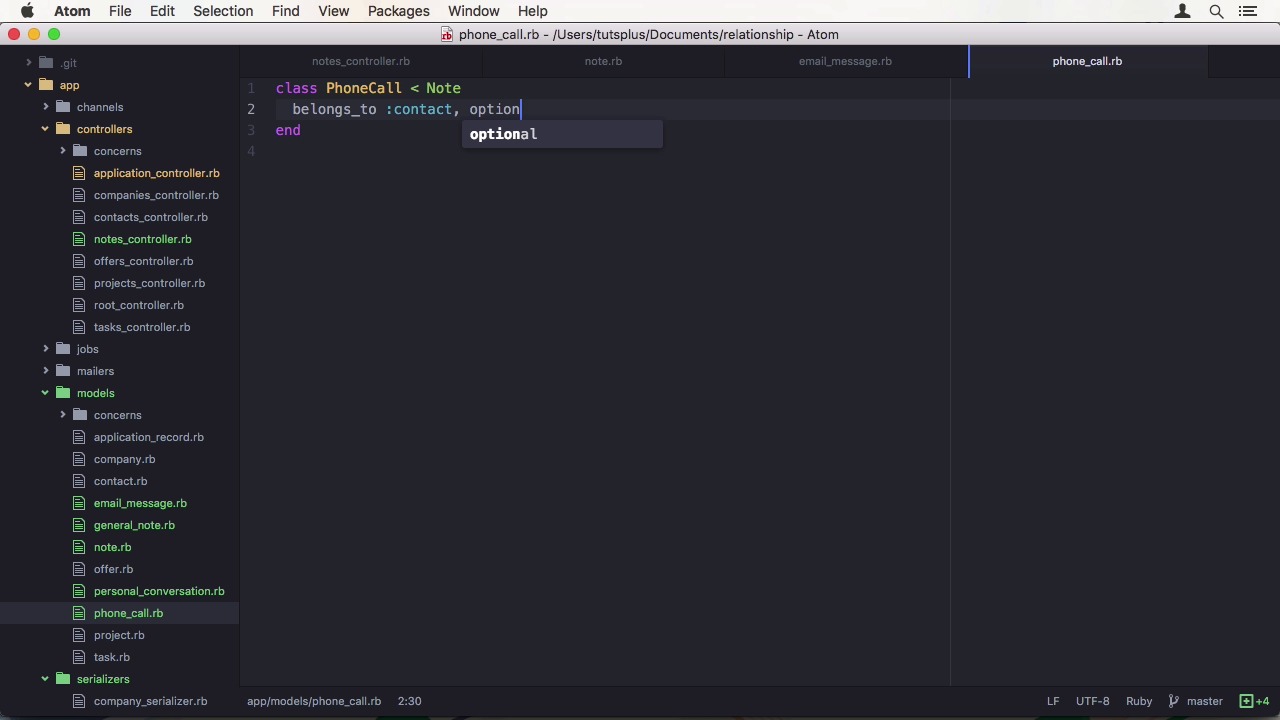
- Overview
- Transcript
2.4 Track Customer Interaction
In this lesson, we are going to create a system to track customer interaction, by using Single-Table Inheritance (STI) and polymorphism to differentiate between interaction types.
1.Introduction
1.1Introduction01:05
1.2Project Overview03:23
2.Rails Back-End
2.1Generate and Prepare the Application09:19
2.2Create Companies and Contacts10:35
2.3Add Projects, Tasks, and Offers14:47
2.4Track Customer Interaction12:01
2.5Secure API Access07:46
3.Ember Front-End
3.1Generate and Prepare the Ember-CLI Application08:34
3.2Application Layout and Authentication15:36
3.3Manage Companies and Contacts15:54
3.4Manage Projects, Tasks, and Offers19:18
3.5Add Customer Interaction14:11
4.Deployment
4.1Deploy to Heroku and Amazon S308:28
5.Conclusion
5.1Conclusion03:02
2.4 Track Customer Interaction
Hi, and welcome back to create a full stack Rails and Ember app. In the last lesson, we created our organizational structure, like projects and offers. In this lesson, we will create the final piece necessary for our CRM. A way to track customer interaction. We are going to achieve this by utilizing single table inheritance to differentiate between different types of interactions, general notes, phone calls, personal conversations and emails. Let's start in the shell and create a scaffold for a note. This is going to be the base class. It gets a type column which Rails uses by default for STI. Then a title string, a description text, a contact reference, which is optional, and only used for particular types of notes. And finally, we add a topic as a polymorphic relationship which is going to associate either a project or an offer with the note. We also have to add the polymorphic true option and the migration and we want to remove the foreign key here. Now we can run the migrations in the shell. This is our base class. Even though Rails uses type as the I column by default, I want to be explicit here. So when you look at the file, you immediately see that it is used for inheritance. I can do that by setting the inheritance column class variable. We also want to remove the contact here since it doesn't belong to every note and set polymorphic true on the topic as well. Let's add a subclass, general note and while we are at it, also phone call, Email message, And personal conversation. Some of these classes, as you could see, also got the belongs to context relationship. Now we need to adapt our controller again. We require data and attribute instead of note. We also need to adjust or create an update methods again. Since we are using inheritance we don't want to just create a note. Luckily, json api sense the type with it. So we can extract the class name, right with it and the relationship params method, singularize, title case and constantize. We also don't need to have to type key in the permitted per section. If you aren't running the race server start it up right now. I already prepared the API and point input, to avoid you having to watch me type all this in. For type, we might want to try a general note first, which doesn't have a contact relationship, so I exclude that from the request. When executing the request we get an error. It seems that my method of converting the type to a class name isn't 100% correct conversion between the two formats isn't always possible. So we have to use some alternative transforms. First, underscore the string, which converts dashes to underscores and then classify it. Which converts and underscored string to a titalized one without any spaces. While we're at it, it is probably better to use save constant as here as well. Since I also made this mistake and find related object in our application controller. That's re factor the method by extracting the class name conversion, and safeguarding the find method. Let's run it again, and we get another error. This time a validation era. The problem is that we don't have to find a topic and we need one. In our previous lessons, we always added some relationships. So it never fired but this is actually a change in Rails 5 you should be aware of. Dhh thinks that normally when you define an association you almost always wanted to have a record there. So they changed the required option on belongs to to default to true to have those not be required. We are going to add the optional true parameter, and then we have to go to all sub classes but general note. To also make the contact association optional. Moving on with our debugging. When we hit the API again it worked. But it fires an error when trying to access general_note_url. We don't have that of course. This is a very common thing to forget when using scaffolding and inheritance. You raise generator uses the shorthand syntax for generating a URL to a single resource by just using the instance variable. We need to wrap this in the note URL method to actually get a link that points to our notes controller. So another problem solved and a final one to go. When we created our scaffold it also created a serializer, which has a contact association in it. Since we moved that away from the note base class, it can't be found on general note which doesn't have one. So by removing this line it fixes things when we finally run our API request, it works. Almost actually, I didn't use the correct attribute names. You see me doing a lot of mistakes here, which I could have left out and presented you with a perfect example, by making all those strangers before hand. But this is not how development works. You can't really plan your application in a perfect way, especially when using beta software and new releases. Changes can be quite dramatic like with belongs to. Yes, you can read the change log start to finish, but the differences are so massive that you probably won't do it. So this process is just natural and don't get frustrated when your code raises exceptions. And just to back them one step after another. This is what I wanted to show you on camera. So back to our project. When I change this to be a phone call instead, and let's also add back in the relationship. You can see when I run this that the contact relationship doesn't show up at all. One within the at adapt our controller to add the contact but that isn't the reason why it is missing here. We removed a contact association from the serializer. And phone call Uses the node serializer. To make a phone call, show the contact, we can again subclass to node serializer, and create a special one for phone calls where we just have to add a contact association like in the model. Run it again and it shows up. Now all we need to do is to add appropriate lines in the notes controller. But before we do that I'm also going to duplicate the phone call serializer to also have special ones for email message and personal conversation. A general note one, we don't need since it doesn't have any special attributes. So back to our controller. We can do the same thing like before. First at the relationship, put a topic, and then further contact. Also add these assignments to the update method. Let me run the API request once again. We see our phone call. I have a valid contact relationship now, right. Before we wrap this up we have to add the opposite direction of our associations. So first our contact model where we can simply add as many notes. Then, in the project model, we can add as many notes as topic. Finally, we can do the same in the awful model. That's our model stand. Now onto the serializers. It is the same in Context Serializer, Project Serializer, and Alpha Serializer. A simple call to has many notes. At the end I wanted to show you a request to the contacts end point again, which now has a lot of relationships. As you can see, we have a single company, multiple projects, multiple notes and also some contacts without anything but the company. In this lesson, we have completed our features at by customer trend interaction tracking through the serum. In the next lesson, we also add some authentication with a Google or auth two API. We will be doing the server side part. See you there.


