
 Lessons: 14Length: 2.4 hours
- Overview
- Transcript
2.2 Create Companies and Contacts
At the heart of every CRM are people (or companies). We will create the models and endpoints for people and companies in this lesson.
Related Links
1.Introduction
1.1Introduction01:05
1.2Project Overview03:23
2.Rails Back-End
2.1Generate and Prepare the Application09:19
2.2Create Companies and Contacts10:35
2.3Add Projects, Tasks, and Offers14:47
2.4Track Customer Interaction12:01
2.5Secure API Access07:46
3.Ember Front-End
3.1Generate and Prepare the Ember-CLI Application08:34
3.2Application Layout and Authentication15:36
3.3Manage Companies and Contacts15:54
3.4Manage Projects, Tasks, and Offers19:18
3.5Add Customer Interaction14:11
4.Deployment
4.1Deploy to Heroku and Amazon S308:28
5.Conclusion
5.1Conclusion03:02
2.2 Create Companies and Contacts
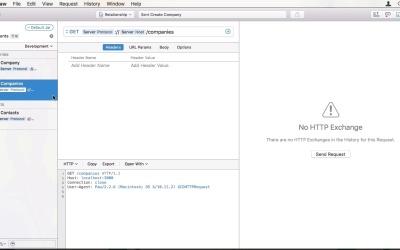
Hi and welcome back to Create a Full Stack Rails and Ember App. In the last lesson, we generated our app and prepared to different gems to work with JSON API. In this lesson, we'll create our first two models. Contacts and companies. Let's jump into the show. And run bin rails. Generate scaffold, then company and the attributes for it. A company has a name, which is going to be a string, as well as a phone number, email, and website, which are also going to be strings. An address, which is going to have a type of text, an external customer ID string, and a text field for additional information. As you can see, the generator is much simpler for API on the applications. It only creates the model, a controller, and the active model serializer, as well as some tests. To generate our contact, we are going to do the exact same thing. We run bin rails, generate scaffold contact. As for attributes, I'm not going with the first name, last name convention. And the reason for that is this great article by W3C on international personal names. For our application, we will be using family name and given names as an international way of storing name data. It still isn't perfect but I deem it good enough. The article itself looks at different countries and cultures and shows of which part people's names consist in. For instance, Indian names also consist of the village name. So if you're interested in internationalization, definitely read it. So our first attributes of family name and given names as well as a reference to company and the title field to save the position in the company. I'm also going to add, almost all the attributes of a company. Since I don't want to constrain the user to have to create a company or a context. That is for instance a freelancer. Or a retail customer. I apologize for my shell to misbehave with multi-line commands. Now that we have two models generators, let's run the migrations and then jump into the editor to look at the code I want to first look at one of the generators controllers. It is almost the same as a regular scaffolder's controller but limited to just the JSON part. What I do want to change right now is adding some constraints to the models. When I open up the company model, you can right away see a new introduction to rails which is an application record class. This works similar to application controller where you can store all the common behavior you want all your models to have. For instance, if you need to audit changes to the database somehow. So, for a company, we want to validate the presence of a name. For a contact model, we want to validate the presence of the family name and given names. Now we can start the server the shell. To test our API. I'm going to use a software called PAW, which is only available for mc. But there are many other tools you can use to make requests to your API. A very popular one is Postman. Which is available for free as a chrome extension. Let's start things off with a simple get request. I already added the friend request here. Right now, we want to hit the company's resource. As you can see, I have a very odd looking URL on the top. PAW is capable of using variables and environments. So when I'm working on my application and development, I will use the HTTP protocol and local host 3000 for the host. And when I want to test my live environment, I might change to HTTPS, and the real domain name. Now let's make the request and see what we get. Since PAW does some output formatting, it can be quite confusing. I'm going to change the JSON text to see the raw formatted JSON. We are presented with an empty array, because we have no companies yet. I have also prepared a basic post request for creating the customer or I send some JSON data to the server. You can also and to the data as text. One thing that is a bit strange is that when you enter new lines of backslash n it will show up broken JSON editor. When we make the request, we get the entry you just created back as per specification the data object contains the ID and the type. In our case, the name of the class. As well as the attributes hash while the rest of the data of dash array keys. So when I duplicate the request and remove the required name field we will receive a 422 unprocessable entity response. As the hash is stating, the name can't be blank. Now this error isn't exactly according to specification. So let's update the controller a little bit, to match at least your error's root key. I won't be giving too much thought into the correct format of the error's object. Since this will be implemented by active model serializers in the future, so I won't have to deal with it right now. So all I'm doing now is to write the error in an array and put it into a hash with an errors key. Let me redo the request. And you can see the arrows are read correctly. Before we finish with this lesson, let us also create a new contact. So, we are going to hit the contact resource with the post request for data We are going to need a family name which is going to be Smith. And for given names, we just use Paul. Mister Smith here has the same number as the Lauren incorporated company. We just created with the five at the end instead. We are also going to add the company ID of one and give him the title, head of marketing. Why only. He gets a corporate email address Smith@lauren.inc. That sent the request. And you can see in the results the phone numbers now because I mistyped the field and the request. Those can be fixed very easily by changing the request to had just the results with the id one and use the patch method. Here we go, our data is now correct. Lets also fetch it through the get contacts and point. The output is a trace of an API format. Where you can see that the relationships are standing out as being separated from the attributes and having acquired complex format. In this lesson, we created our first two resources that have a relationship between each other. We explored the chase in API former in our application and used an external to actually make requests to our razor blade application. And the next lesson, we will create more resources. Namely projects, tasks, and office, adapt our serializers, and change to date or format for create and update, to conform to chasten API. See you there.


