

- Overview
- Transcript
2.7 Deleting an Invoice
When it comes to basic operations on data, we typically talk about Create, Read, Update, and Delete (CRUD). Well, the only one we are missing now is Delete, so let's add it.
1.Introduction
1.1Introduction00:53
1.2Prerequisites05:48
1.3Setting Up the Development Environment07:41
2.Building the Rest API
2.1Creating the Invoice Model08:10
2.2Adding a Serializer05:06
2.3Getting All of the Invoices07:52
2.4Getting an Individual Invoice07:58
2.5Creating a New Invoice08:49
2.6Updating an Existing Invoice05:21
2.7Deleting an Invoice02:59
3.Conclusion
3.1Goodbye01:19
2.7 Deleting an Invoice
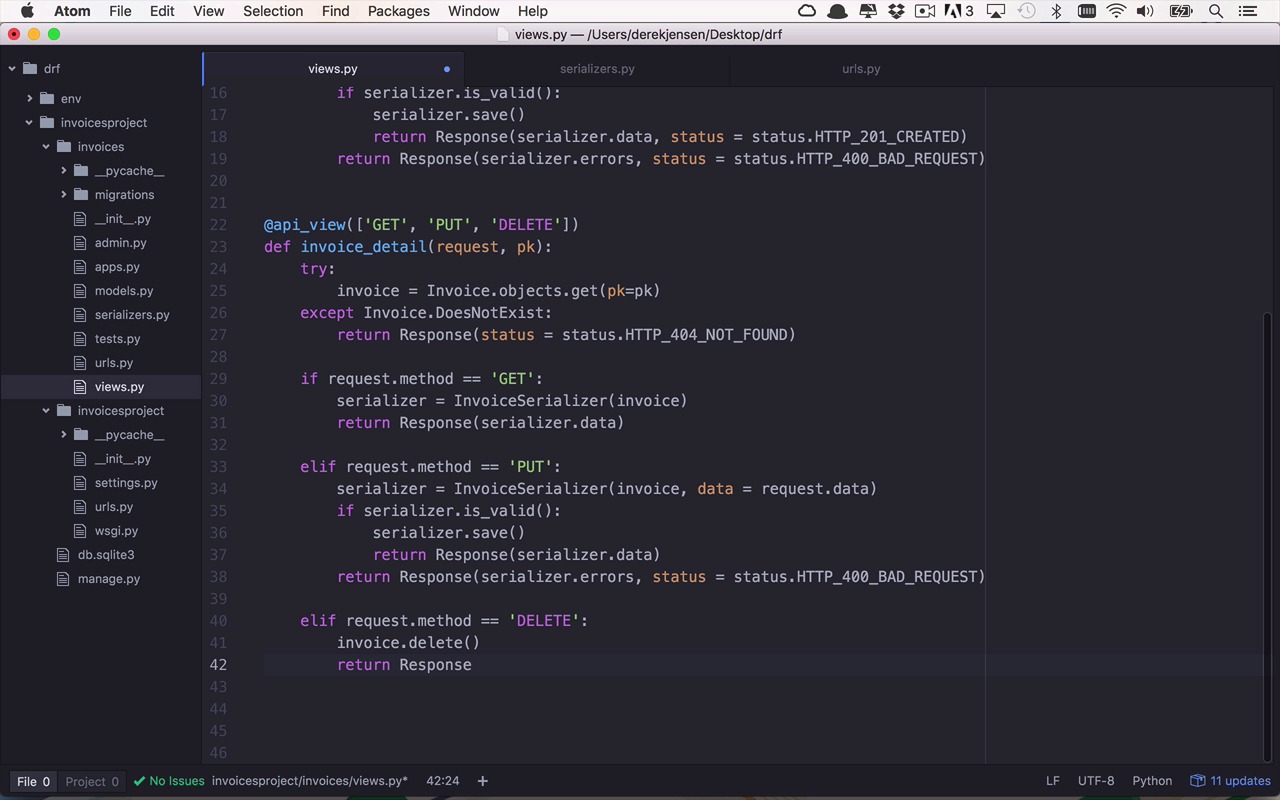
Now that we can get a list of invoices, get a single invoice, create a new invoice, and update an existing invoice, the next and probably final logical step to take is deleting an invoice. So let's say we no longer need one of these invoices or resources within our application. How do we delete it? Well deleting it is going to be quite simple. We're going to come back into our detail function. And we're going to add a support for another type of HTTP method. In this case it's going to be delete and once we have added that in we can come down and handle this particular type of method as well. And I'm just going to copy this simple template here and I'm going to add this in down here. Now this is going to be an elif so we're gonna have to make sure we modify that, and make sure that our request is equal to delete just like that. So we're going to do something very very simple in this case. So we don't really have to retrieve anything, so the idea here Is that we've already gotten our invoice and if everything's successfully was found within our database and we didn't have a does not exist. We should have an invoice at this point so I can simply use invoice.delete. Like this and then the response on a successful delete method is going to be very simple actually. It is going to be a status equal to status.HTTP_204. And a 204 means no content, which simply means that there's nothing that exists at that particular URL anymore for whatever you were Issuing this delete request, too. So let's go ahead and save this. And then, once again, we will head back over to our server. Let's just restart it just to be on the safe side once again. Looks like everything is working. Let's hop back over to Postman. So let's check out all of our invoices, I still have these two right here, and I can get an individual one as well using / let's say 3, so let's do that. Okay that seems to work. Now If I were to grab this URL copy and open up a new tab this time I want to issue a delete. And I don't have to pass in a body for this. I'm simply gonna say I want to delete Invoice number three. And I can go ahead and hit send here. It looks like I actually got nothing back here. But if you come and take a look over to the right, you're gonna see that I got a status of 204 no content. Which means nothing exists at this particular URL anymore, so if I come back to my list here and I say give me all the invoices. You're gonna see now that I only have one invoice with the idea of two because I just deleted the invoice with ID three.


