
 Lessons: 10Length: 1.2 hours
- Overview
- Transcript
3.1 Action and Filter Hooks
In this lesson, I'll review action and filter hooks and explain when to use each kind to activate a plugin.
1.Introduction
1.1Introduction00:59
2.Plugin Best Practice
2.1Best Practice for Coding Plugins06:48
3.Creating a Hook-Activation Plugin
3.1Action and Filter Hooks06:26
3.2Coding a Plugin for Activation With a Hook11:47
4.Creating a Shortcode Plugin
4.1Creating a Simple Shortcode06:23
4.2Creating a Shortcode With Editable Content05:40
4.3Creating a Shortcode With Editable Parameters10:21
5.Code a Widget Plugin
5.1Creating the Widget12:23
5.2Save User Edits to the Widget10:30
6.Conclusion
6.1Conclusion02:52
3.1 Action and Filter Hooks
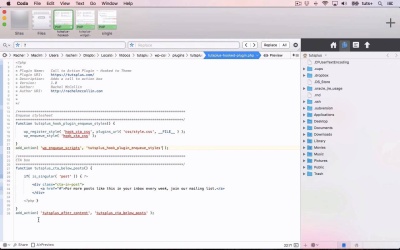
Hello and welcome back to this Tuts+ course on practical projects to learn to code plugins. The most common way of adding functions to your plugins is to activate them via a hook in WordPress, and that might be an action hook or a filter hook. And in each case there are two types of action or filter hook that you can use. You can either use ones that are already provided by WordPress. Or you can use ones that you create yourself either elsewhere in your plugin or within your theme. For some guidance on how to use actions and filters, you might find this article on Tuts+ useful. Another useful resources include the Plugin API on the Codex, and also the action and filter references. Let me swap those around, cuz I tend to think of actions first. So here, we have a list of all the actions provided by WordPress itself. And you can use any of these to hook your functions. Now, you'll need to use the appropriate action for your function. And when you're creating that function, you'll be able to use the Codex to find out what that one is. But it shows you here when each of these actions is run. And when the action runs, it will run any code that you've hooked to it in your plugin. Filters work slightly differently. A filter has default content and your plugin or your function that's hooked to that filter will overwrite that default content. And I'll show you a little bit more about up in a moment. So here's another guide on the difference between actions and filters, which can get a lot of people confused. The easy way to remember is that an action hook is empty and a filter hook has existing default content. So you might wrap a filter hook around some texts for example that you've coded into your theme. To give other users a theme, or people creating a plugin that's going to be run alongside your theme, the opportunity to use that filter hook to override that default content. So let's take a look at the code. Here's an example of two ways of using an action hook in our plugins. And you'll see this in the next part of the course. So firstly, we've got add action wp enqueue scripts. And that is hooking this function to the WPenqueue scripts action, which is the first parameter of the add action function. And that's what you use to hook your function to an action hook. The second parameter is the name of our function. Which has to be unique as you'll understand because otherwise it could hook a different function. Now you can also add a priority if you want to. Now the default is ten, so if you don't add a third parameter WordPress will assume that you're giving a value of 10 here. But you could add 15 or just 5, for example. If you added 5, that would fire before any other functions that you'd attached to that hook and just used the default 10 priority for. And if you had a higher number it will fire afterwards. Now below that we've got another function and this is attached to an action that I've added to the theme. So let's take a look at how you do that in the theme. So you can register your own action hooks and filter hooks by adding this do action function here. So all you do here is you have do action with one parameter which is the name of the action. Very simple, because it's empty to start with. Adding a filter however is different because there are two parameters. The first one is the name of your filter. So going back to that code, it's similar. So let me copy this and show you how you would do that. It's probably simpler than looking at that. So, apply filters, Tutsplus_after_content_filter, I'm gonna call it. And then the second parameter would be your default content. And you would also add an echo here because it's just echoing out HTML. If this was a variable or something like that you'd also have to add echo. But sometimes you might include a function in here so you don't echo. Generally, I find I almost always use echo with apply filters because I'm echoing out this content here. So what this would do is it would echo out the words dummy content. But, if I wrote a function attached to this tutsplus_after_content_filter hook, it would override my dummy content with whatever was in the function. So apply_filters, as you can see, works differently from do_action, because there's default content already. Now let's remove that, because I don't want that in my theme. So that's how action hooks and filter hooks work. So you can see there that's how you add them to your theme or indeed you can add them to a plugin. So let's look at an example of this in our code we'll be using in the course. So here I've got a title variable, and instead of just defining that as this instance of title here, which I've defined higher up. And you'll see this later on. I'm using apply filters. I'm not echoing here because all I'm doing is defining a variable. So that's different from the previous example. And I could then write a function. So for example here, instead of add action I might put add filter. And that would hook that to my filter hook. So let's say, if I apply that to my tutsplus_after_content_filter that I just created and then delete it to my single file that would attach this function to that filter hook instead of the action hook. I'll just remove those. So if you want to know a bit more about action and filter hooks, I suggest you read this post which explains the difference between them and the different code you use for them. And also, watch the next part of this course, where I'll show you in detail how to write a plugin that attaches to an action hook that we'll be adding to our theme. See you next time, and thanks for watching.


