
 Lessons: 12Length: 1.4 hours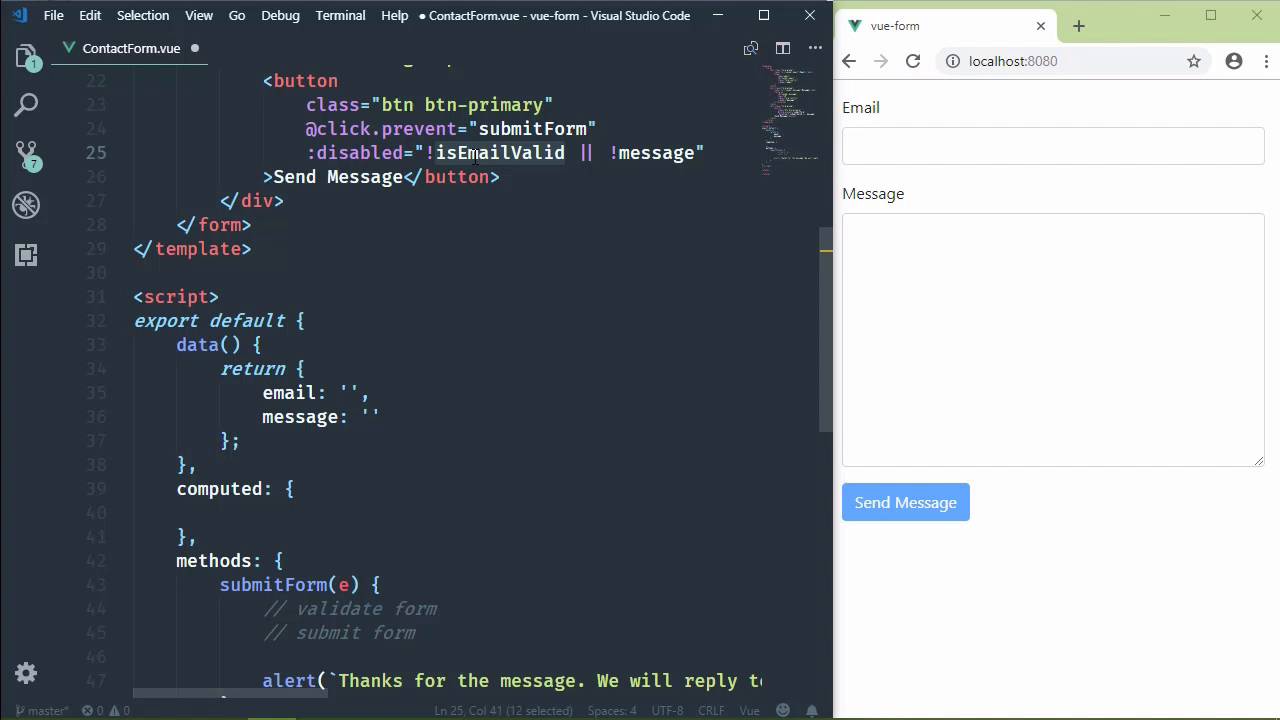
- Overview
- Transcript
4.4 Defining Computed Properties
The JavaScript expressions we use in our template need to be concise and clean—otherwise, they can become unwieldy and difficult to maintain. Computed properties can help us perform complex computations while maintaining clean template expressions.
1.Introduction
1.1Introduction01:48
2.The Obligatory "Hello World" Example
2.1Basic Structure04:55
2.2Single-File Component Structure09:51
3.The List Example
3.1Passing Props and Iterating a Collection12:41
3.2Displaying More Data08:56
3.3Using External Data11:41
4.The Contact Form Example
4.1Building the Form08:45
4.2Handling Events08:42
4.3Binding Form Controls to Component Data06:07
4.4Defining Computed Properties04:40
4.5Manipulating Style05:48
5.Conclusion
5.1Conclusion00:58
4.4 Defining Computed Properties
In the previous lesson, we set up a two way binding between our component data and our form controls. And that made it so much easier to access the information from our form. Because when one changes, the other is updated so that now in order to access our information, we just have to reference our data properties. And we did so inside of our method that we would use to submit the form to the server. But that's not the only place that we use them. We also took advantage of this two-way binding by using our data properties to determine the state of our button so that if we have an incomplete form, then the button is disabled. But if we have a complete form, it is enabled. But unfortunately, that's not enough. All we are doing is checking to see if we have a value. For an email, we need to ensure that we have a valid email address. So we need to change our template expression here. But we need to be careful because we want our expressions to be as simple and clean as possible. We could add a regular expression, and we could perform the check right here within our template expression. But that would be a horrible choice because that introduces a complexity, first of all, but it also is just a horrible idea. So instead, we can approach this in a couple of diffident ways. We could write a method that would do all of that for us. But we have already talked about methods, we know how to do that. Instead, we are going to use a computed property, which is basically a method, but it's a very specialized method in that we get to use it as a property. So that instead of just checking to see if we have a value for the email, we would then have a property called isEmailValid. And then this would change based upon the value of our email data property. So, in order to define a computed property, we add a computed property to our component. And this is kind of like methods. It's an object where we specify methods. And in this case, the method name is going to be the name of our desired property. So we're going to have an isEmailValid method, and we are going to test the validity of the email address. Now, I am horrible with regular expressions, and I'm definitely not going to type this by hand. So, I'm just going to paste in, and we're going to use this regular expression to test whether or not the email address is a valid email. So we will use the test method. We will pass in the email property, and that will tell us whether or not we have a valid email address. Now, one very important thing. We have a computed property, which means that the value of this property is computed. However, it's not going to change unless if we use a data property that is going to change. So because we set up a two-way binding for email, the value of email is, of course, going to change. So, therefore, the isEmailValid property is going to change when the email property is changed. If we didn't use the email property, then this would execute once whenever we use it inside of our template, and that's it. So if you're going to use a computed property, chances are very good that you're going to be using it in conjunction with one of the components' data properties. So, make sure that you included there. So now that we have this computer property, our expression is still very simple. It's still clean, we know exactly what it does, but it hides the complexity of actually checking to see if this is a valid email address. So, let's have something in the message field. Let's start typing in the email field. Now, of course, the button is not going to enable itself until we have a valid email address just right there that's valid. So, therefore, our button is enabled. If we remove the message, then, of course, our button is disabled because the check for the message doesn't pass. So a computed property is very useful when you need to perform some complex logic inside of your template. It's really nothing more than a function that executes and returns some kind of data.


