

- Overview
- Transcript
3.3 Updating Records, Redirects, and Model Association
In this lesson, we’ll build out the remaining functionality of the app, including updating existing Book and Author records. We’ll reuse our edit form and route by doing different redirects after a record is created or updated. Lastly, we’ll add a new feature: listing all the books written by a particular Author.
Related Links
1.Introduction
1.1Introduction01:25
1.2Setting Up Your Dev Environment06:05
2.Core Concepts
2.1Models, Migrations, and Seeds06:08
2.2Routing Overview03:16
2.3Views and Layouts04:57
3.Putting It All Together
3.1Navigation and Forms05:13
3.2Creating Records, Validation, and Session Data05:35
3.3Updating Records, Redirects, and Model Association07:01
4.Conclusion
4.1Conclusion00:48
3.3 Updating Records, Redirects, and Model Association
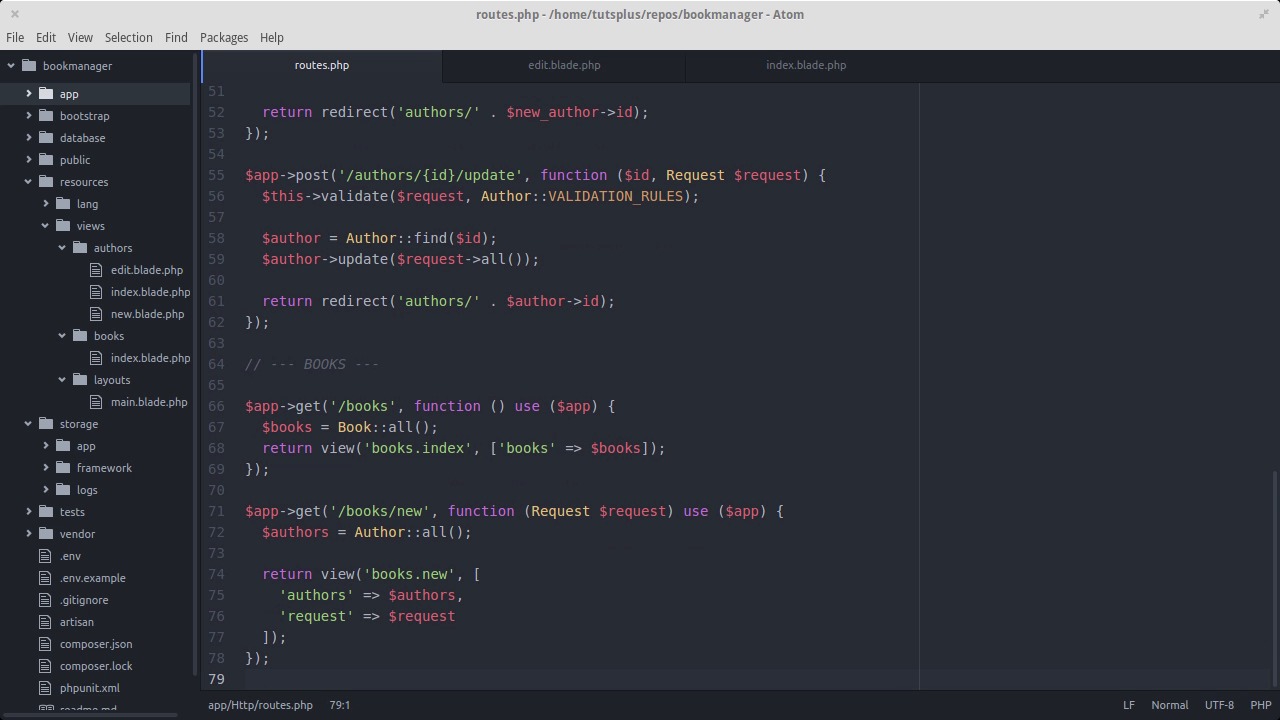
Where we last left off, we covered forms, validation, and creating new records in the database. In this lesson, we'll add the ability to view or edit authors and save the changes to the database. Let's start by going into the index view for authors and adding an edit button. The path will be /authors/ and then the id of the author. Let's see what that looks like. Now we need to add this as a route in our routes file. In the path, id gets wrapped in curly braces and the first argument will be $id. The second being our request object. This way we have the id as a variable inside the action. We'll use that id variable to pull the author from the database. Then we'll pass the request, author and id into the author's edit view. Let's create the author's edit view now. The code looks pretty similar to the new author's page. One major difference is where the form posts to. It's a new route we haven't made yet, /author/ and then the id/update. That route is going to look up the record, validate the changes that we requested, and then save the updated info. Also notice the ternary operator for the form values. With that there we say, is there an old value for this form field? If so echo it out, if not echo out the value for that field that we retrieved from the database. Now that we've got the edit author page set up, let's clean up the echo statement that we put inside of post/authors. When the user successfully creates an author, we'll just redirect the browser to the edit page for the new author. So they'll see right away that the record was created. The redirect method starts at the base URL of the project. So we can just start with authors and then concatenate the id onto the end dynamically, depending on what id was generated by the database. Let's give it a try. Go to new author, fill in the fields and there it is. Now we need to create the update author route. It's gonna look a lot like the create author route, only we'll fetch an existing record rather than create a new one. Since we set up our validation rules as a constant on the author model, we don't have to repeat ourselves by typing out the same validation rules in this route. We can just reference that same constant. Let's try editing an author and submitting it with some bad data. And there we go. Validation errors. Let's start over and submit good data. And it went through with a redirect back to the same edit page we were already on. Now it's time to build out all the same functionality for books that we have for authors. It's all pretty much the same steps. Here's where things get to be a little different. Authors have a has-many relationship to books, which is to say that one author has many books. For the purposes of this app, we'll say that one book has one author. So in the routes that handle the forms to create or edit a book, we'll be pulling down all of the authors from the database, storing it in the $authors variable and passing that into our view. That way the user can just pick the author from a list rather than having to type in the author's id. Here's a view for creating a new book. It follows the same formula as with new author, but notice the author section. What we have here is a drop down menu that lists all the authors by name. We create that by doing a four each over the $authors variable and echoing out drop down items for each one. The value field contains the id so even though the user is choosing the author by name, the id is what gets sent back in the form data. Here's our route for post /books, the route that actually creates the new book record. Same idea as before, but we do need to add a couple of things to our book model. Here are the validation rules for books. Notice the ISBN field. Since 2007 all ISBN numbers are required to be thirteen digits long. We can enforce that here using the size rule. We also want to make sure that the author id is an integer. Every field other than id should be fillable as the id gets automatically generated by the database. We could go ahead and set everything else as fillable but in this case it might be easier to use guarded. Guarded is a black list instead of a white list. which is to say, allow any field to be mass assigned except id. Here's the route for showing or editing a book. Same as before, but we're passing in the list of authors to populate the drop down menu. And here's the route to actually update a book. Now we have our full functionality to list, create, and modify both authors and books. We're almost done, but I've got just one more thing to show you. Let's add the ability to click on an author and list only the books that they wrote. We can add the link in the index page for authors. To follow rest conventions, the path will be /authors/ and the id of the author /books. Let's add that route now. id will be a path parameter as we've had before. Now we want for Eloquent, Lumen's ORM, to build a query for us that grabs all the books for a particular author. We can easily do that using associations. Go into the author model and let's add a public method called books. Since authors and books have a has-many relationship, one author has many books, we can call the has-many method here on the author model and pass in the class name for our book model. From there Eloquent automatically figures out the column name of the foreign key, it'll build the select query before us. Back in our route, let's line the author by the id and the pass parameter and assign it to a variable. From there we can call the books method and have it return all to kick off the query. The view can be called by author under the books folder. It's not much different from our other index views, but it does have a heading that conveniently shows the author's name. Let's see what that looks like. And we've got a list of books, all by one particular author.


