

- Overview
- Transcript
2.2 Routing Overview
In this lesson, we’ll look at routing in Lumen and see how it compares to routing in Laravel. Then, we’ll create our first route.
Related Links
1.Introduction
1.1Introduction01:25
1.2Setting Up Your Dev Environment06:05
2.Core Concepts
2.1Models, Migrations, and Seeds06:08
2.2Routing Overview03:16
2.3Views and Layouts04:57
3.Putting It All Together
3.1Navigation and Forms05:13
3.2Creating Records, Validation, and Session Data05:35
3.3Updating Records, Redirects, and Model Association07:01
4.Conclusion
4.1Conclusion00:48
2.2 Routing Overview
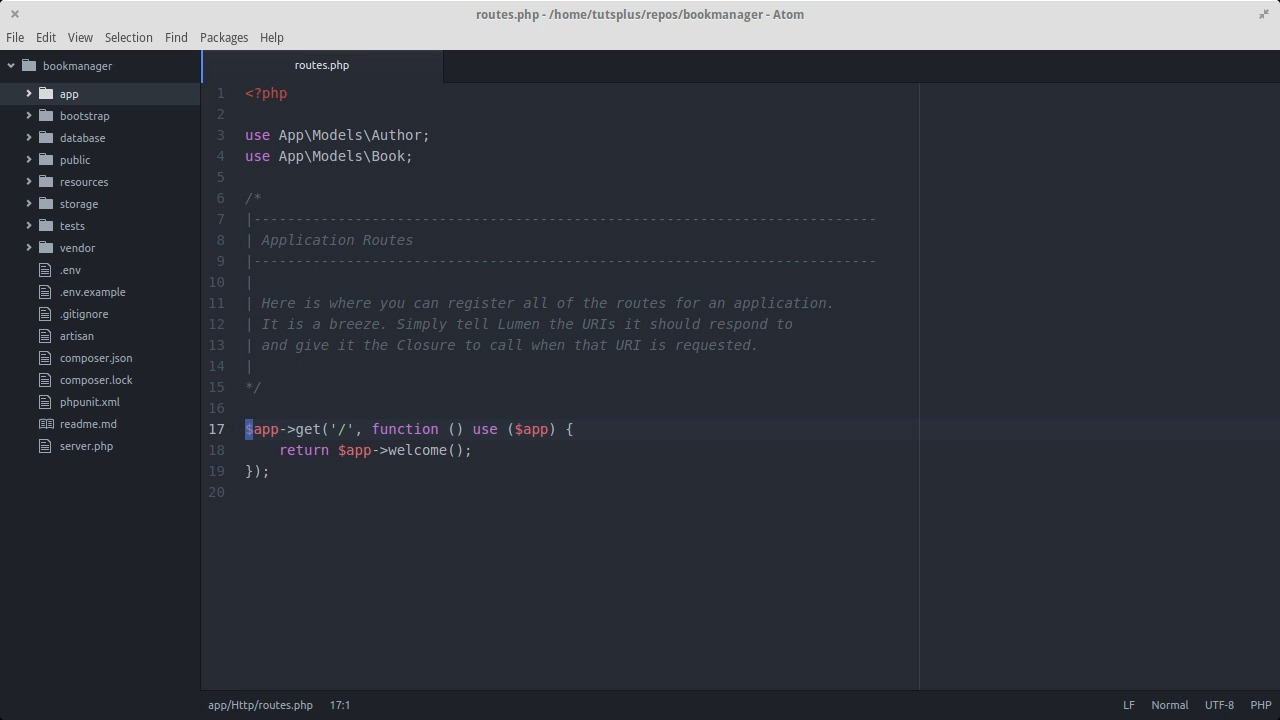
In the last lesson, we set up our environment file, created a schema for the database using migrations, set up our book and author models, and generated sample data using a. In this lesson, we'll go over how routing works in Lumen and how it's different from Laravel. We're gonna set up a route, so that we can list all the authors that are in the system. In order to make that happen, we're gonna need to make database queries from inside our routes. So before we go any further, let's make our book and author models available here inside the router. Now, take a look at the structure of this routes file and notice the route's that already here. If you've worked with Micro Frameworks in the past this type of routing structure is probably familiar to you. Each route is defined as an HTTP verb along with a path, and then you provide an anonymous function that gets run if the user enters a URL in the browser that matches the HTTP verb in path combination. You can think of the anonymous function as the action that happens when that particular address path is hit. If you are used to larger frameworks like Laravel, Cake or CodeIgniter then you are probably familiar with the idea of controllers. With controllers you have full fledged classes to hold the functionality of your routes. And instead of anonymous functions you call methods on those classes to get your actions. Lumen actually supports both approaches to routing. You can define your routes and actions the way you see here as an anonymous function or with controllers, it all depends on the needs of your app and on your personal preference. It's simpler to use anonymous functions for what we're doing. So, we'll go with that for now. Dollar sign app is the instance of our application object. And we define routes by calling methods on it, named after the HTTP verb for the route. The string is the URL path relative to whatever your base URL is, which in this case is bookmanager.app. Inside the anonymous function, it's a different variable scope. So, dollar sign app wouldn't normally be available in there. They use dollar sign app piece makes it available inside the function. With the route you already see here when a user navigates to the root URL of our app, we send back to the browser the output of the app welcome method. All this does is generate the Lumens splash page from when we first ran the app. Ideally, the root URL of your app should be your home page of some kind. But we can leave the welcome page there for now. Let's make a new route to list all the authors. The path of the resources slash authors, and inside the function we'll use the author model to fetch all the authors. If you've worked with Laravel, the database call should look familiar to you. At the end of the route, let's just echo a test message. Now, let's try using the route from the browser, and here we see the test message echoed out, which means our route is working as expected. In the next lesson, we'll get more into the presentation layer of the app using views and layouts.


