

- Overview
- Transcript
3.2 Creating Records, Validation, and Session Data
In this lesson, we’ll wire up our new author form to actually create a new record. We’ll also set up validation on the form fields and use sessions to retain bad data submitted by the user between requests.
Related Links
1.Introduction
1.1Introduction01:25
1.2Setting Up Your Dev Environment06:05
2.Core Concepts
2.1Models, Migrations, and Seeds06:08
2.2Routing Overview03:16
2.3Views and Layouts04:57
3.Putting It All Together
3.1Navigation and Forms05:13
3.2Creating Records, Validation, and Session Data05:35
3.3Updating Records, Redirects, and Model Association07:01
4.Conclusion
4.1Conclusion00:48
3.2 Creating Records, Validation, and Session Data
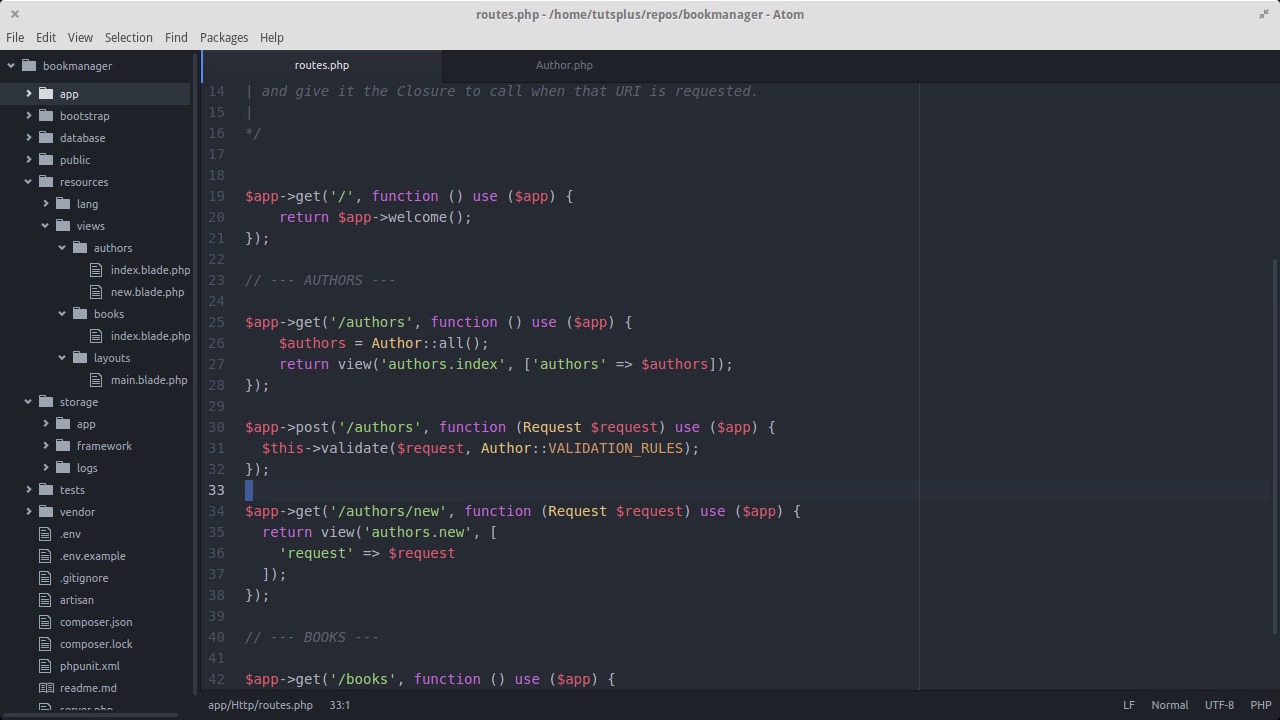
In the last lesson, we added a top navigation bar and we created a form for adding a new author to the system with security against CSRF an easy way to enter in dates. In this lesson, we'll go over all the details of how a record actually gets saved into the database, how to make sure the data is valid before we save it and how to handle things when the user submits invalid form data. The next step to getting authors created through our form is to have the form data actually go back to the server and then get saved into the database. We set up our form so that when the form gets submitted, it posts the data to the author's route. Let's go ahead and create that route now. We'll need to include the request object as an argument as we did before. Inside the action for this route, we're gonna take the form data, load it up into an author object, and then run the save method on it so that it gets inserted as a record into the author's table. However, we don’t wanna just accept any input the user types. What if the user types a bunch of words into the date of birth field? If we try to save that into the date column of the authors table, the database won't accept it and the user will get an ugly error that they won't understand. We'll handle that by using the validation features that Lumen has built in. We'll set up some validation rules for all authors, and then check those rules before saving. If validation doesn't pass, we'll send back errors in a nice format for the user to correct their input and try again. Let's go into the author model. First off, we'll need to add a protected attribute to instances of this class called fillable. This attribute is how you decide which fields on an author you're allowed to pass in when you create it. As a safety measure, let's only allow name and date of birth to be fillable. Next, let's add a constant to this class called VALIDATION_RULES. This is an associative array where we map fields on an author to sets of rules for what they need to look like in order to be considered valid. You can have more than one rule for one field. You just separate the rules with pipe characters. In this case, name is required. Date of birth is also required, and there must be a date. Your validation rules don't have to be stored in a constant like this, but this approach is going to save us some repetition down the road. Let's go back into the action for our post authors' route and add the validation with the method this validate. The arguments will be the request object and the VALIDATION_RULES array on the author model. The validate method grabs the form data right out of the request object. After validation, we'll create a new author object passing in all the properties of the request to fill in the values. This is how the data from the form submission gets into the object. On the next line, we run save on the object so that the record gets saved to the database permanently. For now let's just echo saved when all this is done. With the code we have here, we're saving to database after validation. That's only going to happen though if validation passes. If validation doesn't pass, nothing after the validate method inside this action will get executed. Instead, Lumen automatically kicks the user back to the page they were already on. In this case, it'll be the new author form. Here’s where sessions come in to the picture. When the user gets kicked back to the new author form it counts as a totally new request. But on this request we have session data automatically populated with error messages from the failed validation as well as the old form values from the original form post. That way, we can repopulate the form with the data that they had and the user can just correct the one or two fields they got wrong rather than fill out the whole thing again from scratch. We made the $ request variable available inside the route. And here, we're passing it along into the view. Let's go into the new author view and start using it. Inside our views, we have an errors variable that's automatically populated if there are any validation errors. Let's use the blade syntax to check if there were any errors. If so, we'll display a nice Bootstrap error box and then list out all the errors as bullet points. If there were no errors, the box won't be shown. On the request object, we can call the old method to get old form values from the last request that are now being stored in the session. Let's use that to repopulate the old form values from when validation didn't pass. If there were no old values, that method will return no and the form fields will remain blank. Let's give it a try with some bad data. And we've got our validation errors. Now, let's correct the values and send back some good data. And it looks like the record was saved. Let's look in the database. And there it is. In the next lesson, we'll get in to updating existing records while using the same validation logic we already have.


