
 Lessons: 11Length: 1.3 hours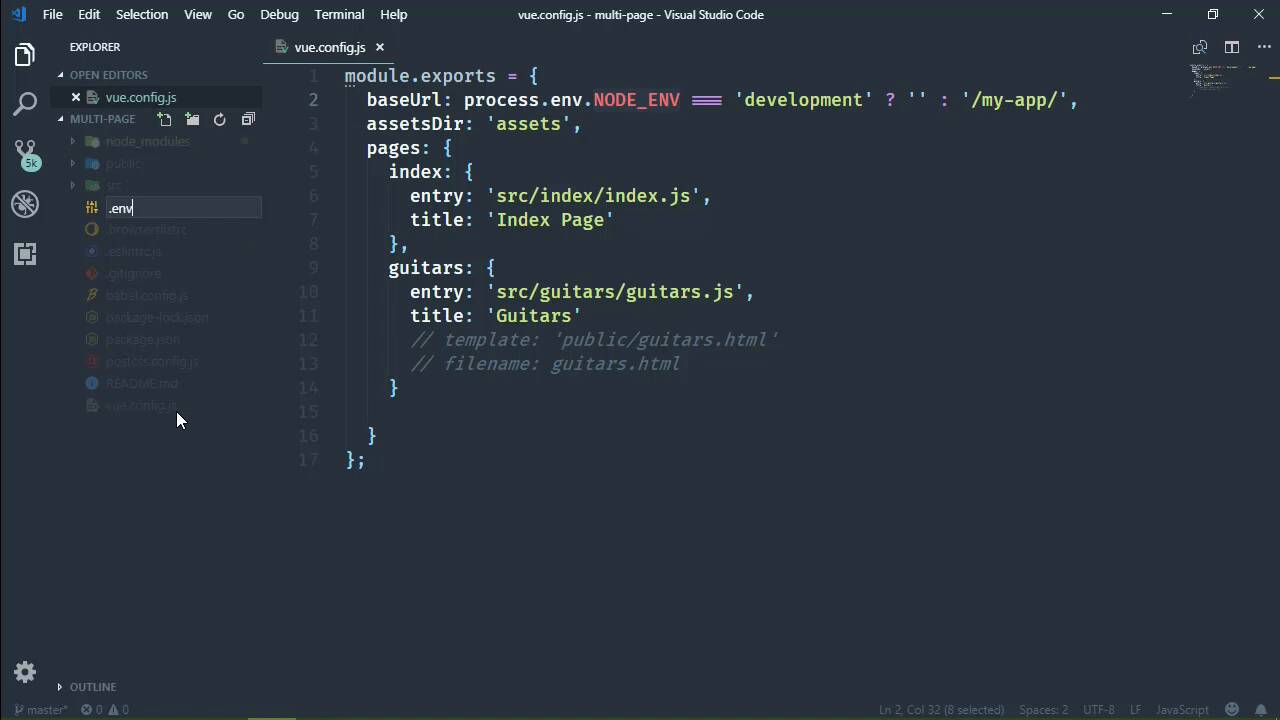
- Overview
- Transcript
3.5 Using Environment Variables
The Vue CLI is a Node-based environment, meaning we can take advantage of environment variables in our project, even from .env files. In this lesson, you'll learn how to use .env files to manage settings between development and production environments.
1.Introduction
1.1Introduction01:42
1.2What You Need04:10
2.Creating Projects
2.1Using the Command-Line Interface13:58
2.2Using the Vue UI13:41
3.Configuration Options
3.1Overview of Project Configuration Options08:54
3.2Configuring the Index Page08:28
3.3Adding a Second Page06:11
3.4Project vs. Public Assets10:12
3.5Using Environment Variables06:08
4.Deployment
4.1Building and Deploying Your Project05:05
5.Conclusion
5.1Conclusion00:50
3.5 Using Environment Variables
Over the past few lessons, we've been talking about modifying the settings of the Vue CLI service, and those aren't the only settings that we have available. Now, of course there are a ton of settings that we can modify, and we can spend a ton of time talking about them. But what I am talking about are settings that are customized, things that aren't necessarily part of the Vue CLI service, but instead, they are settings that we create, and that we use throughout our application. And it all basically hinges upon the type of environment that we are in. As we are writing our code, we are in a development environment. And then whenever we build our code, we are in a production environment. So, obviously, there are times when we want different settings based upon the type of environment that we are in. Now one thing to remember, is that even though we have all of this Vue.js stuff, we are still within a Node environment. And that means that we have basically all of the power of Node, and that also means we have the process object that has a .env property. And then our NODE_ENV. This is going to tell us what environment we are in because, well, this is what we get through Node. So we can check to see if we are in the development environment. And if so, let's say that we don't want a base URL, we want it to be just an empty string. However, in a production environment or something other than development, we want that my-app prefix. So with this very simple change, let's run our application. And let's see what happens. So we are currently in a development environment. We aren't building it for production. We are running the serve, which is going to result in a development environment. So we have the page up from the previous lesson where we have the my-app prefix. And once this is done, we're going to see that whenever we refresh the page, that content is gone. However, if we remove that my-app prefix in the path, then we get the content that we would expect. So this is one way that we can tackle this by just checking the NODE_ENV property and then making our choice based on that. However, we can take a separate approach to where we define all of our settings in individual files. That kinda falls in line with what we are doing anyway with all of the different configuration files. So what we would do in a typical Node application is create a file that contains those, and one of those file types is the .env. Now, unfortunately by default, Node doesn't parse a .env file. You have to have a third party package to do that. However, with the Vue CLI, that package is available, and it will parse anything that we put inside of a .env file. Now, we want to have two files, one for development and one for production. So we can have just a .env. But if we want to specify settings for a different environment, all we have to do is a pinned dot and then the environment. So we will have a development .env file. Let's go ahead and create the production as well, and it's the same concept, we end it with .production. Now when it comes to defining our settings, inside of a .env file, we need to use variable names that begin with VUE_ APP_. Now, I will say that this is from the documentation. And from my personal experience, I have a different experience. Any variable that I have defined inside of a .env file has been available to me. However, according to the documentation, only environment variables that begin with VUE_ APP_ are brought in. Now it could be that those are environment variables of the machine itself. The documentation isn't very clear as to whether or not that is the case for machine level environment variables or variables from a .env. I'm just going to stick with this, and we'll go from there. So for production, we'll say VUE_APP_, and we'll say BASE _URL. And we will set that to my-app. For development, we'll simply set it to an empty value. So with that in place, we can go back to vue.config. And instead of checking our development environment here, we can just use our environment variable. And that should work. So let's run our application again. We will of course need to stop that task. But once we run it, we will check to see the results. And so the build is done. Let's refresh the page, and it looks like everything works okay. If we inspect these images in the HTML, we will see that we have assets/ images/les-paul and we don't have our prefix. So in the next lesson, we are going to run the build task. We are going to build our application so that we can deploy it to a server and see if everything works.


