
 Lessons: 16Length: 1.6 hours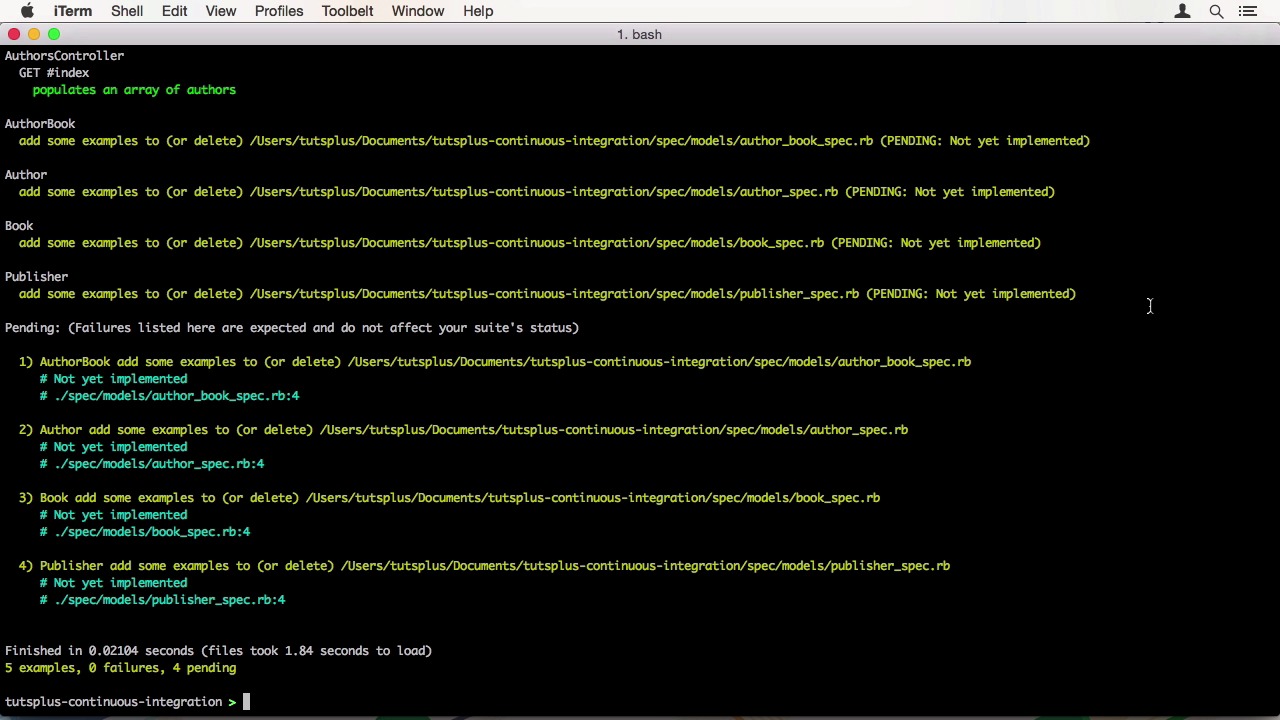
- Overview
- Transcript
2.2 Test a New Feature
Before we can see how to release something, we need to implement a feature in code. In this lesson, I'll show you how to set up your Git repository to use Git Flow and how to use this workflow to develop a new feature, test it and commit it into your development branch.
1.Introduction
1.1Introduction01:07
1.2What Is Continuous Integration?04:54
1.3Development Approaches: Git Flow and GitHub Flow04:38
1.4Project Overview01:42
2.Git Flow, Travis CI and Engine Yard
2.1Travis CI Overview09:01
2.2Test a New Feature07:43
2.3Release and Hotfix08:04
2.4Engine Yard Deployment08:27
3.GitHub Flow, Codeship and Heroku
3.1Codeship Overview09:24
3.2Develop a New Feature09:49
3.3Heroku Deployment05:38
4.Bonus: Custom Jenkins Server and Capistrano
4.1Installing Jenkins on a VPS02:31
4.2Jenkins Overview10:08
4.3Test a Ruby Project06:02
4.4Capistrano Deployment08:04
5.Conclusion
5.1Conclusion01:02
2.2 Test a New Feature
Hi, welcome back to continuous integration work flow. In this lesson we're going to develop a feature using gitflow. Before we can get started on our feature, we need to properly set up gitflow. Many popular graphic conversioning applications have integrated support for it already. But I'm going to show you the command line version. As you can see, we currently only have the master branch. Therefore, we need to check out and create a new branch called develop and then push it to the server. We also want to view the current development status on GitHub when we visit the repository. To set a new default branch, go to Settings and then choose develop instead of master. Now, when you look at your repository in GitHub, it will show the contents of the develop branch by default. Now we are ready to start our feature. As you might remember from the project overview lesson, we have a list of authors, but no possibility to add, edit, or delete them. This is our feature we are going to develop. For starters, check out the new branch called add-edit-authors. I know many tools such as prefixing the branch name with the feature and then slash after it because they show it as a folder, but it isn't mandatory under the original author's guidelines. Now that we're on the right branch, open our editor and start hacking. Go to the author's controller and add a new and a create action. The new method only initializes an anti-author. The create method initializes an author with strong parameters, a method I will write in a minute. When saving succeeds, we want to redirect to the listing with a success notice. When it fails, we want to render the form again. The author_params method is used too for strong parameters. We require the author_param, and then that's the first_name and the last_name. Now that we have the new and create action, let's move on to edit and delete. But wait, this is a continuous integration course. We want to use tests. Let's create a controller test using our spec. We call the new file authors_controller_spec.rb in the spec_controllers folder. First we have to require rails_helper to use our spec. Then we are to describe our controller. I want to test all methods that can be requested, so we start with index method. We want to check that the array is populated with our authors. I'm going to check the counts here. Now let's run the aspect method in the console. We chose a lot of pending methods that will automatically create and generating models. But at the top we can see our tests pass. We also want to make sure our method renders the correct template. So we verify that in another test. Running the spec again, everything is green. Now let's go to the methods we've just written. First the new method. We need to verify that it sets an author variable that is a new author record. Now run the spec and it seems there is an error, right? The template hasn't been created yet. Before I create a template, I'm also going to clean up all these model steps. Let's create a new template. It can be empty for now. After creating the template, we can run the specs again. The tests are clean and also free of any noise. Let's move on with our tests. As before, we want to be sure that we are rendering the correct template. Also green, great. Since this course is not about rails_controllers, and the one I'm writing is very straightforward. I'm going to write the remaining tests and implementations off camera. You can do this on your own too as an exercise if you want to. All right, as you can see, I added a few tests for the controller and also to verifying that we have a validation for first and last name on the author model. Feel free to check out the code in our course repository. Now that our feature implementation is complete and tested, we can commit our changes and merge it into develop. Let us first have a look at what changed. Nothing we didn't expect here, good. Add all files to get and commit them. Then push them to the server. We can look at Travis CI to check the branch and see that the bill for our feature is already running. As soon as the build succeeds, we can merge our branch. To do that, first check the update development branch. Then merge the feature branch with the no fast forward option. This says to always create a merge commit. After the merge, we can delete the feature brand from our local repository and push the develop branch to the server. On GitHub we can also delete the remote branch under the Branches tab. You can also see that Travis CI is running a build for their latest commit on develop. This is how to use a feature branch to develop a new feature with gitflow. In the next lesson, we will be releasing our changes and also deploy a hotfix, to fix a bug in the application. See you there.


