
 Lessons: 16Length: 1.6 hours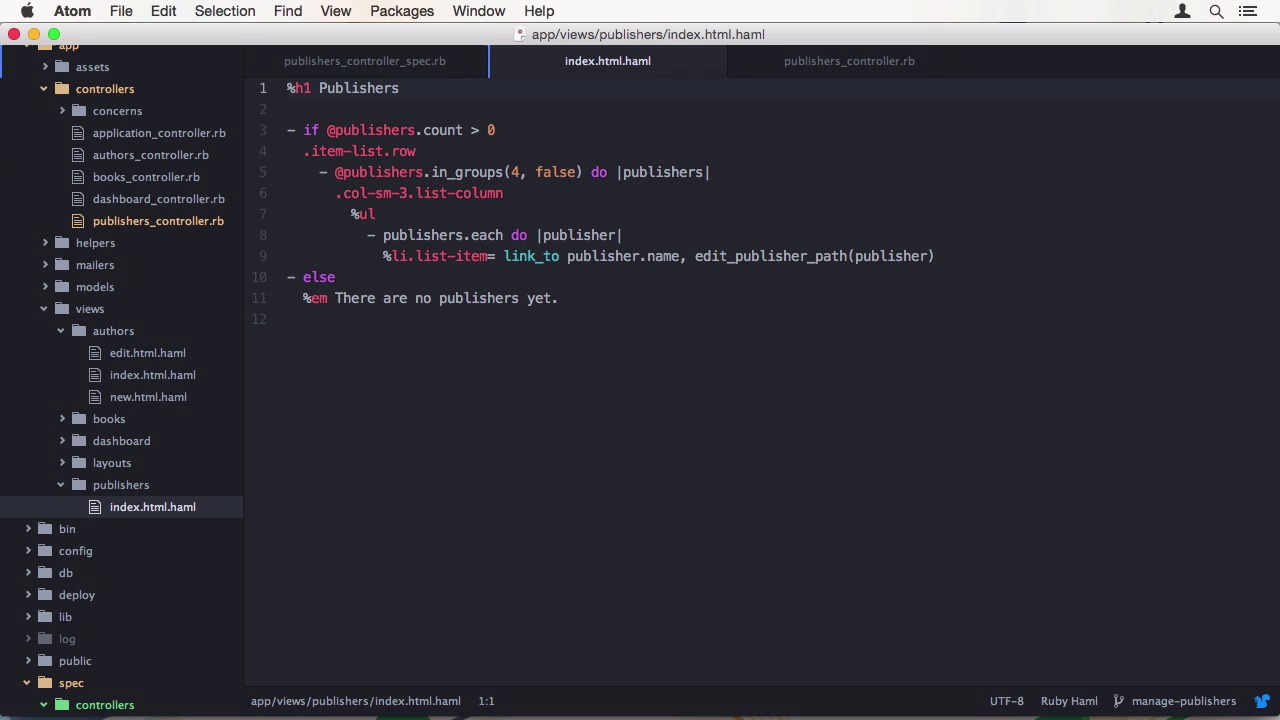
- Overview
- Transcript
3.2 Develop a New Feature
We are using pull requests, following the GitHub Flow principles, to release a new feature into our master branch. In this lesson, we'll develop a new feature and prepare a pull request for it.
1.Introduction
1.1Introduction01:07
1.2What Is Continuous Integration?04:54
1.3Development Approaches: Git Flow and GitHub Flow04:38
1.4Project Overview01:42
2.Git Flow, Travis CI and Engine Yard
2.1Travis CI Overview09:01
2.2Test a New Feature07:43
2.3Release and Hotfix08:04
2.4Engine Yard Deployment08:27
3.GitHub Flow, Codeship and Heroku
3.1Codeship Overview09:24
3.2Develop a New Feature09:49
3.3Heroku Deployment05:38
4.Bonus: Custom Jenkins Server and Capistrano
4.1Installing Jenkins on a VPS02:31
4.2Jenkins Overview10:08
4.3Test a Ruby Project06:02
4.4Capistrano Deployment08:04
5.Conclusion
5.1Conclusion01:02
3.2 Develop a New Feature
Hi, welcome back to continuous integration workflow. In this lesson, I'll teach you how to use the GitHub Flow to develop a new feature for our app. We are going to implement the adding, editing, and deleting functionality to publishers. This time I'll start with a test. Let's generate a controller_spec and start on the index method. First, we check for correct assignments. We want to make sure the index method fetches all publishers from the database, so we compared accounts, Then we also want to make sure the fetched objects are from the class publisher. To actually have some publishers in the database, we also need to use FactoryGirl to generate one. Let me also adjust the factory itself to use a more meaningful name like Book Publisher instead of just MyString. When we run Guard, the test passes of course since the index method already exists. The second test for the index method is of course if the correct template was rendered in this case the index template. It also passes already. Now to save some time, let's copy the code from the authors_controller_spec and paste it into the publishers spec. We just need to adapt it to work with publishers. Since they are both basic crowd resources, it's pretty easy,. Let's start at the bottom where we are and work our way up. The delete resource is almost the same except for the different naming, so let's change all occurrences from author to publisher. The update method needs some more adjustment. Besides renaming, we also have to change the attributes that are provided from first and last name to just name. This has to be done for all context. For the valid one, we also need a publisher's name. I chose Ueberreuter an Australian non-fiction publishing house. The edit action is quite similar again since there's no data to provide. In the create action, we have to change the parameters again for both invalid and data contexts. Finally for the new action, we only have to adjust naming. The last thing that is missing is the spec wide let helper to define a valid publisher for all test cases. Let's also copy that from the authors spec and change the attributes once again. When we have a look at Guard, we can see a lot of red specs. This is because we didn't implement any of the actions yet. As I told you before, we have a basic crowd resource, so we can copy in most of it from you guessed it, the AuthorsController. Let's also do a bug rename of all occurrences of authors to publishers and the class name author to publisher. Now, I'll have a look at what Guard says. Well, there are a few errors. Of course, it's not ideal to add so many specs at once, but I want to show you the rough flow itself and not teach you this desk driven development. If you want to specifically learn more about that, check out our course called BDD In Rails. So what's wrong? Well for once, I'm not finished with adding components. I need the new add edit templates. Next I also need to add the validation to the publisher model. Normally this should be caught by the model spec, but we don't have one here. Finally, I also need to add define publisher before action to the controller. Now the number of failed tests is reduced to one and that one is a silly copy paste mistake. I forgot to edit the expectations and the spec for the update method. Finally we are green again, so let's exit from got and add the changes to git After committing, we can push the new branch to the origin. Codechip automatically picked up the changes and starts the test suite. GitHub also noticed new branch and suggests opening a pull request. Exactly what we want, so let's do that. I'm going to change the title to something shorter and add the commit message as a description. After creating it, we can already see codechip finished all the specs and your pod's all green to GitHub. GitHub Flow is all about communication, so you should start discussion relatively early in the process. Other people can comment on the poll request or on specific commits or lines of code. So I'm putting a comment here saying Book Publisher could use a better name. Let's hop back to the code and change the name and the factory to O'Reilly and commit. Let's also add some tests for the model. Finally, we should pick out the suggested button and add that as well. Now when we push all the changes to the server, we can see that tests are only run for the last commit, which makes sense, and it fails. We can have a look at codechip what went wrong. It seems I changed a factory, but I didn't edited the expected result in the specs. We have to fix this error up before we can match. When a feature is completed and all tests pass, it is a good idea to have at least a second pair of eyes look over your quote. If you get one or more thumbs up, you can merge it directly over GitHub, And delete the obsolete branch. If you want to make edits to this feature from now on, you should start a new branch. To get the changes to your local repository, you have to first pull from origin and then delete your feature branch. All done, this is GitHub Flow in action. In the next lesson, we will deploy the app through Heroku, using codechips to deliver direct flow. See you there.


