
 Lessons: 16Length: 1.6 hours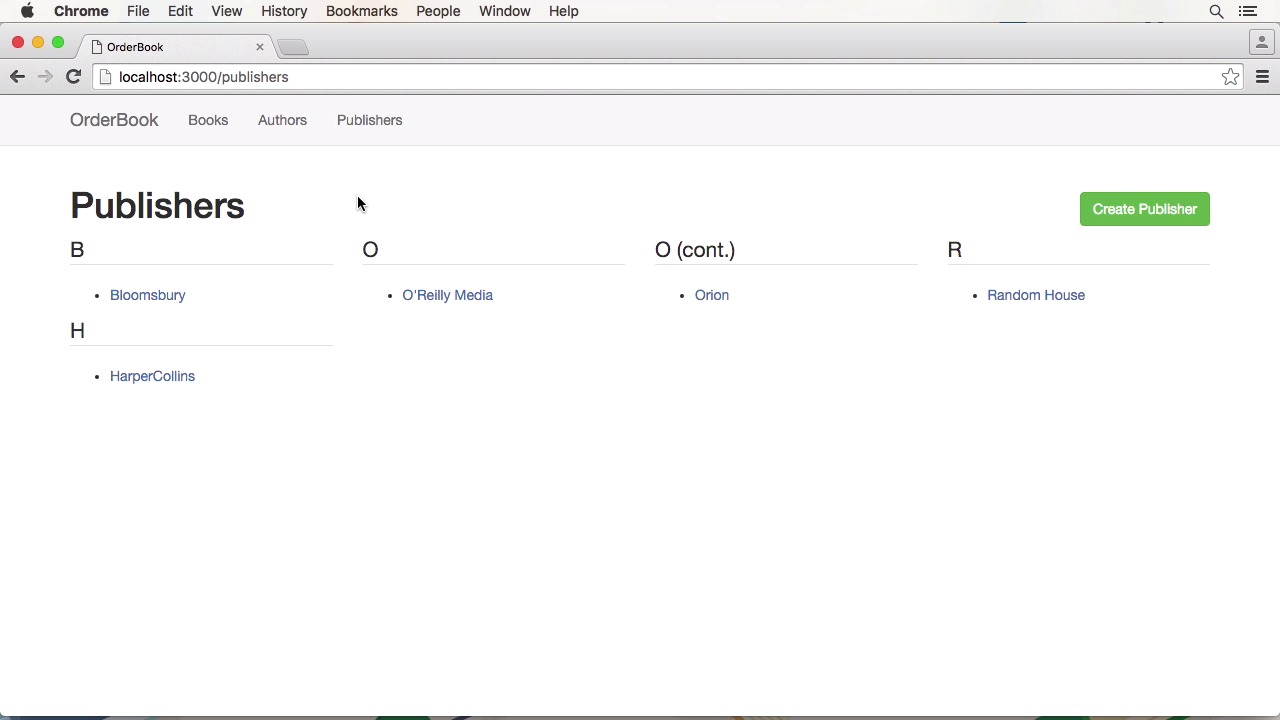
- Overview
- Transcript
1.4 Project Overview
In this lesson, I'll give you a preview of our completed course project. I'll also outline the features that we'll be creating during the course.
1.Introduction
1.1Introduction01:07
1.2What Is Continuous Integration?04:54
1.3Development Approaches: Git Flow and GitHub Flow04:38
1.4Project Overview01:42
2.Git Flow, Travis CI and Engine Yard
2.1Travis CI Overview09:01
2.2Test a New Feature07:43
2.3Release and Hotfix08:04
2.4Engine Yard Deployment08:27
3.GitHub Flow, Codeship and Heroku
3.1Codeship Overview09:24
3.2Develop a New Feature09:49
3.3Heroku Deployment05:38
4.Bonus: Custom Jenkins Server and Capistrano
4.1Installing Jenkins on a VPS02:31
4.2Jenkins Overview10:08
4.3Test a Ruby Project06:02
4.4Capistrano Deployment08:04
5.Conclusion
5.1Conclusion01:02
1.4 Project Overview
Hi and welcome back to continuous integration workflow. In this lesson, I will give you an overview of the course project. First, we'll have a look at the project in the browser. It is a simple book management utility. You can for instance, manage authors which are preceded, as well as publishers. You can also add and edit books. In the first part of the course we will implement managing authors. And in the second part we will add publisher management. The code itself is very basic. Since this isn't the focus of this course all controls are simple crux resources. During the course, we will create a lot of tests for these controllers, which you can find in the spec directory. In the last part of this course, we will deploy the Rails app using Capistrano. You can find the necessary configuration and config deploy or in the deploy.rb file in the config folder. In the next lesson, we will start with an overview of the Trevis CRS service. See you there.


