
 Lessons: 16Length: 1.6 hours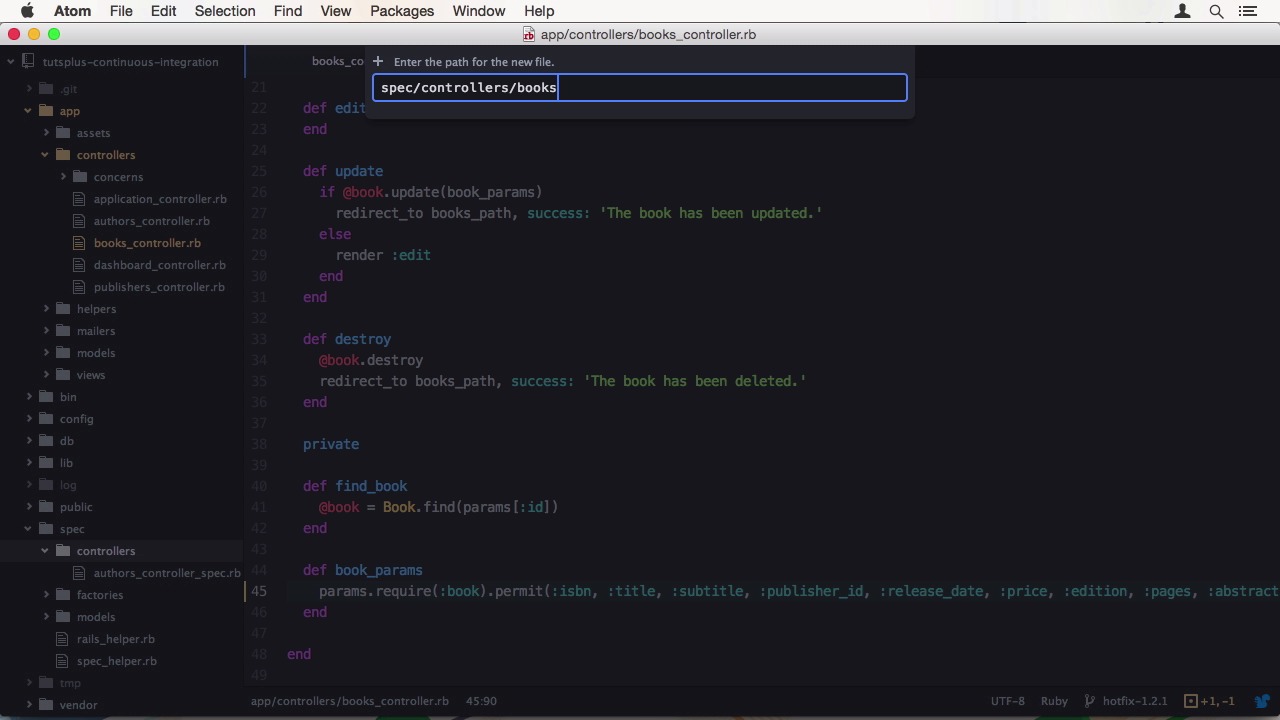
- Overview
- Transcript
2.3 Release and Hotfix
Our newly created feature needs to be released. We'll issue the release in this lesson. We'll also be fixing a bug using a hotfix.
1.Introduction
1.1Introduction01:07
1.2What Is Continuous Integration?04:54
1.3Development Approaches: Git Flow and GitHub Flow04:38
1.4Project Overview01:42
2.Git Flow, Travis CI and Engine Yard
2.1Travis CI Overview09:01
2.2Test a New Feature07:43
2.3Release and Hotfix08:04
2.4Engine Yard Deployment08:27
3.GitHub Flow, Codeship and Heroku
3.1Codeship Overview09:24
3.2Develop a New Feature09:49
3.3Heroku Deployment05:38
4.Bonus: Custom Jenkins Server and Capistrano
4.1Installing Jenkins on a VPS02:31
4.2Jenkins Overview10:08
4.3Test a Ruby Project06:02
4.4Capistrano Deployment08:04
5.Conclusion
5.1Conclusion01:02
2.3 Release and Hotfix
Hi, welcome back to Continuous Integration Workflow. In this lesson we will be releasing our developed feature, and create a hot fix for a reported bug. As you already know, we first need to create a release branch off of our current develop branch. So this is what we are doing now. Let's say our currently released version is 1.1.4, so our next release would be 1.2. This version number will also be used in our branch name. After branching, the first thing you look no ready to win a version application is to update the public version information in your project. It would be best to create a script to bump this information. You might even use the branch name to automatically pull the version from it. Normally doesn't have a version, so we are going to omit that step. I'm also going to push the branch to the server, so Travis CI can run builds on it. Since we are on the release branch, we aren't allowed to add new features, just bug fixes and small cosmetic adjustments. To simulate that, let's say our marketing team found that we shouldn't trust use authors as the title for the listing. We should use all authors. So let's make this change. Hop into the editor and change the H1 tag to all authors. Then commit the changes and push to the server. Let's see what Travis has to say about our commits. It's still running. And when it finishes, all drops are green. Great, this means our feature is ready for release. To finish the release, check out the master branch. Then merge the changes from the release branch with the no fast forward option into master. We are also going to tag this version 1.2 and add an annotation with the release changes. After merging into master is done, we also merge the release branch back into develop using the same options. Then we can delete the branch both locally and on the server. Now the procedure for a hot fix. First, check out the new hot fix branch for version 1.2.1 from master. The work report says that when books are created or edited, the release date doesn't get saved. I have a feeling I know why this is so. When we open after responsible controller and have a look at the book_parans method we can see the release day parameter is missing. Strong parameter's will filtering it out. When fixing a back, and there is no test case covering it, like here, it's important to write test's to cover the change. So before we are going to finish this hotfix, we are going to write some controller tests. Create a new file under spec > controllers called books_controller_spec.rb. Add the rails_helper and the surrounding describe block. We need a test for the create method and check for the release date. I happen to know that a book requires a numeric ISBN and the title. When working with date and time, it is always a good idea to store it in a variable when testing. So time doesn't advance by accident and make your tests fail. Now when we run our tests we can see they are passing. To verify that the test actually tests something, it is a good idea to undo the change and see if it fails. It does, good. The test complains about the missing release date. That is what we wanted. Let's change the code back to the correct behavior. We could also test the update method. To save time we can copy the describe block from create. Since update expects an already present book we have to utilize factory girl to create one. We also need to change a few parameters here. Now when we run the test we see a failure. It seems like factory girl has invalid values. Right, that is non-numeric RSPN. Let's clean the factory up, with meaningful values. Still an error. Let's see. Okay, a copy and paste mistake. We don't want to call post :create, we want to call put :update. Now it works. We can finish our hotfix. To do so, forward the same steps as in the release procedure. Commit your changes. Wait for a branch to have a green build. Merge into master. Tag the release. Merge to develop. Delete the branch. Push master and develop to the server. That is get flow. Now you know how to develop features, create releases, and apply hot fixes. Congratulations. You just improved your development outflow. Even if you only use parts of it. In the next lesson, we're going to deploy our application to Engine Yard. See you there.


