
 Lessons: 9Length: 40 minutes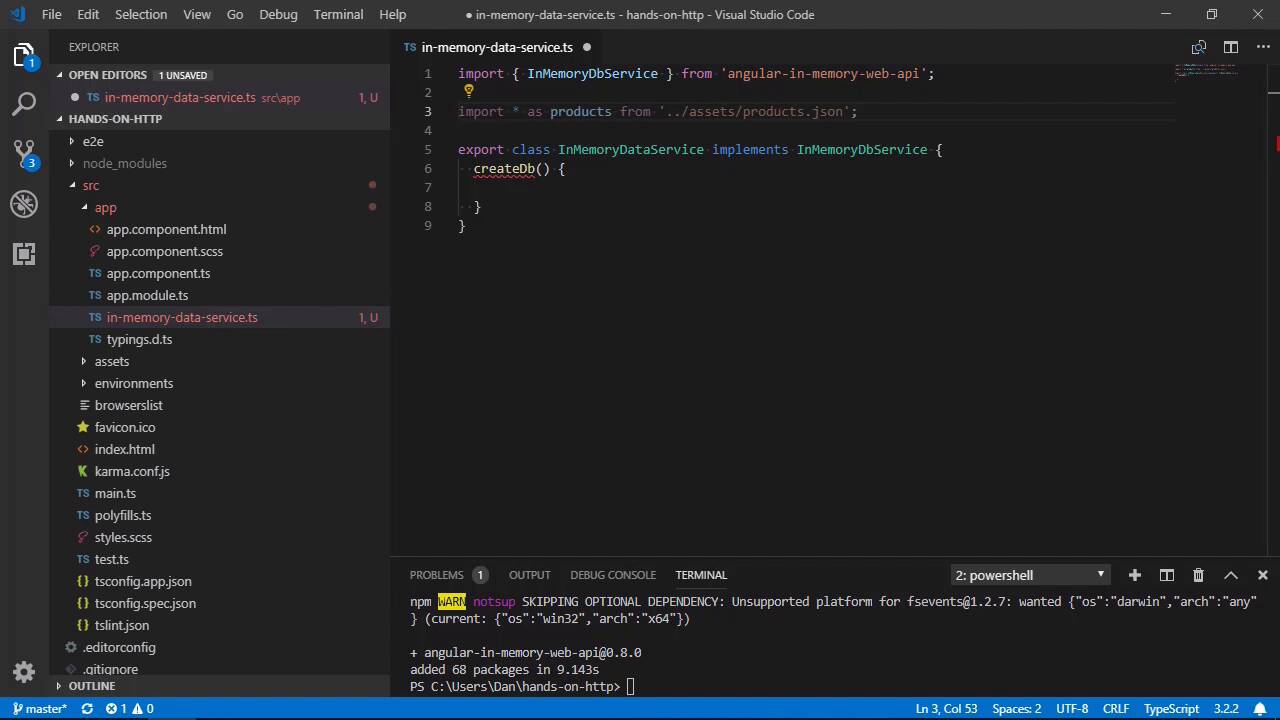
- Overview
- Transcript
1.3 Angular's in-Memory API
Angular provides a useful module for development, called the in-memory API, which lets us simulate a RESTful back end. In this lesson you'll see how to install and set up this valuable tool.
1.Introduction
1.1Introduction00:46
1.2Setup04:05
1.3Angular's in-Memory API03:39
2.Making Basic HTTP Requests
2.1Sending a GET Request06:18
2.2Sending a POST Request04:44
2.3Working With Headers06:14
3.Advanced HttpClient Usage
3.1Using Progress Events: Part 107:01
3.2Using Progress Events: Part 206:44
4.Conclusion
4.1Conclusion00:54
1.3 Angular's in-Memory API
Hi folks. In this lesson, let's have the fake back-end that we'll be making request to throughout the remainder of this course. Angular provides a simple in-memory data service that we can use to intercept any HTTP requests that we make and return fake data. First of all, we need to install the InMemory API using NPM. I'm just gonna open up a new Terminal window down here, then we can run the install command for the InMemory web API, and we'll save that as a development dependency. We'll need to add some fake data for the InMemory API to serve to the application when it makes a request. Let's create a simple class that returns some fake data. We can add a new file to the app directory called in-memory-data-service.ts. So in this file, we'll first need to import the InMemoryDbService from the package that we just installed. This file will need to export a class which implements the InMemoryDbService. In order for our data service to correctly implement the InMemoryDbService, it needs to expose a method called createDB. The starter repo includes a JSON file in the assets folder containing some fake data, a simple list of products. We can import that into this file as well. And now inside the createDB method, we can get the data from the JSON file and return an object containing the API. The data will be available from the imported JSON file in a property called default. So we first store in a constant, and then the method returns an object with the key products. This means that products is the name of our API. We can see how to access the API later in the course. Okay, we only want to use the in-memory API in development. We should import the environment file so that we know whether we're running in production or not. We can do this in the app.module.ts file. We can also import our fake data service here. We now need to import this new data service into our app using the imports array, but remember, we only want to do this when it's not for production. If the production property of the environment file is false, we can invoke the forRoot method of the InMemory API module, passing in our fake data service. If it is production, we can just import an empty array, which does nothing but does not break the app. It's basically a NOOP import. So this is what we need to do. No further configuration of the InMemory API is required. When the module is loaded in the development environment, Angular will automatically redirect HTTP requests to the InMemory API for us. So in this lesson, we saw how to install and configure Angular's InMemory API, which lets us simulate a back end API during development. Thanks for watching.


