
 Lessons: 12Length: 40 minutes
- Overview
- Transcript
3.2 Sharing Your Local Vagrant Instance
Vagrant provides a way to share your locally running Vagrant instance with others. You can even give them SSH access, for example to help you troubleshoot a problem. In this lesson, I’ll show you how to share a local Vagrant instance.
Related Links
1.Introduction
1.1Introduction01:16
1.2Installing VirtualBox and Vagrant02:05
1.3Advanced Setup: Vagrant and VMware02:42
2.Setting Up Your Node.js Stack
2.1Project Overview05:05
2.2The Vagrantfile05:02
2.3Installing Node.js Using NVM02:50
2.4Installing MongoDB and Redis05:43
2.5Node.js Development Workflow02:42
2.6Autostart the Node.js Application02:35
3.Exporting and Sharing
3.1Exporting and Sharing Your Vagrant Box07:28
3.2Sharing Your Local Vagrant Instance01:48
4.Conclusion
4.1Final Review00:54
3.2 Sharing Your Local Vagrant Instance
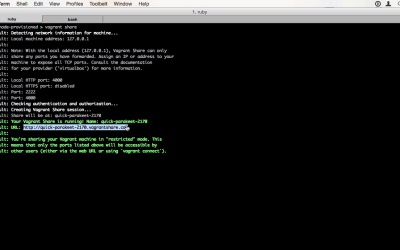
Hi. And welcome back to Easy Node.js Development Environment With Vagrant. In this lesson, I'm going to show you how to share your running Vagrant instance with others. First, start your box with Vagrant up if it's not running. Then you will need to log in with your Atlas credentials, do that with Vagrant login. You can sign up for free on atlas.hashicorp.com if you haven't already in the last lesson. After you have authenticated, you simply have to run vagrant share. And Vagrant will automatically set up a share and provide you with a URL you can send to others. It even detected to note at running on port 4000 and reroutes port 80 to it when someone is using the link. Now you can visit the generated link and it will load our Nodes app as usual. This works from everywhere in the world. Another even cooler way to use the sharing feature is to use the -ssh option. You will need to provide a password you can choose here, through the other person. When the share is set up, summary of the URL and the password and use vagrant connect on this and to open up an SSH session to your virtual machine. This is extremely useful when you've got a problem and another person is trying to help you solve it. They can even see your source files and use a text editor inside the box to edit them.


