
 Lessons: 12Length: 40 minutes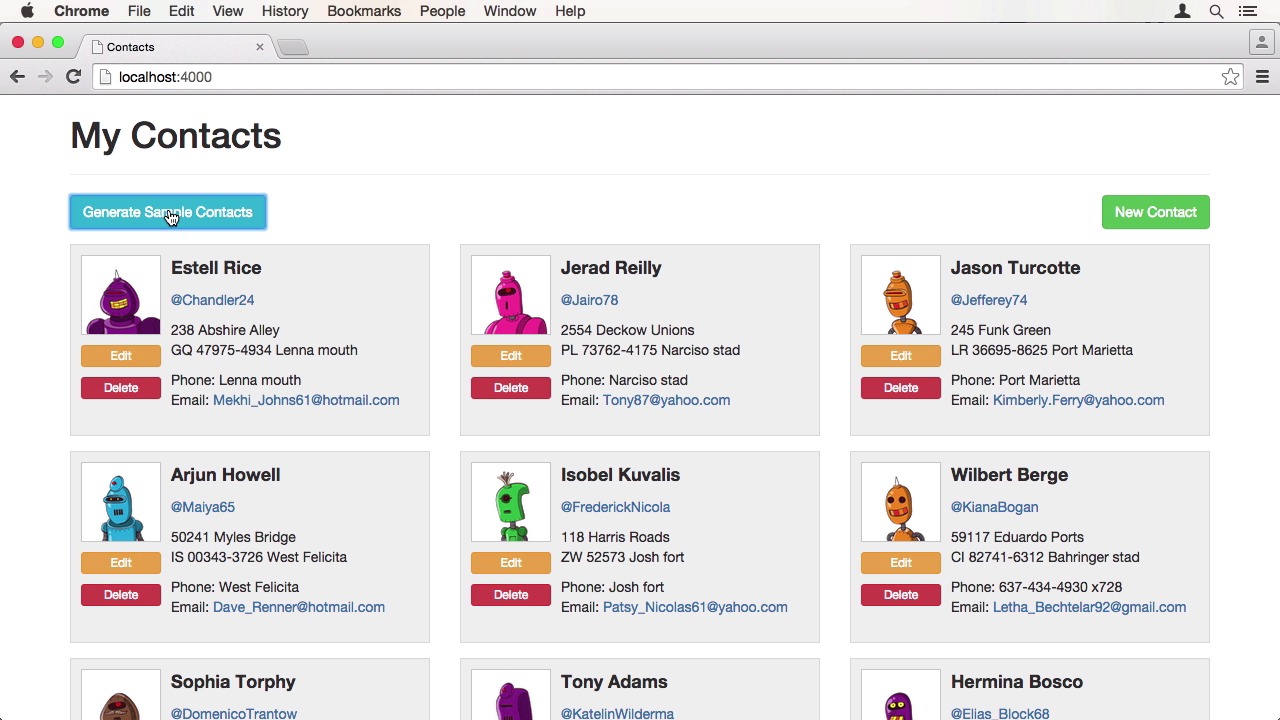
- Overview
- Transcript
2.5 Node.js Development Workflow
We are all set up for developing a Node.js app with Vagrant. Now we are going to learn how to use Vagrant to make changes to our app.
1.Introduction
1.1Introduction01:16
1.2Installing VirtualBox and Vagrant02:05
1.3Advanced Setup: Vagrant and VMware02:42
2.Setting Up Your Node.js Stack
2.1Project Overview05:05
2.2The Vagrantfile05:02
2.3Installing Node.js Using NVM02:50
2.4Installing MongoDB and Redis05:43
2.5Node.js Development Workflow02:42
2.6Autostart the Node.js Application02:35
3.Exporting and Sharing
3.1Exporting and Sharing Your Vagrant Box07:28
3.2Sharing Your Local Vagrant Instance01:48
4.Conclusion
4.1Final Review00:54
2.5 Node.js Development Workflow
Hi, and welcome back to Easy Node.js Development Environment with Vagrant. In this lesson, I will show you how to use the configured Vagrant box to develop our Node.js application. First, we'll SSH into the box and switch to our project directory at /vagrant. Next, we'll start node app like in the previous lesson. Now that we have the server running, we can start making changes to the app. Let's for instance, change the title. Open up the default layout file in your favorite editor on your host machine, like you would normally do. And change the header from Contacts to My Contacts. Go back to the web page, reload it and see. The contents have changed. It's as easy as that. But what if we want to change our application code? Let's try that. Let's open up the contact model to make some changes. I want all my new robot friends to be named Tom, so I'll hard code it into the generate method, commenting out the old code. When I generate some new contacts and reload the page, there are no Toms in our list. Our changes haven't been picked up. This is to be expected when running Node.js this way. All the application code gets loaded upon start of the Node app. So when you make changes, you will have to restart the process. To update the code whenever we make changes, we can use a package called nodemon. It watches the file system for changes and restarts the process whenever it notices one. Install it globally using the npm package manager with npm install -g nodemon. Then use nodemon index.js to start our server. Now that we've restarted the app using nodemon, we can see there are five Toms in the list. The changes have been picked up. Let's undo it and see if the code is changed on the fly. It works. We finally can change the application code and the server will restart itself. If you don't want to start nodemon manually, I will show you some techniques to how to automate it in the next lesson. So you only have to boot up your virtual machine and are good to go. See you there.


