
 Lessons: 8Length: 1.1 hours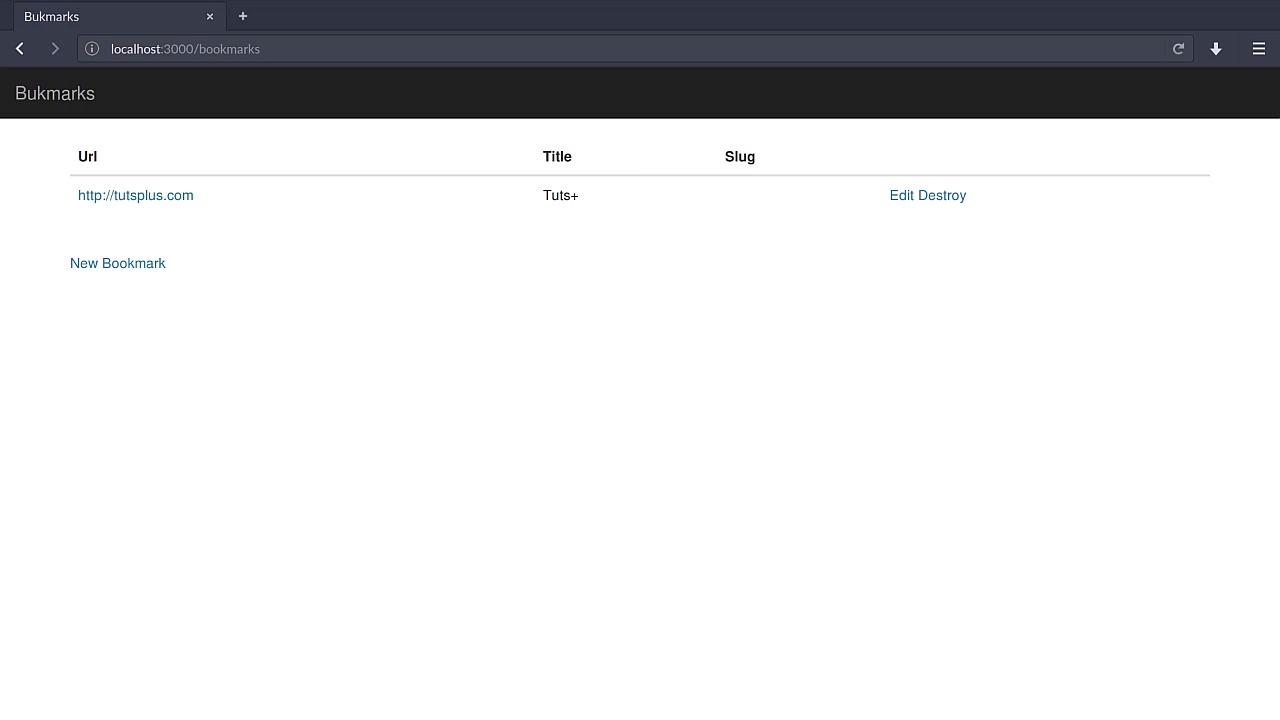
- Overview
- Transcript
2.2 Create Short URLs
Let's try to keep our bookmark URLs short by providing a small representation of the potentially very long addresses. In this lesson, we'll implement slugs for our bookmarks.
2.2 Create Short URLs
In order for our bookmark manager to work, at least to an extent, it's a good idea to have a representation of our bookmark into a single, canonical representation. We can accomplish that with short URLs. I mean, if you have a very long URL, maybe you want to edit this to be, let's see. Let's go to my own personal page on the Tuts+ network. Even this is a fairly straightforward representation, but I think that if you want to have a rather big URL to be stored, you would like to have a small representation of it. So what we're going to do is we're going to implement a short URL, or a slug if you will, to represent it. Let's go to our terminal and call in the Rails generate command once more. We're gonna generate a new migration called add_slug_to_bookmarks. We'll create, for example, a slug just like that which is going to be a string and that's it. Press Enter and you will have that migration right away. Let's quickly called the rake db:migrate command, and we will have that column straight away. Now, let's go to the bookmark model and make sure that the slug is also required. So, we won't have any URLs or bookmarks, for that matter, without a slug. However, we're not going to allow the user to manipulate this slug attribute. We're going to do that behind the scenes in the controller. So, let's just make sure that we have the bookmarks index HTML. Here I'm going to have one more column. In fact, I'm just going to delete all of these and remove this instruction just like so. I'm not really a fan of too much table cells. So I'm going to stick with this, and also let me just remove this show link, it's not doing anything. We want to have another column that represents the slug, so we'll create that, a new table cell for the slug, and we'll just print that out, so bookmark.slug. That's it. Let's reload the page really quick. There you go. You can see that this one doesn't have a slug already. We're going to do that in the Create step of the bookmark. Now, you are wondering, maybe, if we have a rec task or something to automate this, when deploying this to production. Well, I'm not going to consider that at all because we're still in the initial stage of development. Nothing is deployed to production yet so we don't need to have that kind of care. But if you did think of that, then it's a good thing you did, but for now we don't need to take care of that. Let's just continue on with our development by going to the bookmarks controller. In the Create step here, we want to generate that slug. And how do we do that? Well, one way to do it is by creating a digested hash of the URL. So, the slug for the bookmark will be something in these terms. We''ll call the digest shaw1.hexdigestmethod and we'll pass in the bookmark slug. So this is something that we are deliberately calculating and not letting the user set it. This is supposed to be something really shorthanded. So actually, what I still want to do is to reach out to just maybe the six first letters or something, so there's that. The bookmark slug will be calculated based off its URL, not slug, so let me just change that. We'll pick up on they were all digested and retrieve the first six letters. Let's try that. I'm going to destroy this reference right away. So, I don't want this one, I'm just going to create a new one. So, let's go to tutsplus.com, like so, and the title will be something like Tuts Plus, just the way as it was before. It seems that we don't have the bookmark variable. Let's fix that. Yes, I needed to use the instance variable rather than a regular variable. Let's reload this page. There you go, much nicer. So the bookmark was successfully created. Let's go back and you will see the slug right there. Now you're wondering what the next step will be. Well, that's easy. We need to make sure that this works. That's it. If we reload, you will see that you have no route in there. Well that's okay. Let's start by fixing that. Let's go to the Routes file and create a new variable here. So we'll use a get method for /::slug, and we'll match that to bookmarks or better, visit pound index. And we're going to give it a name called Visit. This is a concept I'm introducing. We want a visit controller which has only the index action and it will have a name of visit. So this will allow us to have. for example, a visit path and we pass in the slug. Now, let's implement this controller right away, you can use the controller generator. I'm just going to go ahead to the controllers and create a visit controller.rb. Because the route is already defined in here, I don't need to use the generator at all. Now let's create the Visit controller which we'll inherit from Application controller, just like that. Also, let's make sure we have the index action, and this will need to redirect to the bookmark's URL. One thing we have for sure is the slug parameter, which we'll use to retrieve the correct bookmark. So the bookmark will be something like bookmark.find_by_slug and we'll pass in that, and finally we will redirect to that bookmark's url, just like that. Let's see if that works. Let's reload the page and there you go. As easy as that we have access to the actual URL. Okay, so if you want to we can just make this a link and we'll go there. Under the app folder, views, bookmarks, and then index.html.haml. We'll create a link_to which will point out to the visit_path and we'll use bookmark.slug. And that's it. It's easy as that and because we added the us option in the routes, we have this visit_path. I think it's best to just use the visit URL. After all since you want to share this with the whole community or your friends or something like that, you might wanna have the URL rather than just a path. Okay, so let's go there and you will see the link just like so. And if you check the source, instead of having a forward slash at the beginning, you will have the actual URL, the full thing. So clicking on that, you'll be redirected successfully. So that's great, we now have a way of shortening our URLs. Jump right into the next lesson to learn how we can implement a visit count. See you soon.


