
 Lessons: 8Length: 52 minutes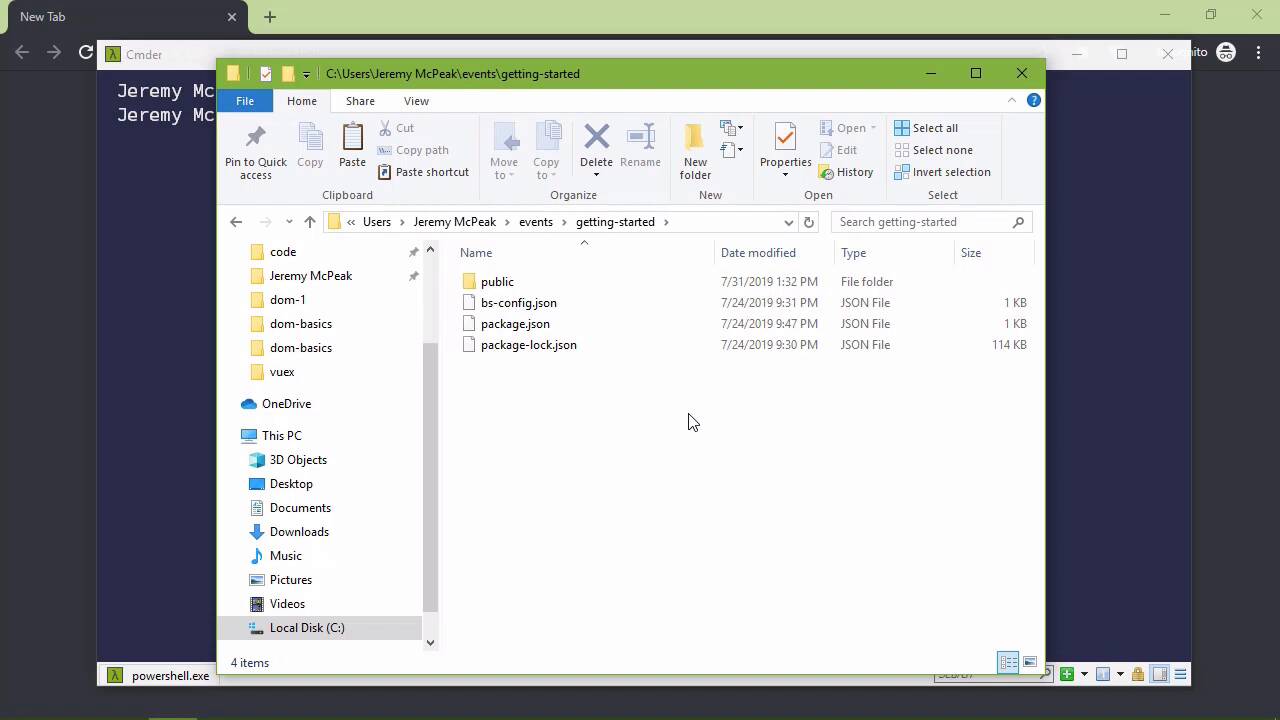
- Overview
- Transcript
1.2 What You Need
Before we dive in to coding events, let me show you the tools you need to follow along. I'll also show you how to get set up with the starter project.
Related Links
1.2 What You Need
Before we just dive right in and start working with events, I want to very briefly go over the tools that you will need if you want to follow along in this course. The first is, I'm not gonna say the most important, but it is important as far as setting up our environment, because we are going to be using an HTTP server. Now, let me be clear here, for this course, you technically don't need an HTTP server. We could edit our files, double-click the icon. And open those up in the browser, and everything theoretically should work. And in most cases it would. However, I am of the philosophy that if I am doing anything web-oriented, or web development-oriented, I should say. Then I want an environment that is going to replicate the web. So we are going to be working with an HTTP server. And one of the easiest ways to get up and running with one is to install NodeJS. So if you're not familiar with Node, it is simply a JavaScript runtime. That means that you can build JavaScript applications both for web as well as desktop. And you will see a desktop application that's actually running on Node here in a few moments. But what you will want to do is download the LTS version, that stands for long term support. That just means that it is going to be supported for a long time as it's aptly named. And so just download it, install the defaults because we aren't going to be using Node per se. I mean, yes, underneath everything Node is still there. But we're going to use a tool called NPM or Node Package Manager to download the stuff that we need for setting up an HTTP server, and then running that HTTP server. So just download the LTS, take the defaults and then you're good to go. The second thing you need is a code editor, and what I use is Visual Studio Code. This is probably the best code editor for JavaScript. And I say probably, it is the best code editor for JavaScript. So if you plan on spending a lot of time with JavaScript, I highly recommend Visual Studio Code. This is a cross platform application, it is running on essentially Node JS. This is a Node application, so everything that you see as far as the code editor is concerned, is HTML, CSS and JavaScript. And of course, there's images and things like that. But this is running on a JavaScript platform. So that's really cool as well. So once again, download it, install it, take the defaults and you're good to go. Now of course, you don't have to use VS Code if you don't want to. There's plenty of other code editors available. I just happen to think that Visual Studio Code is the best for JavaScript development. And then of course, we should also talk about the source code for this course. Now, for the most part, the code for this course doesn't exist yet. But there is going to be a folder called Getting Started in the GitHub repository. And this is going to have everything that you need. So really, if you wanted to use this as the starting point for every lesson, all you have to do is just copy it. And then go to the command line and run a few commands. So let's look at just that, I'm going to name this 2.1. Now, of course, this lesson number is 1.2. So what we are going to do right now is set up the project for the next lesson. But here, I've just copied getting-started. Named it 2.1, and I'm gonna go to the command line. And I'm going to cd into that directory. I'm going to run npm install. This is going to look at a file inside of this folder called package.json, you can see it right there. This is the file that npm is looking at, in order to determine what to download, what to install. And if there's any configuration that needs to be set by default, there is not. However, I have set up some preliminary stuff inside of this package.json file. So that whenever this is done installing, we will be able to run our project, and we will be good to go. So first, let's load this project into our code editor so that we can take a look at the code. But we also want to run the HTTP server, and we do that with npm run server, and that is going to run our server. Now you're going to see two URLs. The only difference is going to be the port. You can see that one is port 3000, the other is port 3001. Now there is a UI portion to this HTTP server, it's called LiteServer. And there are some things that you could set and change through the UI. So if you wanted to take a look at that, feel free but we're not going to right now. So what we would want to do is go to localhost at port 3000. And you're going to see just a blank screen. That is by design because the web page being loaded has nothing in it. That is inside of the public folder, and then index.html. So of course, if we wanted to add some HTML, which currently there is nothing there. If you are using Code you can hit an exclamation point, hit Tab, and that's going to give you some boilerplate HTML. So if you just save this as is and go back to the browser, you're going to see that it has loaded that HTML file. And the really great thing about this LiteServer is that we can make any change that we want. And let's go to the body and just type something. And I'm going to save this. If we go back to the browser, we're going to see that that is already there in the document. So it's going to monitor our files anytime that we make changes to those files. It's going to refresh the browser, so that we can immediately see those results instead of having to manually refresh. So there you go, you have everything you need to follow along. In the next lesson, we will just dive right in and start looking at events.


