
 Lessons: 13Length: 1.4 hours
- Overview
- Transcript
4.1 Conclusion
I hope you’ve enjoyed learning about Drupal 8 modules with me. You now have enough knowledge to go out and use modules to create custom functionality within your own apps. Thanks for joining me, and I can’t wait to see you next time!
Related Links
1.Introduction
1.1Introduction01:20
1.2Prerequisites04:04
2.Drupal Module Basics
2.1Create a Custom Module09:20
2.2Create the Module Routes08:34
2.3Create Route Controllers07:00
2.4Create Route Parameters05:28
2.5Build a Form Class10:21
2.6Handle Form Submission08:02
3.Create the Calculator Module
3.1Create a Calculator Form06:59
3.2Implement the Add Operation09:28
3.3Other Operation Implementations05:00
3.4Custom Form Validation06:48
4.Conclusion
4.1Conclusion02:31
4.1 Conclusion
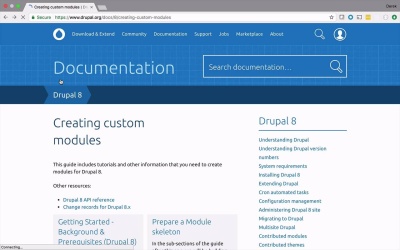
I really wanna take this opportunity to thank you in joining me in this journey into the world of building custom modules for Drupal 8. I hope you found this as interesting and enjoyable as I have. Because being able to get into a CMS or a content management framework and be able to add customization is really worth its weight in gold. Yes, these content management systems are fantastic and allow you to build some very great data and content-driven applications right out of the box with very little effort. But when it comes to being able to add some flair to it, add some customization, these are the things that our customers will really want. So it really pays to have an understanding of how Drupal 8 allows you to add this custom functionality, and custom pages, and custom forms, and things like that, into your applications and really give it that personalized feel for your clients. Now before I leave you, I do want to show you a little bit of additional documentation and things that you can use to continue to learn about building Drupal 8 modules. If you were to head over to the drupal.org site and take a look at the docs, you will find a nice link in here for creating custom modules. And this is going to have lots of information about how to create custom modules, different ways to go about doing them, and how to add different layers of customization, just not using forms like I did in this course, but showing you how to use all sorts of different APIs. And speaking of APIs, we were heavily using the Forms API in this particular course. But if you were to take a look at the other resources on the top here and see the Drupal 8 API reference, this is also worth its weight in gold. You will see in here, all the different APIs that are defined within Drupal 8 that allow you to hook into and be able to write custom logic. So as you can see in the User Interface here, we have Forms right here, but you can also create custom menus and tasks, custom routing. You can store and retrieve data. You can create configuration pages, custom views. You can create plugins. All sorts of really great extensible APIs that come right out of the box, ready and waiting for you to take your application to the next level with just a little bit of help. So once again, my name is Derek Jensen. I wanna thank you for joining us in this journey into the world of Drupal 8 modules. I can't wait to see you next time.


