

Introduction
This web app takes a color and generates a range of tints and shades; there's a color picker, I can choose how many steps to generate, and I can click to copy any color I like. I built this. It uses React, Vite, TypeScript, and it's styled with Tailwind CSS. Here's the thing: I don't know how to code with React or TypeScript, and I've never used Tailwind before. The AI used all these technologies I'm not familiar with and just built it.
I asked for several changes along the way, but I didn't write a single line of code. This experience taught me one thing: the way we build apps is changing, and it's changing fast. What used to take weeks or months now takes minutes or hours, and all of that thanks to AI.
Now, traditional coding is powerful, but it comes at a cost. You either spend months learning it or you hire a professional developer. Both of these are expensive, both in time and money. A solution to this is AI-powered development.
This allows you to build even if you're not a developer. Tools like Bolt let you describe your idea and AI builds the app for you. It's what people call vibe coding. In this video, I'll show you how to go from idea to working app with zero code, what to do when the AI gets it wrong, and whether or not developers are out of a job or for just evolving when tools like this exist.
We'll cover:
- What is vibe coding
- Building a simple web app with Bolt
- Making the app more powerful
- AI limitations and the role of professionals
So, are you ready to get started?
Let's go!
The rise of vibe coding
Vibe coding is an AI-driven approach to programming where you describe what you want to create in plain language, and then a large language model (LLM in short) turns that into working code. So essentially, you're not writing any code yourself. Instead, you are guiding the AI, you're checking the results, and occasionally, you make tweaks as needed. This term was introduced by Andre Carpathy in February 2025.
Andre is a computer scientist, co founder of OpenAI and former AI leader at Tesla. Carpathy explained that his method is conversational. He gives voice commands and the AI writes the code for him. In his tweet, Andre said:
I'm building a project or a web app, but It's not really coding. I just see stuff, say stuff, run stuff, and copy paste stuff, and it mostly works.
This is all possible thanks to LLMs or Large Language models that are specifically tuned for coding tasks. The app that I showed you earlier, Bolt, is just one tool in a growing ecosystem of AI-powered development platform.
Let's take a quick look at what else is out there currently and what each one does best. OpenAI co-founder and former Tesla AI leader Andrej Karpathy uses a conversational method for "coding" with AI. He describes it as seeing, saying, and running things, with the AI writing the code based on voice commands. This is enabled by large language models tuned for coding.
While Bolt is one example of an AI-powered development platform that generates code from text prompts, a larger ecosystem of similar tools is emerging.
- Replit is a dev environment with AI-assisted coding, great for live collaboration, deploying projects, and learning.
- Cursor is an AI assistant built into VS Code and ideal for developers who want AI in their existing workflow.
- Pythagora is an extension for VS Code and CURSOR that uses 14 AI agents working together to help you build full stack web apps.
- Lovable is great for creating more polished front-end apps, but also full stack projects.
- Klein is another VS Code extension that's great for AI development and collaboration.
- Rocket.new is an AI-powered builder for creating full-stack web apps, SaaS products, and MVPs from simple prompts and design inputs.
These are just a few examples of AI-powered development platforms. If you do a quick Google search for vibe coding or AI development, you'll find a whole bunch more. Now, we have some idea of what vibe coding is.
Want to create amazing apps? Envato's got you covered! Get unlimited creative resources with our subscription. And guess what? This very course is brought to you by Envato!
Building a simple web app with Bolt
Let's go ahead and build our own app without writing any code. The app I'm going to build is a Tint and Shade Generator. This is something that I use all the time when designing and while there are similar apps out there, I can't really find one that has the exact set of features that I want.
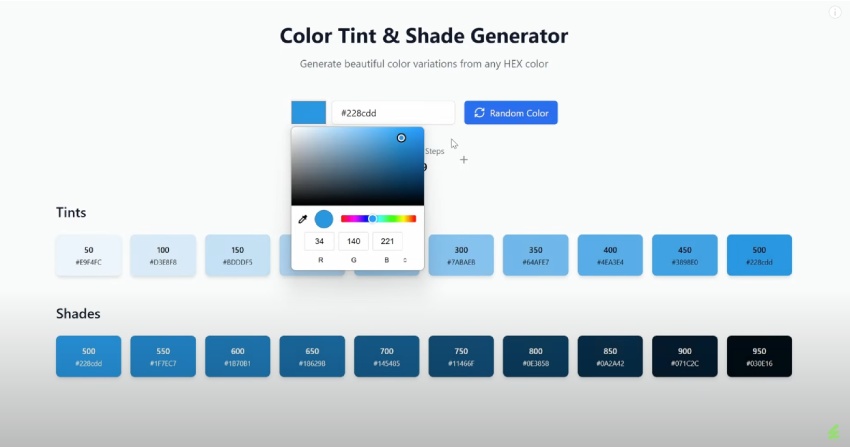
I'm going to build it the way I want to use app, or more specifically, the AI will build it for me. The tool used for this demonstration is Bolt.
- Create a free account in order to use it.
- Enter your prompt, and Bolt will do all the work for you.
- Tell it to "create a Tint and Shade Generator for a given Hex Color".
Reviewing the first attempt
After entering the prompt, Bolt generates the initial version of the app.
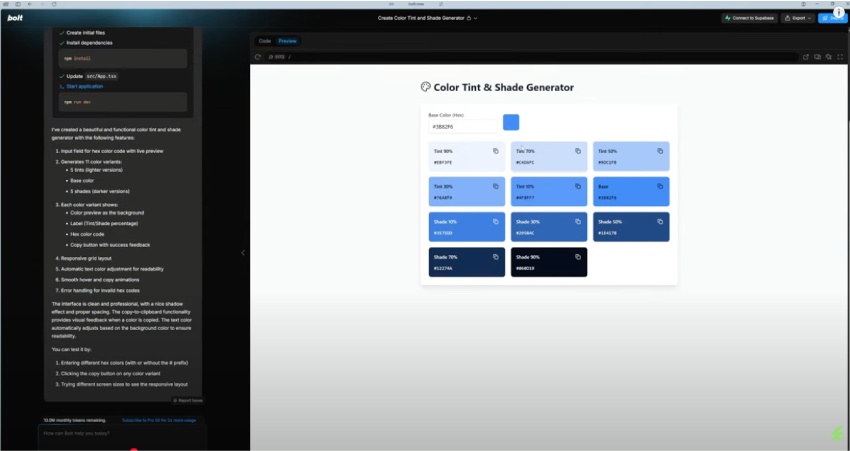
- We can see the AI writing code and the file list.
- The app uses TypeScript and NPM.
- The first attempt generated five tints and five shades from a base color.
- A copy button is available for each color, and pasting a color also works.
Observations:
- The initial version successfully generates tints and shades
- Pasting a Hex color works as the base color.
- A copy functionality for each color is present.
- The styling is done using Tailwind CSS.
- However, a color picker is missing.
- The preview functionality is basic.
Making the app more powerful
The problem that I'm having is that the tints go from 900 to 100. That's incorrect, that's the opposite of what I was looking for. You can't really click to copy the base color. We have a couple of issues to fix.
Let's start with the way the tints and shades are numbered. We'll ask Bolt the following and see if it does that.
Iterative refinement based on a designed UI
1. Design the desired user interface (UI), including:
- A color picker.
- A field to paste a Hex code.
- A stepper to control the number of tints and shades.
- A random color button.
- Numbered boxes displaying tints and shades.
2. Use ChatGPT to generate a detailed prompt for Bolt based on a screenshot of the designed UI.
3. Paste the generated prompt into Bolt.
Addressing issues in the second attempt
- Incorrect shade numbering: Tints are numbered from 900 to 100 (incorrect order), and shades from 100 to 900 (incorrect order).
- Missing base color copy: No direct way to copy the base color.
Further refinement of tint and shade numbering
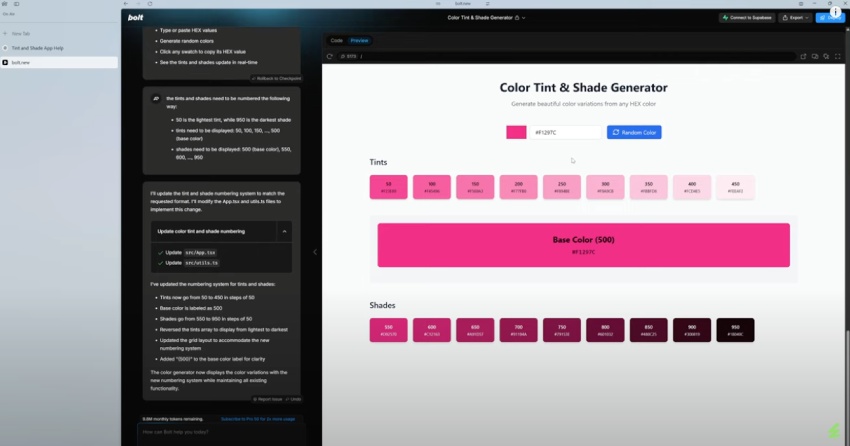
1. Provide a specific prompt to Bolt for the correct numbering:
- "Fifty is the lightest tint, 950, the darkest shade."
- "Tints need to be displayed in order: 50, 100, 150, 500 (base color)."
- "Shades need to be displayed 500 (base color), 550, 600, all the way to 950."
2. Iterate with prompts to correct the order and placement of the base color in the tint and shade lists.
Implementing a stepper for controlling color steps
Request Bolt to "implement a way to control the number of tints and shades generated."
- Address the resulting issues:
- Incorrect numbering of tints and shades after adding the stepper.
- Limit the stepper range to 5-10.
- Ensure color numbers are displayed in increments of 50 or 100.
- Limit the upper steps to nine.
- Ensure the whole color range exists between 50 and 950.
Addressing issues with very dark colors
- Identify a bug where picking a very dark color (especially pure black) generates an excessive number of shades.
- Inform Bolt about this incorrect behavior.
- Specify that the issue occurs specifically with pure black.
- Request Bolt to update the code to prevent generating tints or shades for pure white
(#FFF)or pure black(#000). - Note that while this partially resolves the issue, problems persist with colors very close to pure black.
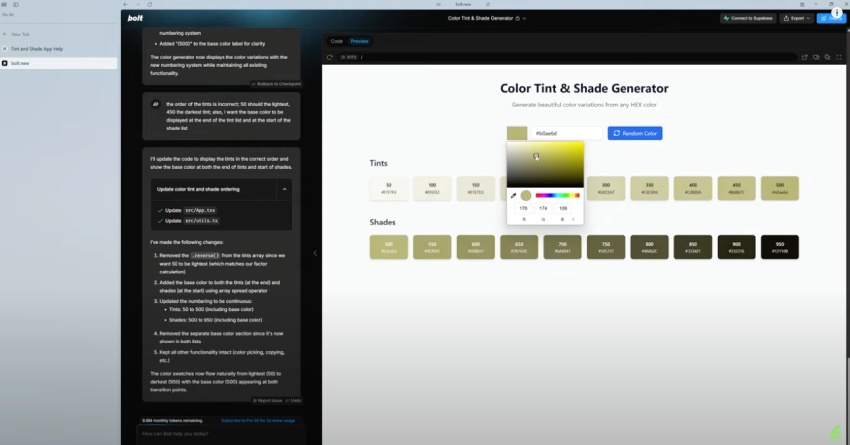
Seeking help from ChatGPT for a more effective prompt
- Explain the persistent issue with dark color shade generation to ChatGPT.
- Request ChatGPT to generate a more effective prompt for Bolt to address this bug.
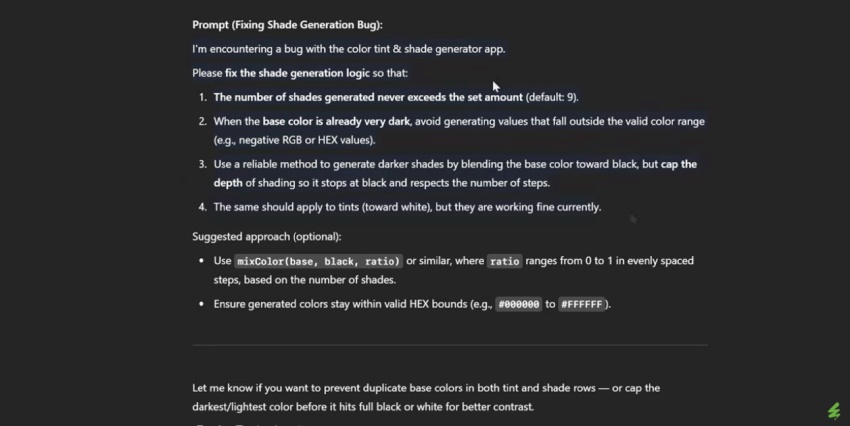
- Use the detailed prompt provided by ChatGPT in Bolt, focusing on:
- Fixing the shade generation logic to respect the set number of steps.
- Avoiding out-of-range values for very dark base colors.
- Using a reliable blending method towards black with a cap at black.
- Suggesting an approach using a mixed color, base black ratio.
Evaluating the results and deployment
- Observe that even with a more technical prompt from ChatGPT, the issue with excessive shades for very dark colors persists.
- Acknowledge that this bug occurs in a less common use case (starting with very dark colors).
- Highlight Bolt's deployment feature using Netlify for free hosting.
- Explain how to access the deployed app via a generated link.
- Describe options to export the generated code (Stack Blitz or ZIP file download).
- Mention that project history and chats are saved in Bolt for future modifications.
UI Customization Options
1. Direct code modification: Users with coding experience can edit the generated code (e.g., the `app.tsx` file).
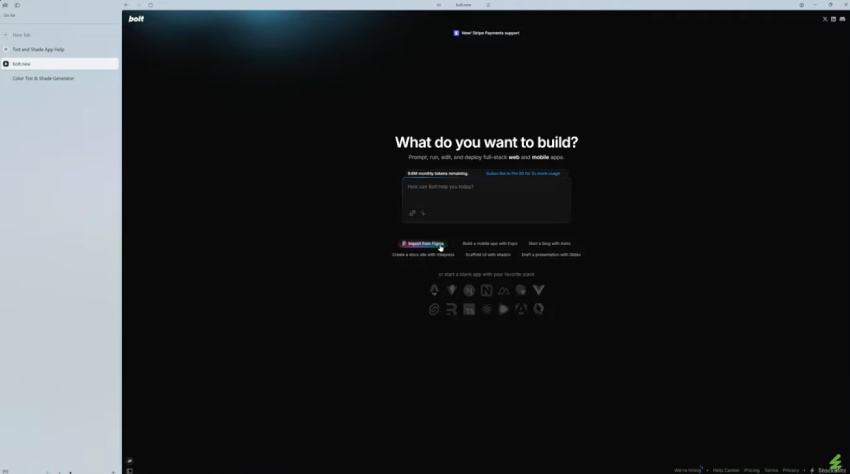
2. Figma import: Bolt allows importing layouts from Figma files:
- Copy the Figma frame link.
- Paste the link into Bolt's Import from Figma feature.
3. Combining Figma layout with functionality:
- Import the layout from Figma.
- Provide prompts to Bolt to implement the desired functionality based on the imported layout.
- Acknowledge potential errors and the need for debugging during this process.
- Recommend prioritizing correct functionality before focusing heavily on UI styling.
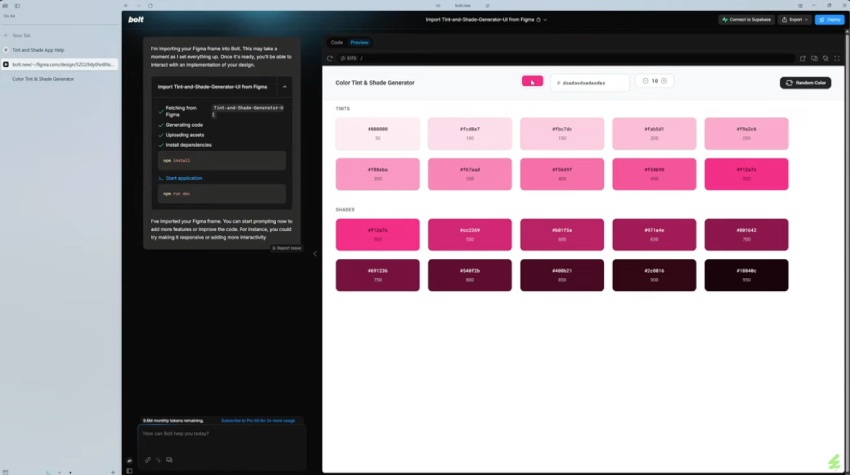
Despite achieving the desired layout, the functionality is frequently missing. It's better to prioritize building correct functionality first, as styling and layout are easier to tweak later. Building with AI is possible but demands significant human input and guidance due to its limitations.
Speaking of limitations, let's discuss that a little bit further and also discuss about the role of developers in this new workflow.
AI limitations and the role of professionals
The AI is really good at repetitive stuff. But when it comes to custom interactions, performance, security, or even scaling a real product, then a human touch is still needed. What's really happening is a shift.
Professional developers are moving from a manual coding to more of a strategic AI-assisted workflow. They're still deciding and refining, but they're not writing every line of code by hand.
Honestly, I think the best results come from a human plus AI combo. You bring the creativity and the judgment, and the AI brings the speed and support. So here's a question for you. Is prompt engineering or vibe coding the new must-have skill?
Keep learning!
Don't forget to check out the Envato Tuts+ YouTube channel for more content like this, but also to learn about web design, web development, and much more. It's all free!
Check these other articles:






