
 Lessons: 10Length: 45 minutes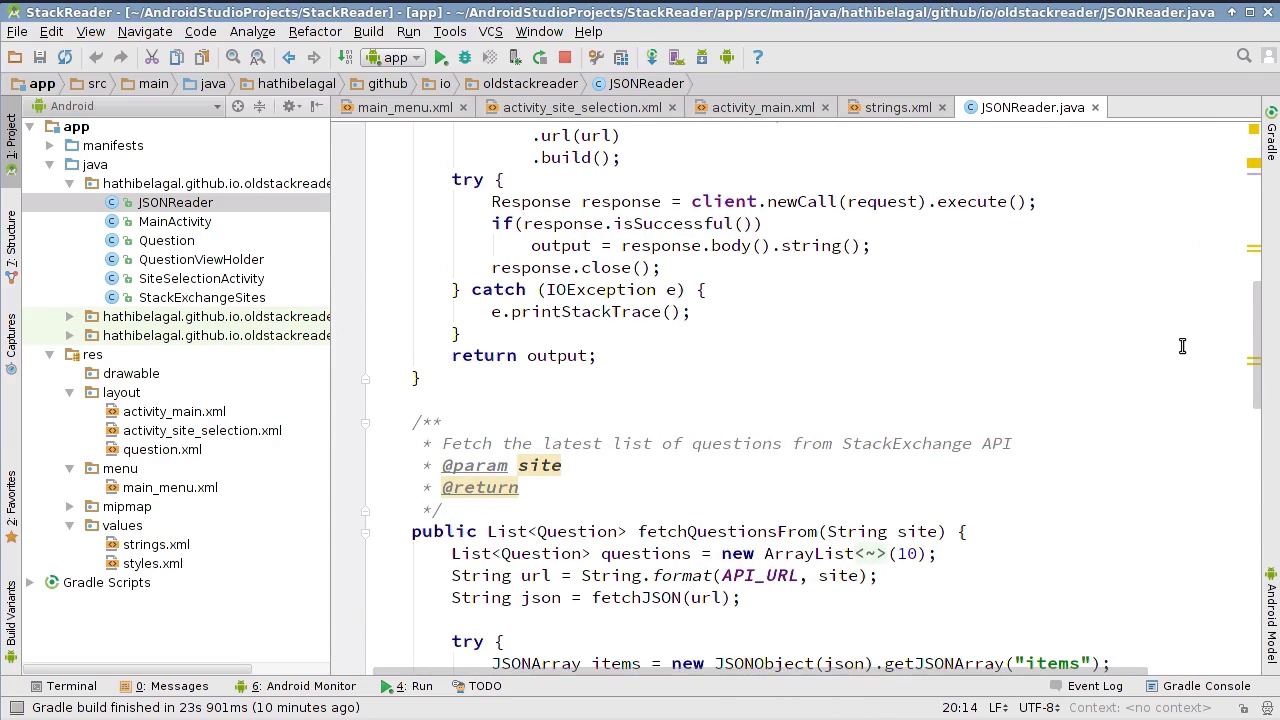
- Overview
- Transcript
1.2 A Closer Look at the App
In this lesson, you’ll learn more about the app we’ll be working on. You’ll get to take a look at all its features, and I’ll give you a tour of its source code.
Related Links
1.Introduction
1.1Migrate an Android App to Material Design00:59
1.2A Closer Look at the App05:32
2.Migrating the App to Material Design
2.1Apply a Material Design Theme05:47
2.2Create a Toolbar03:00
2.3Add a Navigation Drawer06:40
2.4Add a Hamburger Menu Button04:36
2.5Replace ListView With RecyclerView05:31
2.6Create Cards09:21
2.7Implement the Swipe-to-Refresh Gesture02:49
3.Conclusion
3.1Conclusion00:53
1.2 A Closer Look at the App
Hi in this lesson I'm going to give you a quick overview of the app we will be working on in this course. And then, I'll also walk you through the most important portions of its source code. So as you can see, we have one screen here that lists all the questions from Stack Overflow. It contains just one list view, and you can scroll to see more questions. This activity has an old fashioned menu containing two options. The Refresh option lets you refresh the list of questions, and the Sites option lets you pick a different Stack Exchange site. Let me click on Sites. It opens another screen containing a list of Stack Exchange sites. If you click on any site here, the app will load the questions from that site and display them. So, that's all there is to this app. It's a very simple app with just two screens. Let's take a look at its source code now. You can get it from this data repository. All you need to do is press this button here, and then click on Download ZIP. Alternatively, you can always download the course project of this course, and open the folder card lessonOne.2. Once you have the source code, you can directly open it using Android Studio. So, this is the home screen of the app, and it is created using the main activity class. Its layout is defined inside the activity main.xml file. This menu here is defined in a file called main_menu.xml. If you open it, you will be able to see the refresh and sites option defined inside it. The second screen of the app is created using the site selection activity class. Its layout is defined in activity_site_selection.xml. If you open the file, you will see that it contains just one list view. Let's go back to the home screen now. If you open the layout file of the home screen, you will again find just one list view inside it. So, now you know that both activities have very simple layouts. You might be wondering where the sites of site selection activity are defined. Well, they are defined as a string array inside strings.xml. If you want to support more Stack Exchange sites, feel free to add new items to this array. In addition to the two classes for the activities, this app has a few other classes. One such class is JSON reader. This is responsible for connecting to the Stock Exchange API servers, and fetching the questions from them. We won't be making any changes to this class in this course, so you can simply ignore it. Each question fetched from the Stack Exchange API is represented using this question class. As you can see, it has a lot of intuitively named member variables. Currently, the app is using only three of these variables, the title, the auto display name and the score. But, by the time we complete this course, we will have used almost all of these variables. Back in main activity, all the questions first from the Stack Exchange API are put inside this list called Questions. Now if you scroll down, you will see that the array adapter of the list view makes use of the list of questions. This array adapter follows the view holder pattern. That is the reason why this app has a QuestionViewHolder class as well. This class has just three text fields, one for the score, one for the title, and one for the author. The StackExchangeSites class is another class you can safely ignore. All it does is map the Stack Exchange sites titles to their subdomains. It has just one static map object and nothing else. Let us now take a look a few important methods defined inside the main activity class. RenderList is the method inside which the array adapter is initialized. In case of refresh, it also calls the notifyDataSetChanged method of the adapter. OnCreateOptionsMenu is the method inside which we are creating the menu of this activity. You can see that it is inflating the main_menu.xml file. The onOptionsItemSelected method is where the click handlers or the refresh and sites options are defined. For the Sites option, a new intent is being created for the site selection activity. For the Refresh option, a method called updateScreen is called, which first reloads questions from the Stack Exchange API servers, and then calls the renderList method. Lastly, whenever the user clicks on a question, a browser is opened where the answers to the question can be seen. So that code is returned here, inside the OnItemClickListener after List View. All it does is create a new intent with the ACTION_VIEW action, and pass the URL of the question to it. I hope you now understand how this app works. There's really nothing complex about it. If you've created Android apps earlier, I'm sure you didn't find anything confusing here. In any case, you don't have to worry too much about its functionality, because in this course we will be focusing more on the looks of this app. In the next lesson, we'll start configuring this app to support material design. Thanks for watching.


