
 Lessons: 15Length: 1.6 hours
- Overview
- Transcript
3.2 Adding Scripts and Styles
In this lesson, you'll learn the correct way to add scripts and styles to your plugin.
Related Links
1.Introduction
1.1Introduction01:01
1.2How This Course Works03:12
2.Plugin Overview
2.1When to Write a Plugin08:09
2.2Plugin Code and Structure06:43
2.3The Plugin API10:16
3.Writing a Plugin
3.1Setting Up the Plugin05:42
3.2Adding Scripts and Styles06:16
3.3Adding Include Files05:24
4.Plugin Functionality
4.1Admin Plugins08:40
4.2Content Creation Plugins06:41
4.3Outputting Content07:20
4.4Widgets and Shortcodes08:47
5.Practical Project: Create a Widget Plugin
5.1Create a Widget Plugin: Register the Post Type and Taxonomy05:56
5.2Create a Widget Plugin: Run a Query10:44
6.Conclusion
6.1Conclusion03:24
3.2 Adding Scripts and Styles
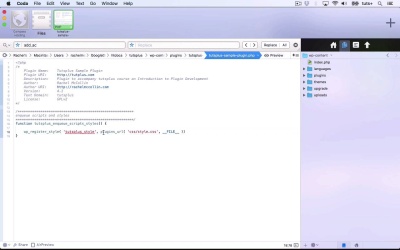
Hello, and welcome back to this TutsPlus course on WordPress plug-in development. In this part of the course, we're going to continue working with our sample plug-in. And I'll show you how to add and enqueue a script and a style sheet in your plug-in. So let's take a look at the code. So here is my plug-in, let's open that up in a new window so it's nice and clean. At the moment, all I have in it is my file. So if you remember from the earlier part of this course, where we looked at structuring a plug-in. I need to add a folder for my styles and my scripts. And I'm not going to add a top level assets folder, because I don't anticipate having a lot, but I will add a folder for each of them. So New Folder, For styles, and another New Folder for scripts. And then within my scripts folder, I'm gonna add a new file, Called my-script.js, now obviously, that would be a script that you'd need to write or to import from somewhere. And again in my styles folder, I'm gonna create a new file called style.css. So now I need to enqueue those in my plug-in. So I'm gonna start off by adding out, adding these comments so I can see that that's commented our text. And I always like to do this before each of my functions in a plug-in so that I can easily scan the plug-in and see what's going on. So I'm now gonna create a function called tutsplus_enqueue_scripts_styles. And I can enqueue both the script and the styles within the same function. Because both of them are hooked to the same WPNQ scripts hook. So the function that I use for that, the first one is WP register style and that registers my style. And it has a number of parameters. The first one is the unique name of my style. So I'll call that tutsplus_style. And then I need the file where it's held, or the folder where it's held. Now, this is relative to this plug-in. So I use plugins_url, and that has two parameters. The first one is the path to the style sheet, And the second one is this current file. And you add that using __FILE__ in capital letters, underscore, underscore. So that's my second parameter, plugins_url( css/style.css, __FILE__)) And then don't forget to add my semicolon at the end. So now I need to enqueue that style. And I need to enqueue tutsplus_style, and that just has one parameter. So that registers my style and then enqueues it. So now I'm gonna do the same thing with my script. And I'm going to copy this. And edit it, so I want go back to this, that doesn't want to be CSS, that wants to be styles. I've called my folder Styles here. To be honest, it's more common to call it CSS, but it doesn't really matter what you call it. Now let's just revisit what my script was called. It was called myscript.js. And then I enqueue my script. And I'll copy that tutsplus_script as the sole parameter of that. So I've registered a style and enqueued it and I've registered a script and enqueued it, and I then need to hook my function to the WP enqueue scripts hook. And you use WP enqueue scripts for styles and for scripts. There isn't a similar WPNQ styles hook. So I'll copy the name of my function, and then paste that there, and save that. So that enqueues my script, and my style sheet, and you can add as many scripts and style sheets as you want in your function. And that's the correct way to enqueue a script or style sheet. You shouldn't do it in the head of your theme. You shouldn't do it anywhere in the code of your plug-in over than by using this. So if you ever see an import command in CSS or anything like that, or a link in HTML, that is the incorrect way to do it in WordPress. This is the way you should always register and enqueue scripts and styles in WordPress. So that's how you add styles and scripts to your plug-in. And I've just realized that in copying my code from up here, I haven't added the closing brackets and the semi colon. So I'll just do that. In the next part of the course, I'll show you how to add include files. See you next time and thanks for watching.





