
CryEngine SDK (Software Development Kit) is a free to download version of the widely known CryEngine 3. It can be used to create a variety of video games, interactive software and animated shorts. CryEngine is one of the most beginner-friendly engines out there to learn, and in this article I'll share tutorials and other resources to get you started developing games with it.
What Is CryEngine 3?
In the 2009 GDC conference, Crytek announced their new engine, CryEngine 3 for PC, supporting DirectX 9, 10 and 11. The first game by Crytek to be developed for the engine was the coveted Crysis. The Free SDK (Originally called the Sandbox Editor) was first developed and then released for creating and modding maps for Crysis 2 multiplayer; the engine was then released for free to the public.
CryEngine 3 (CE3) is designed to create first person shooters above all else. However, games for many other genres have also been made using CE3.


Example CryEngine Creations
Crysis 3 and CryEngine Tech Demo
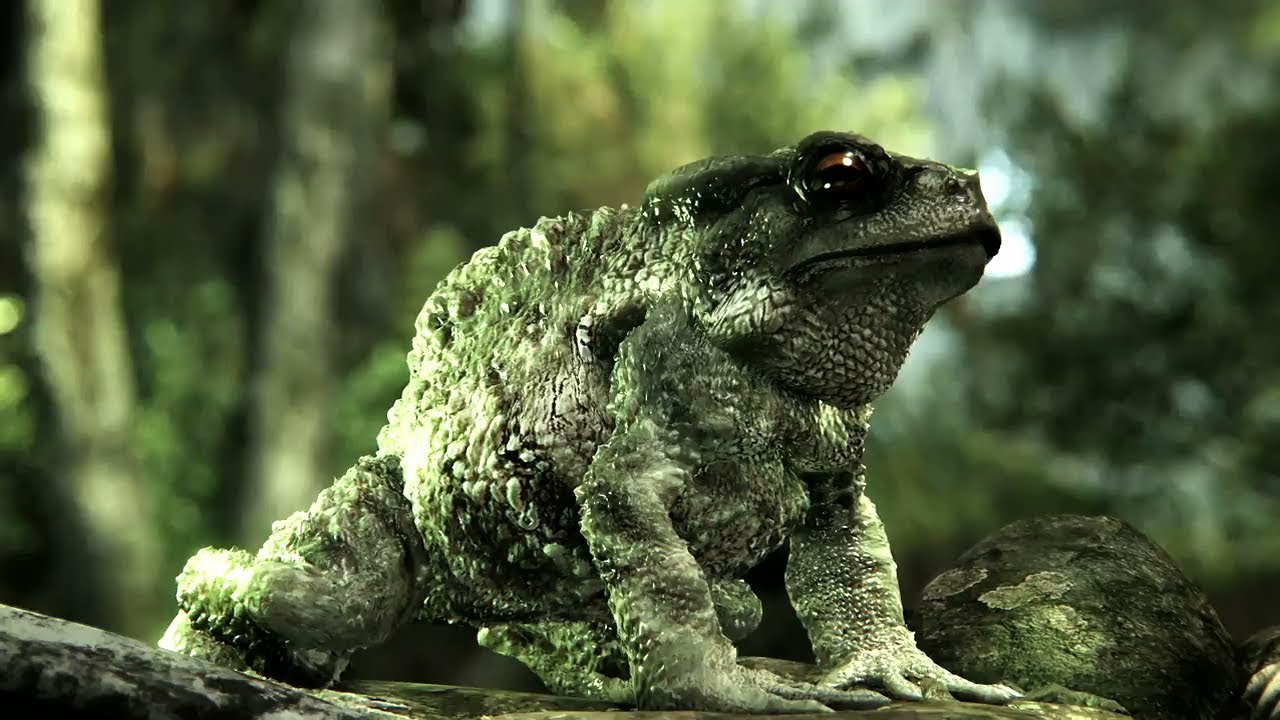
Abduction

For more information, see Abduction's CryDev page.
Allegra

For more information, see Allegra's CryDev page.
Miscreated

For more information, see the game's homepage.
Downloading CryEngine
While CryEngine has pay-to-use licence versions, you can download it today and get started with the free version.
Learning CryEngine
When you are starting out new in CryEngine it can be hard to get your head around. When I started I knew nothing so I had to find all the resources for myself, but not any more. I have gathered the best tutorials from all over the web.
Eat 3D
If you have a little cash in your pocket that you're willing to spend on tutorials, these are the best. Hélder Pinto, Industry Professional and Level Architect for Crysis 3, runs you through CryEngine, starting with the basics and going all the way up to advanced level creation.
Eat 3D's CE3 tutorials are extremely in depth and cover everything you need to make a world within the engine. These tutorials do not cover coding or full game creation, but are some of the best in level design.


CyberGameArts
For those who can't afford to (or simply don't want to) pay for tutorials, CyberGameArts runs through all the basics to learn and create with CryEngine.


He covers many topics that aren't widely known and answers questions on his YouTube page for any users who need help.
The Manual
Prefer reading? Or can't find what you need? The amazing guys over at CryTek and the CryDev website have put together a CryEngine 3 "Manual" that covers absolutely everything. From basic tools, to fire propagation, to changing source code and editing preferences.
Along with the manual, lots of the articles in there will give you videos and assets pre-created as examples
Tip: In case you are running an older version of CryEngine, there is also a tab for old/obsolete tutorials.


What's Next?
So, you've done the majority of the tutorials above and have a decent grounding in CryEngine and the editor? Then it's time to move on and start getting into some advanced or specialty tutorials.
Wenda
Wenda is a French environmental artist who will show you how to use a range of software to create high res and advanced textures along with extremely detailed environments. These tutorials span more than four hours, and are extremely in-depth.

Moocowisback
YouTuber moocowisback will run you through using voxel objects to create realistic caves as well as texturing them, lighting them and strategically designing them.

Moocowisback also covers the basics of the engine, updates within the sandbox editor, and creating realistic forests.

1Richmar
Another YouTuber, 1Richmar, runs you through creating your own objects then coding them in the engine and applying them within the world.

Rich also shows you how to model and create custom characters in an external program, and then import them to the engine and animate the final product.

And finally, he explains how to use CryEngine and external third-party programs to create a Real Time Strategy (RTS) game.

AI Time!
When you've successfully created your environment, you need to add Artificial Intelligence (AI) to bring your levels to life! Here are two tutorials that make adding AI easy.
The first covers basic AI and character movements:
And the second covers having AI use vehicles and traverse the terrain:
Plug-In Tutorials
Here's a list of tutorials that run you through using plug-ins to incorporate 3rd party software.
Maya/Max
Simon Fuchs explains how to create and export an object from 3ds Studio Max.


SketchUp
This tutorial explains how to create and export a detailed object from SketchUp.
And in this screencast, GaGiCF explains how to export a SketchUp object for use in CE3:

Photoshop
Konstantin Popovic has a short screencast explaining how to install the Photoshop CryTIF plugin:
And this written tutorial explains how to use and export from Photoshop using CryTIF.
What About Programming?
Knowing a programming language isn't necessary within the editor. Creating items that interact or AI movements can all be simply done using CryEngine's simple node-based editor.


But the editor itself runs off the language Lua (like Love2D). If you wish to create your own objects, characters and assets for your level/game or a set off rules for the engine to follow some basic knowledge of Lua would be needed.
CryEngine can be a little daunting at times, but at its core it is simple and easy to use. The best thing to do is mess around, experiment and practise until you have a fair understanding of the editor. When you start off you may feel your 'graphics' are plain, but with a bit of experimentation you'll soon learn to improve them by layering textures, combining vegetation, and creating atmosphere.
The best place to go for help on CryEngine if you're stuck, need some help, or lack information is over on the CE3 forums on the CryDev website.
More Great Tutorials
Here are some more of my favourite extensive tutorials that don't quite fit anywhere else.
World of Level Design
This site provides a set of written tutorials that covers everything in the editor.


ModDB's CryEngine Tutorials
Here's another outlet that covers both using the editor and creating assets.


Jed Sanderson
Covers CryEngine 3, 3ds Max and CryEngine Programming:
Time to Get to Work!
You've read this article and have access to all these great tutorials and resources that should help you get started within CryEngine. Whether you want to create levels and environments, program, or muck around there is much you can do in CryEngine 3.
The most important thing you can do in the CryEngine suite is to experiment. You can figure out and create so many cool items just by experimenting.
Put in the hard work and determination and have a go at creating projects. Leave us a link in the comments of what you've made. We'd love to see!
Did I miss something? Do you have a question? Feel free to leave a comment down below and I'll try to answer you or add the resource to the article.
 By
By






